Dashboard

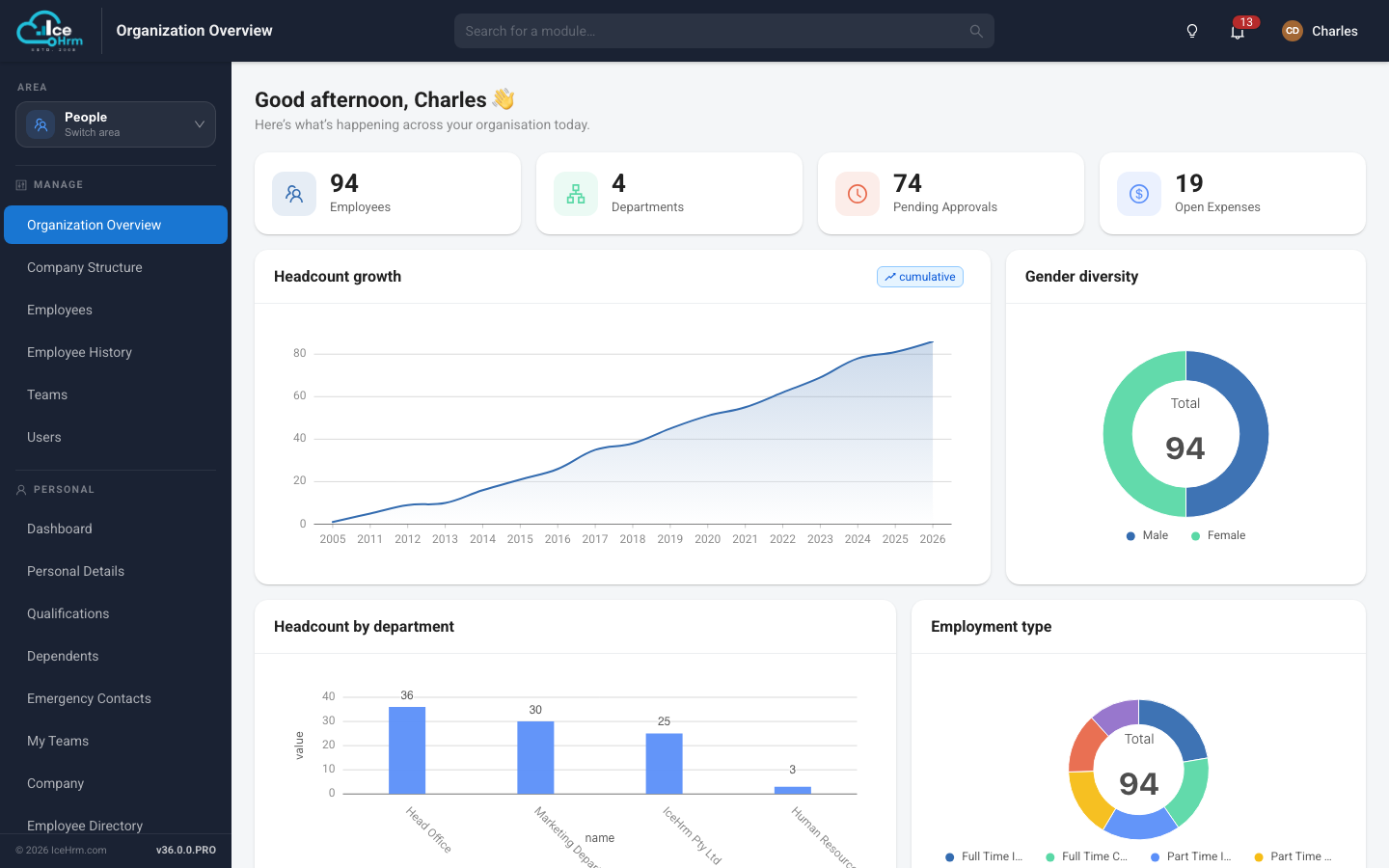
Organization Overview

Open IceHrm and see the state of your organisation straight away - headcount, departments, pending approvals and open expenses, without running a single report.

  • Live headcount, department and approval counters
  • Headcount growth charted over time
  • Gender diversity and employment type breakdowns
  • Headcount by department at a glance
Organization Overview screen in IceHrm
People

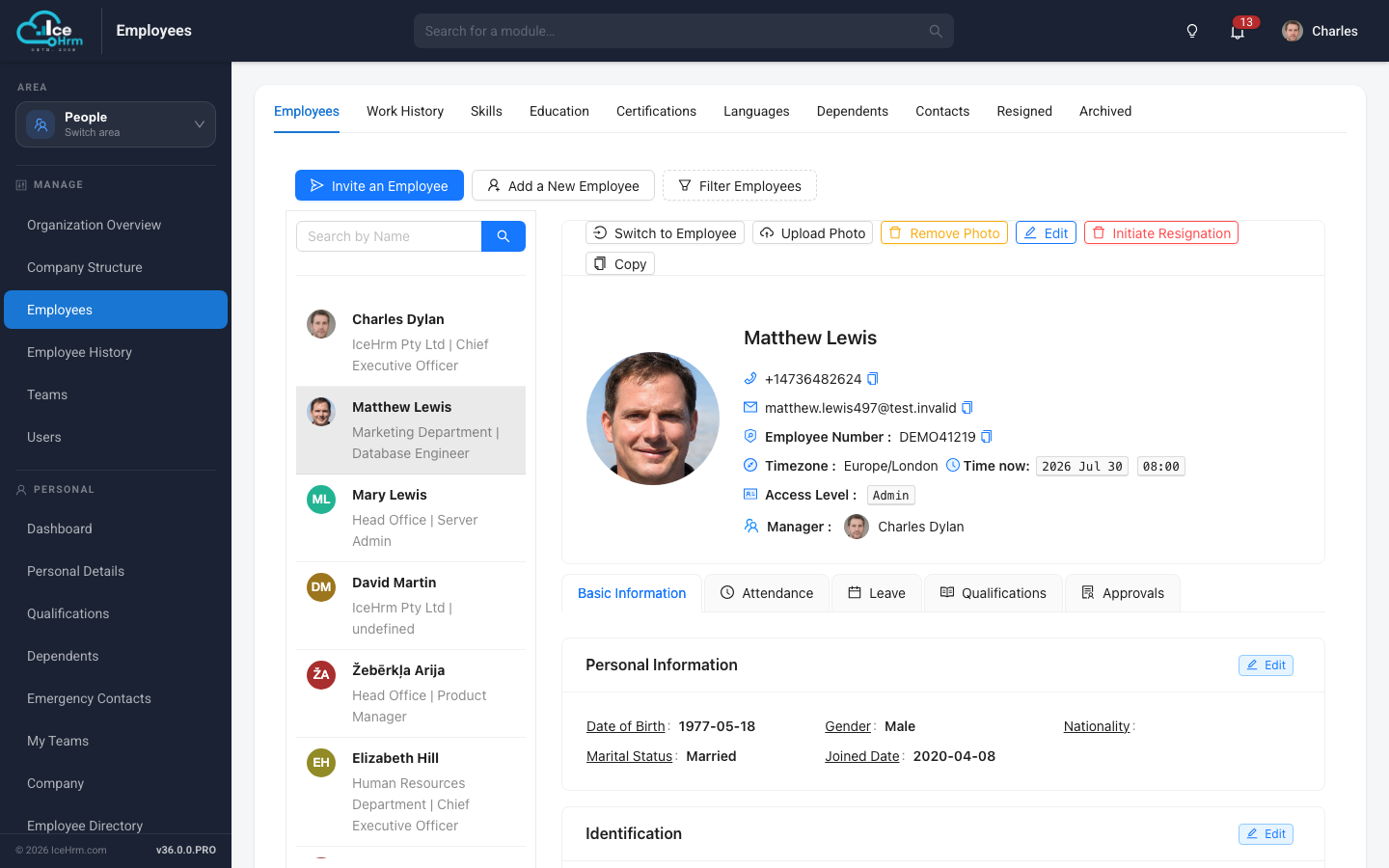
Employee Records

One secure record per employee covering personal details, identification, job history, skills and documents - with role based access controlling who sees what.

  • Personal, contact and identification details in one profile
  • Work history, skills, education, certifications and languages
  • Dependents, emergency contacts and qualifications
  • Invite employees to self serve their own data
Employee Records screen in IceHrm
People

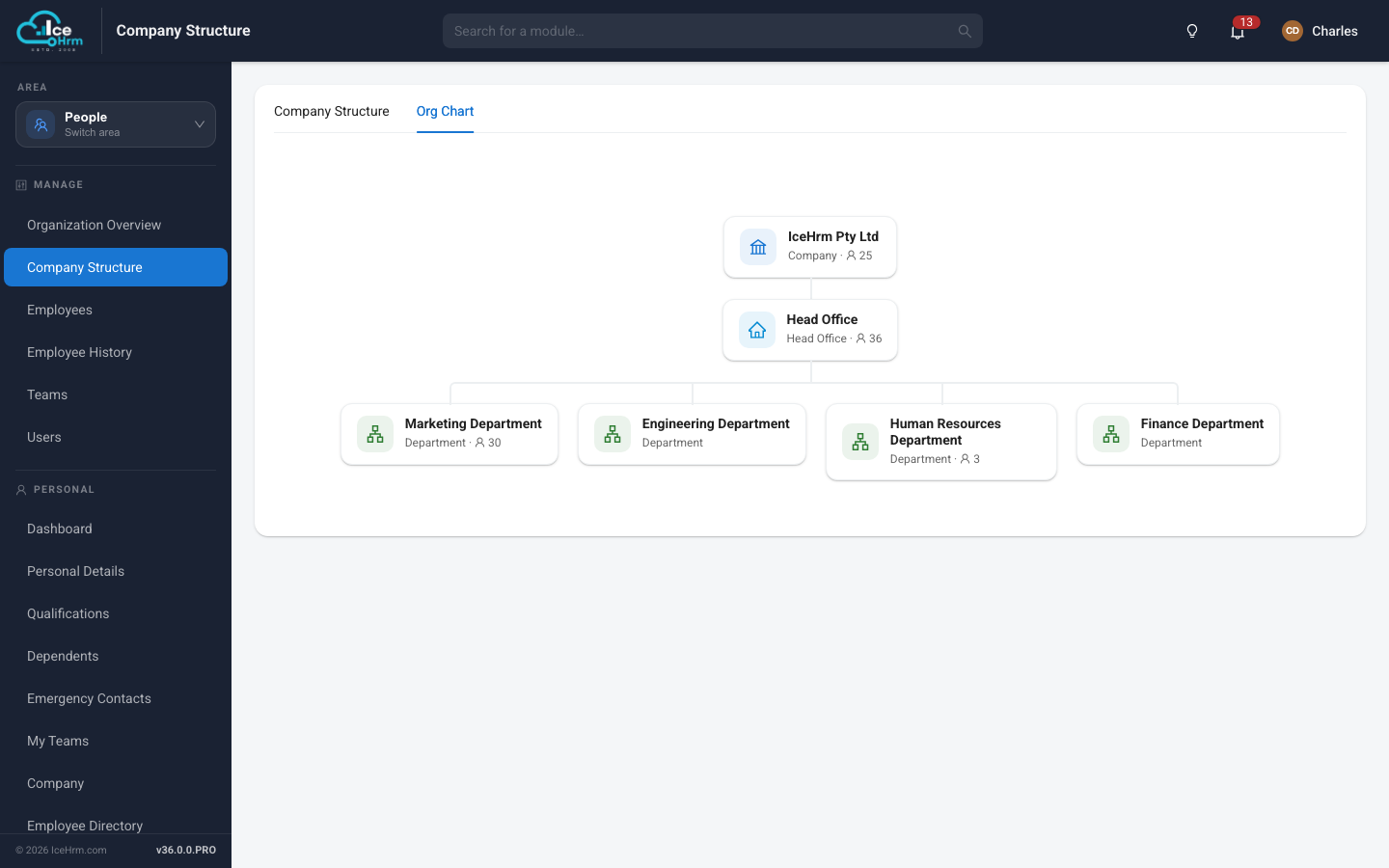
Company Structure

Model your organisation the way it actually works - companies, head offices and departments - and see the whole hierarchy as a chart.

  • Visual org chart of the full hierarchy
  • Unlimited nesting of companies, offices and departments
  • Live headcount against every structure node
  • Per unit address, country and timezone
Company Structure screen in IceHrm
People

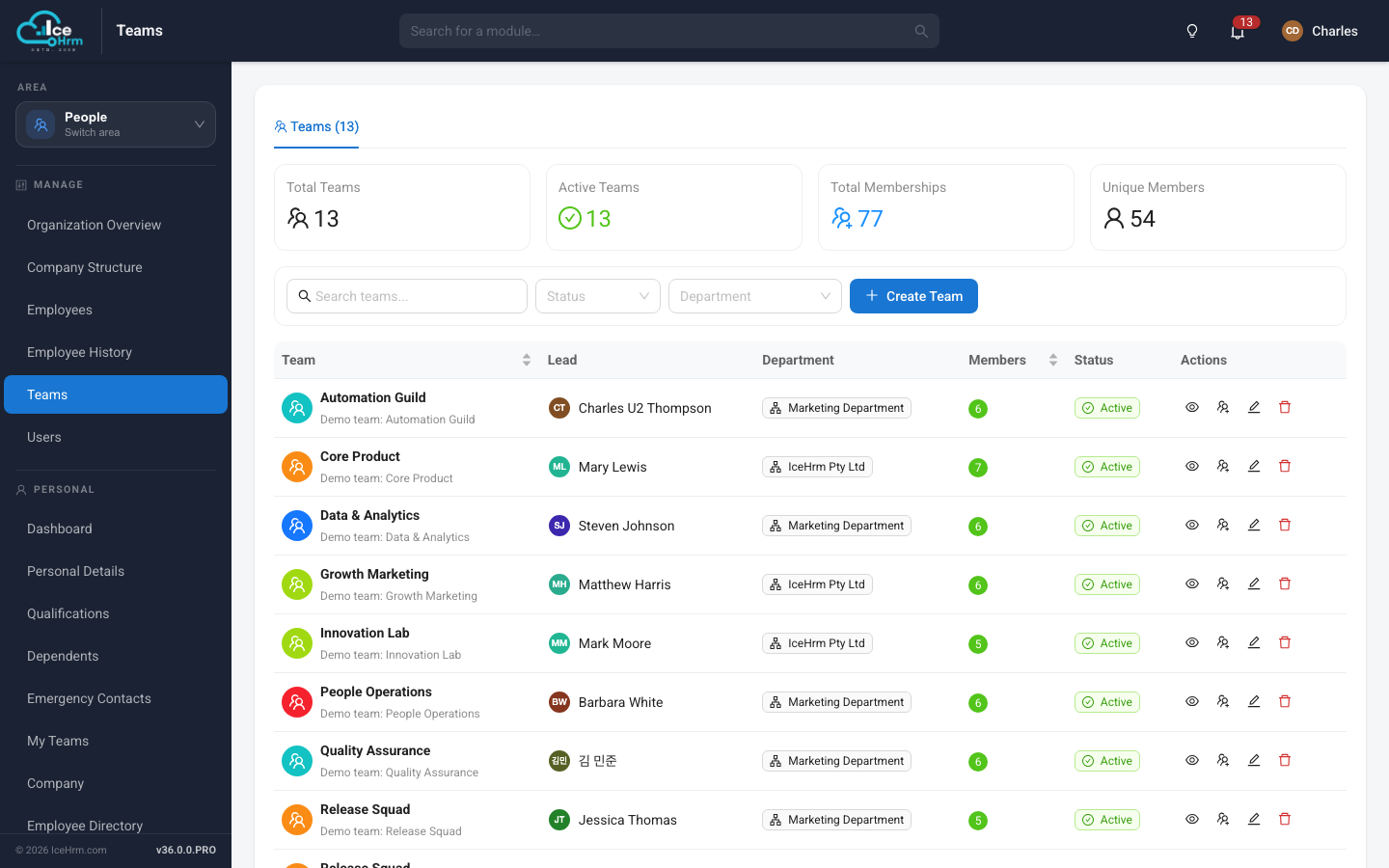
Teams

Group people across departments into working teams with leads and roles, so everyone can see who they work with and who is available.

  • Teams with owners, leaders and members
  • Membership and headcount summary tiles
  • Team attendance and upcoming team leave
  • Filter by department and status
Teams screen in IceHrm
Leave

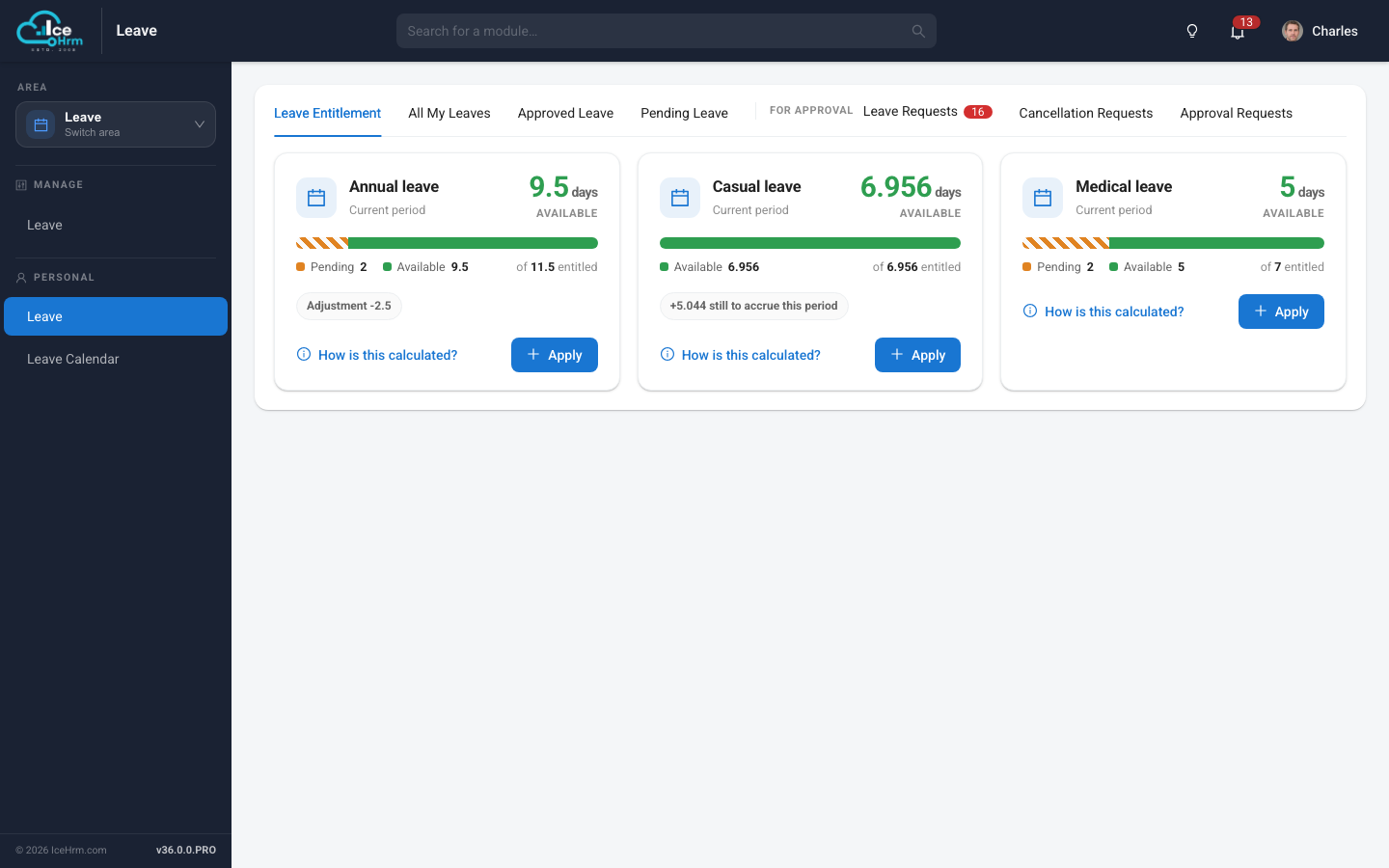
Leave Management

Every employee sees exactly what they have left before they apply - entitlement, accrual, pending days and adjustments, with the calculation shown in full.

  • Live balance per leave type with pending days separated out
  • Accruals over the leave period, and manual adjustments
  • Multi level approval chains per leave type
  • Company holiday calendars and a shared team leave calendar
Leave Management screen in IceHrm
Time and Work

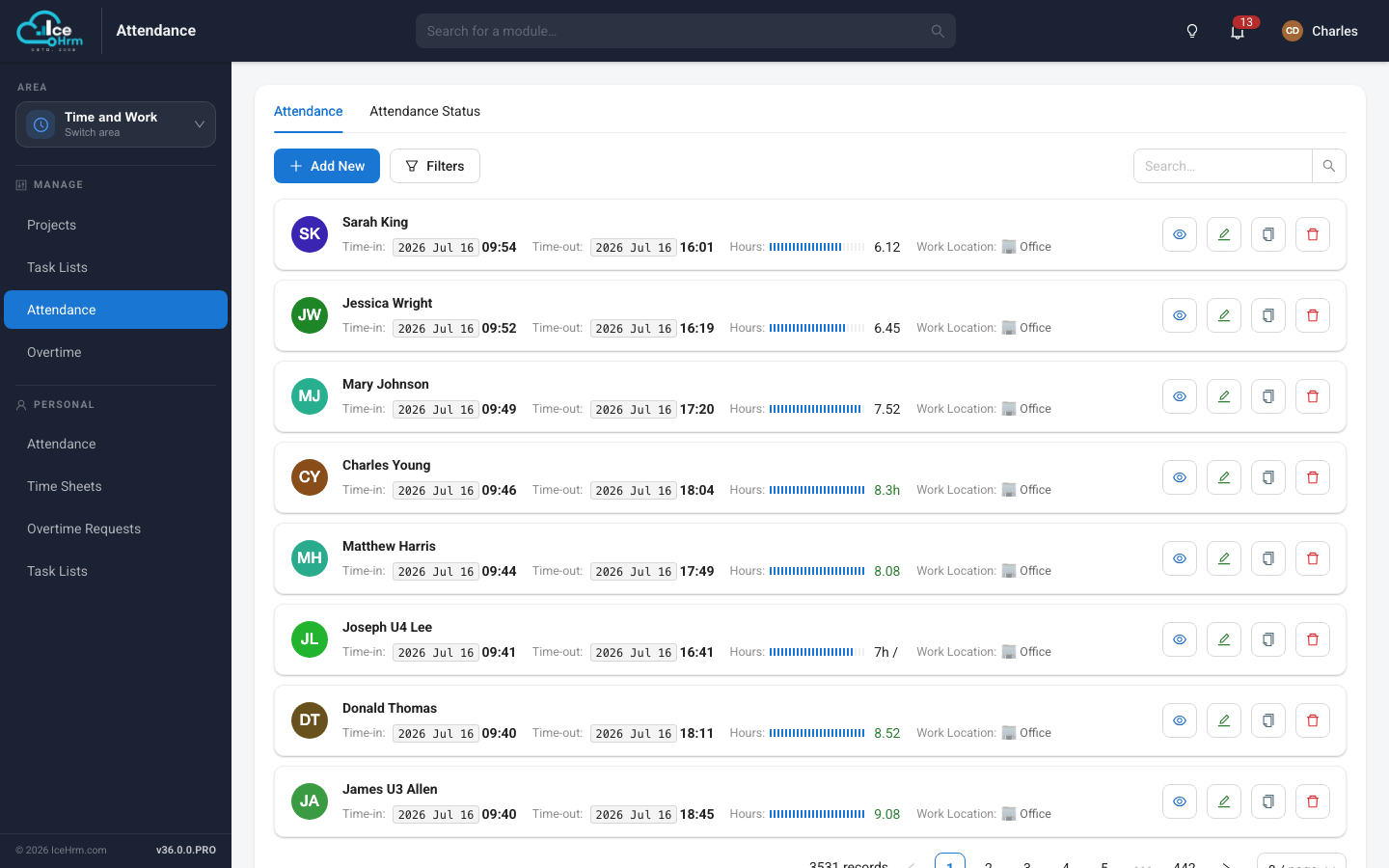
Time and Attendance

Punch in and out from the web or mobile, with work location captured on every entry and hours totalled automatically.

  • Punch in / punch out with location capture
  • Automatic daily hours calculation
  • Admin view across the whole workforce
  • Filters and search over any date range
Time and Attendance screen in IceHrm
Time and Work

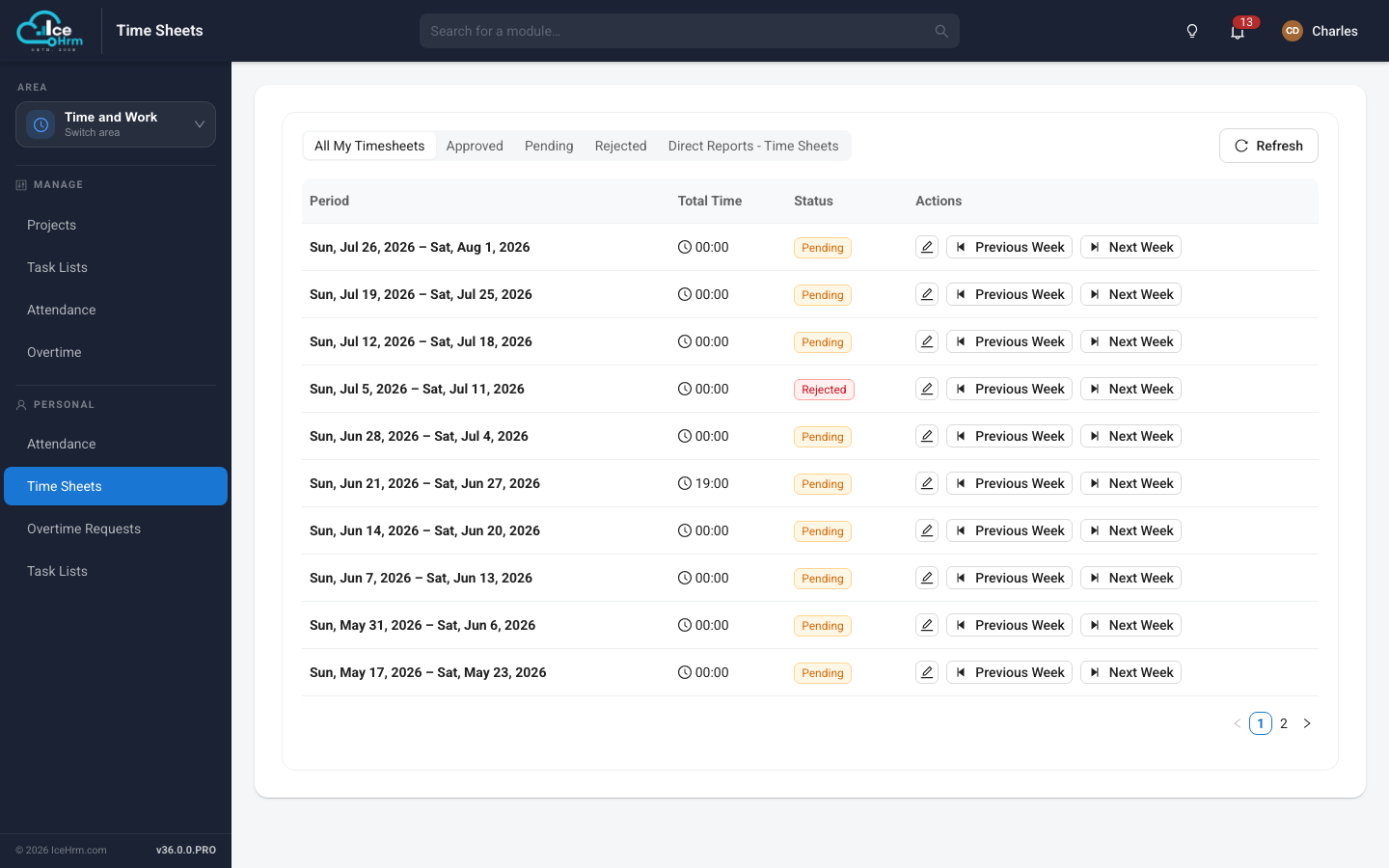
Timesheets

Weekly timesheets employees submit for approval, with direct report views so managers can review their whole team in one screen.

  • Weekly periods with submit and approve workflow
  • Approved, pending and rejected states
  • Direct report timesheets for managers
  • Time booked against projects
Timesheets screen in IceHrm
Time and Work

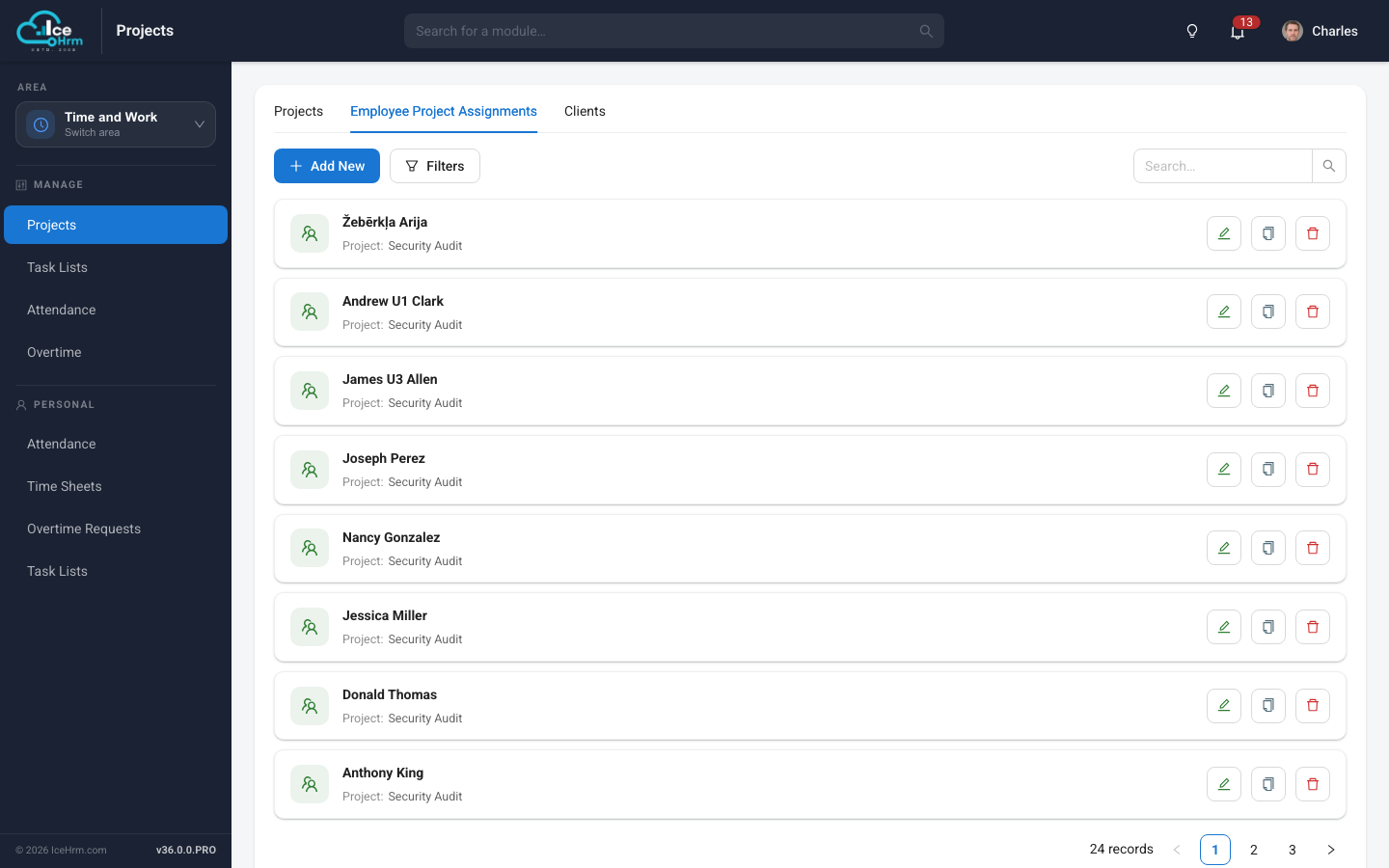
Projects and Clients

Track the work itself - projects, the clients they belong to, and which employees are assigned to each.

  • Projects grouped by client
  • Employee project assignments
  • Time entries booked per project
  • Feeds project reporting and insights
Projects and Clients screen in IceHrm
Time and Work

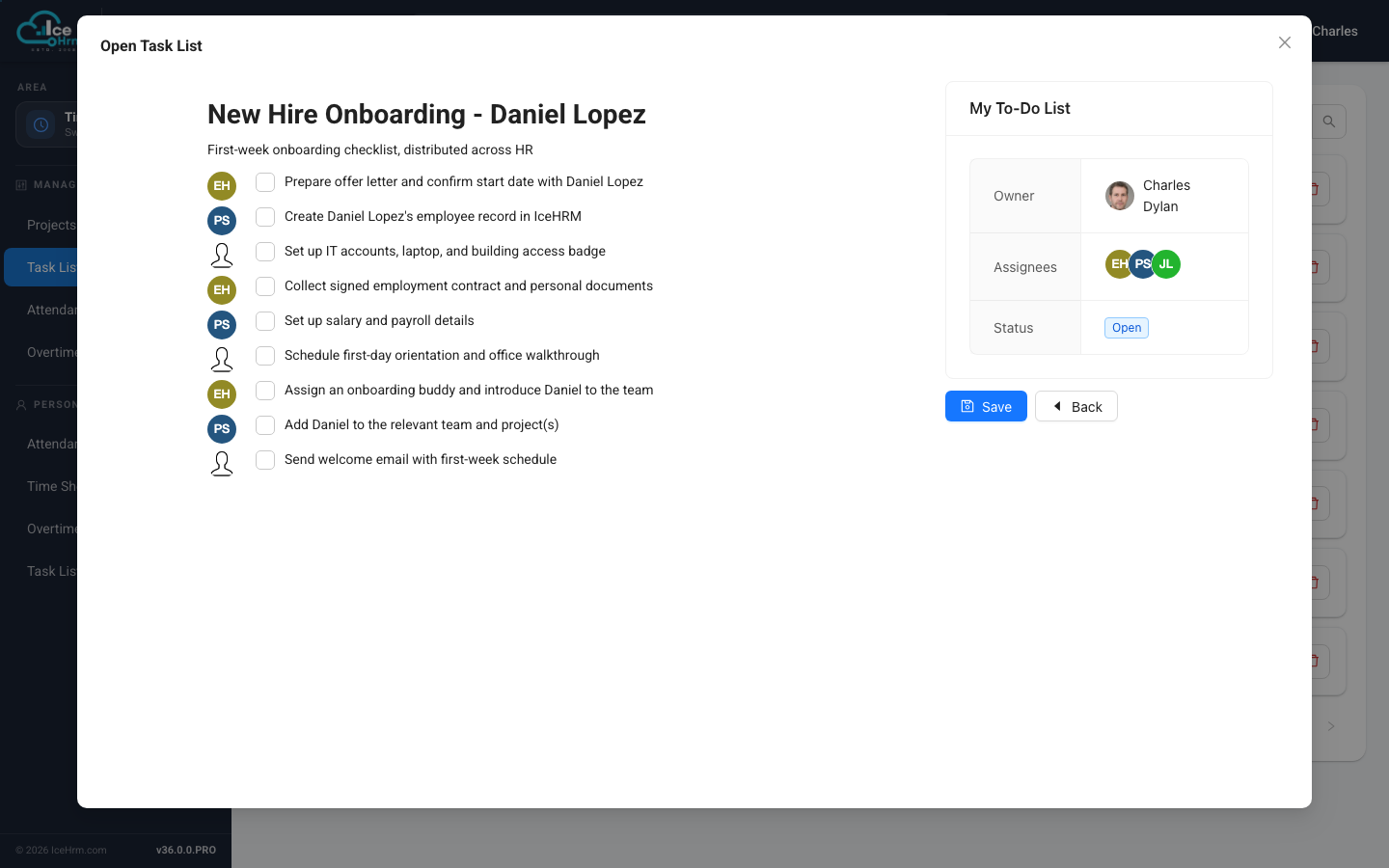
Task Lists

Shared checklists for onboarding, offboarding and recurring processes, with per employee completion tracking.

  • Reusable task lists with owners
  • Per employee completion tracking
  • Open and closed status
  • Assign to individuals or whole teams
Task Lists screen in IceHrm
Pay and Expenses

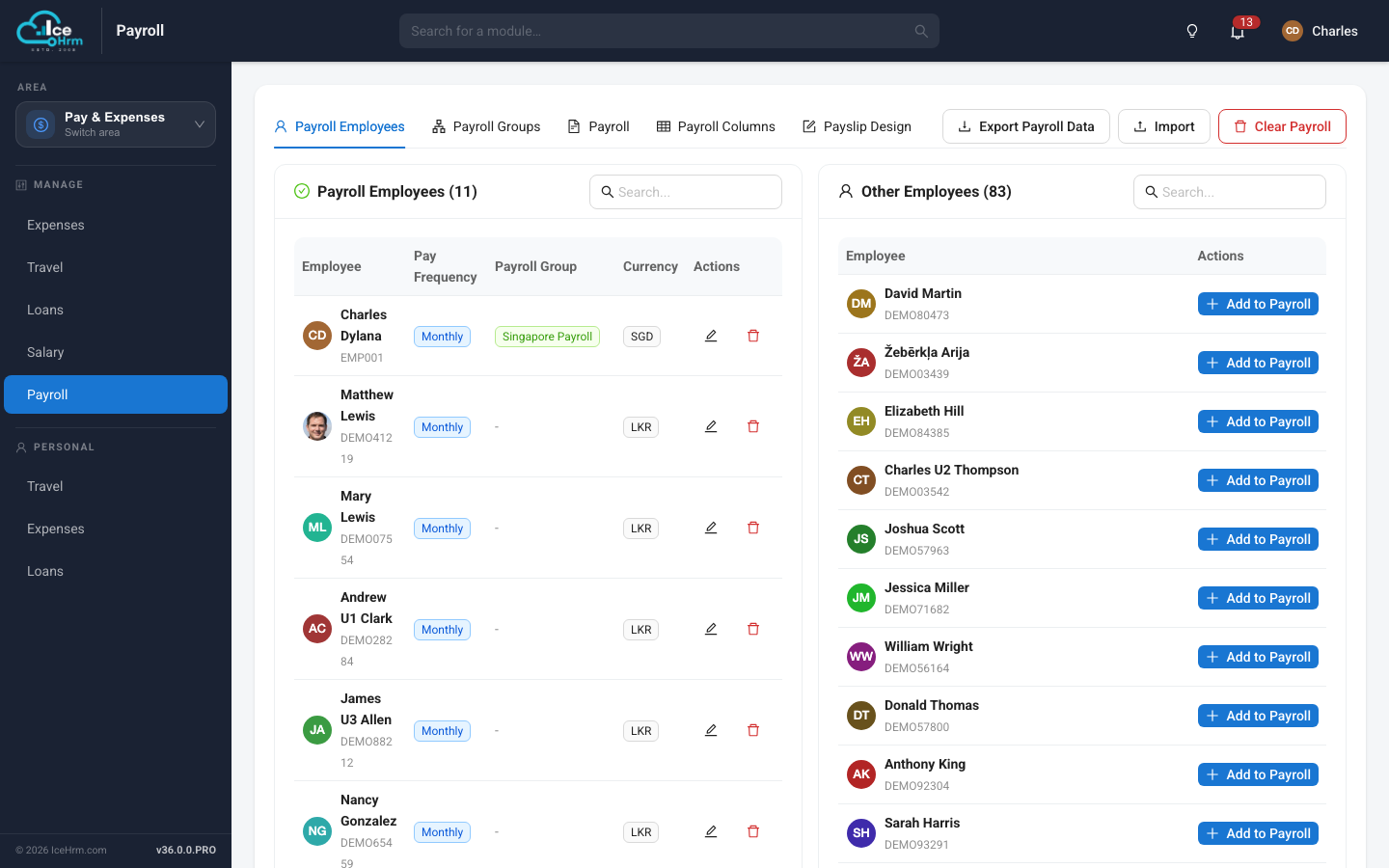
Payroll

Run payroll on your own salary structure - custom columns, pay groups, multiple currencies and a drag and drop payslip designer.

  • Payroll groups and pay frequencies
  • Custom payroll columns and formulas
  • Multi currency support
  • Drag and drop payslip design, import and export
Payroll screen in IceHrm
Pay and Expenses

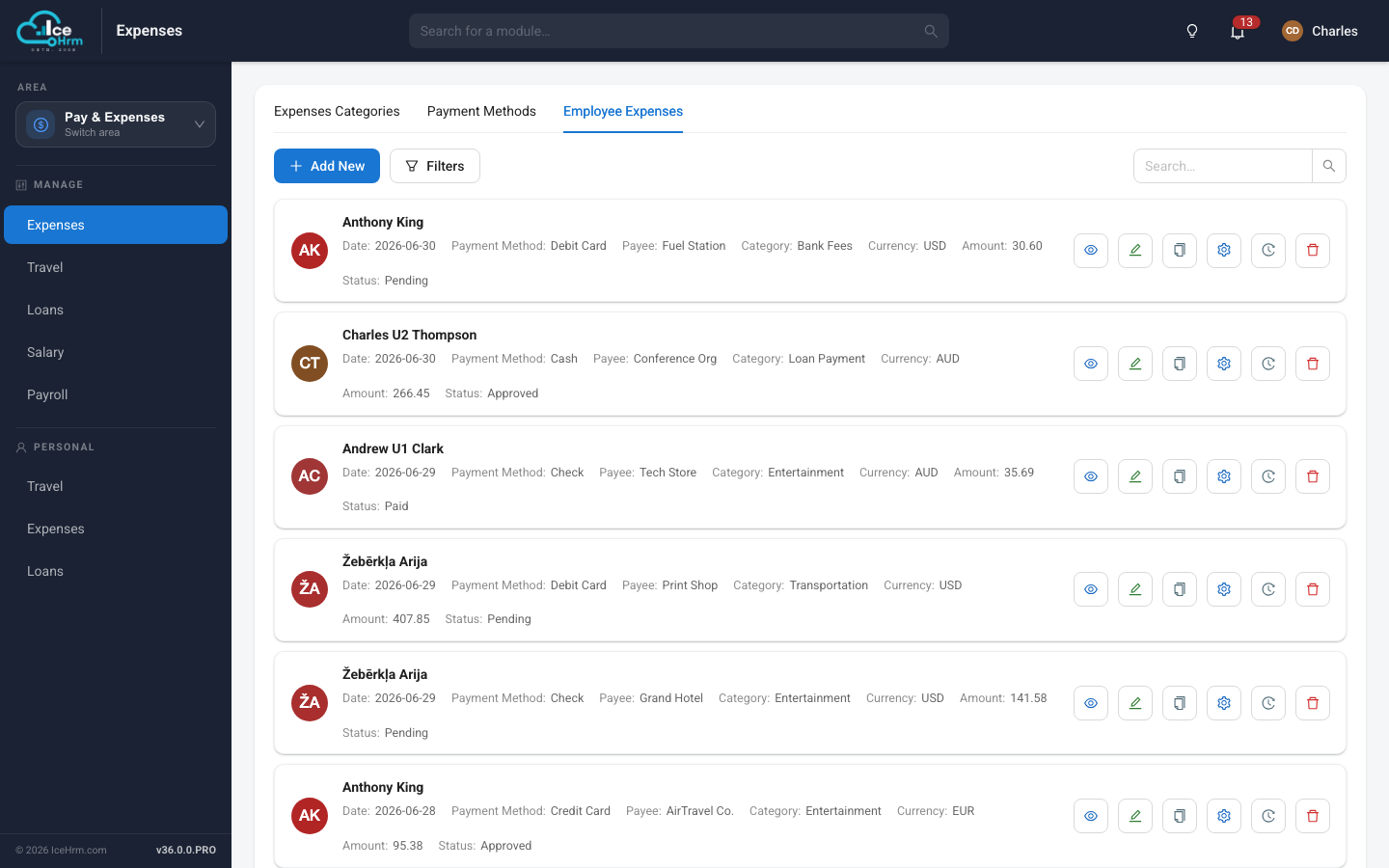
Expenses

Employees submit expenses with receipts, managers approve, and approved amounts flow through to payroll for reimbursement.

  • Categories, payment methods and currencies
  • Receipt upload against each claim
  • Pending, approved and paid states
  • Multi level approval workflow
Expenses screen in IceHrm
Performance

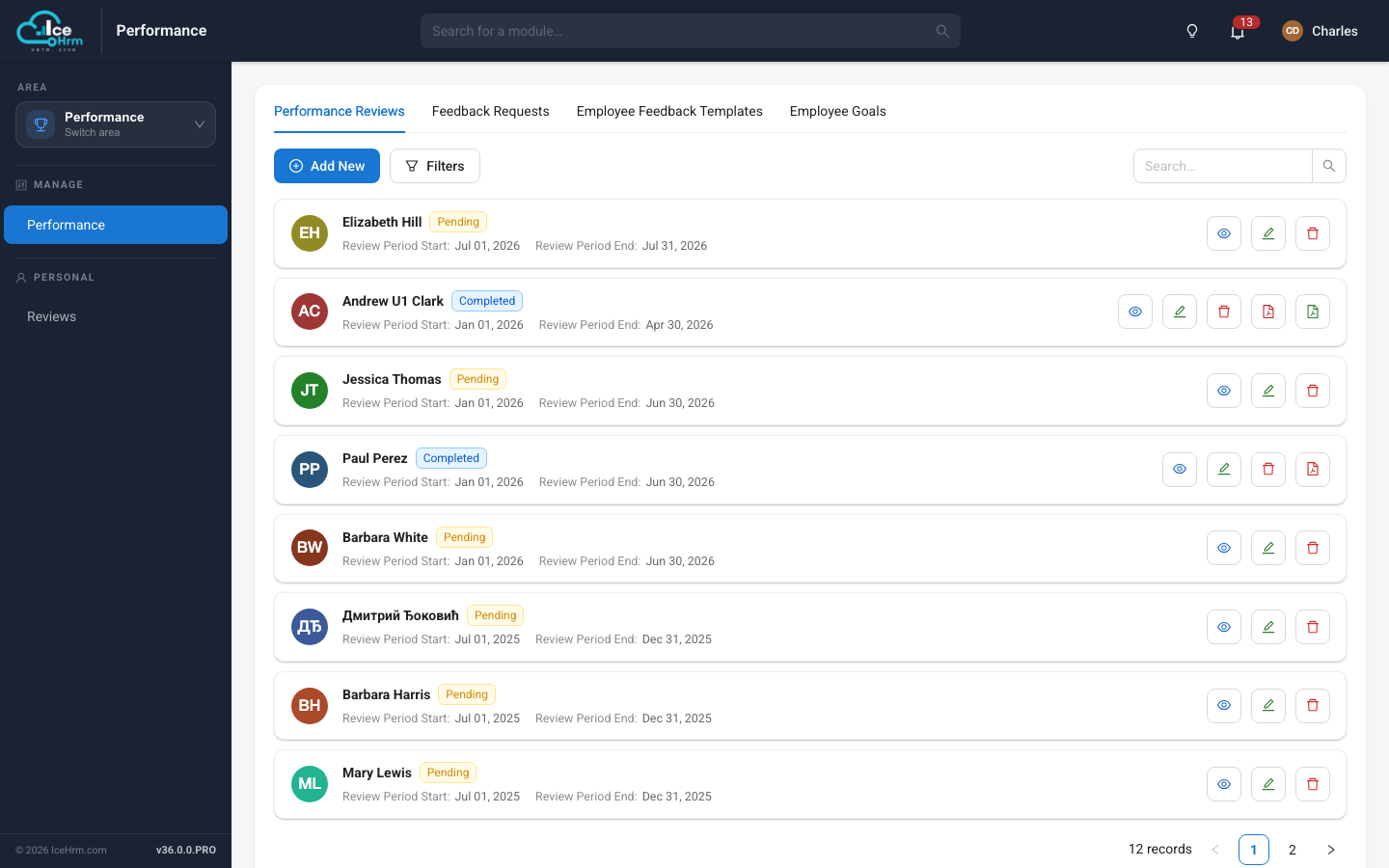
Performance Reviews

Review cycles with goals, self assessment and 360 degree peer feedback, driven off reusable templates.

  • Review periods with pending and completed tracking
  • Employee goals tied to each review
  • Self, reviewer and peer feedback
  • Reusable feedback templates, export to PDF
Performance Reviews screen in IceHrm
Recruitment

Recruitment and Applicant Tracking

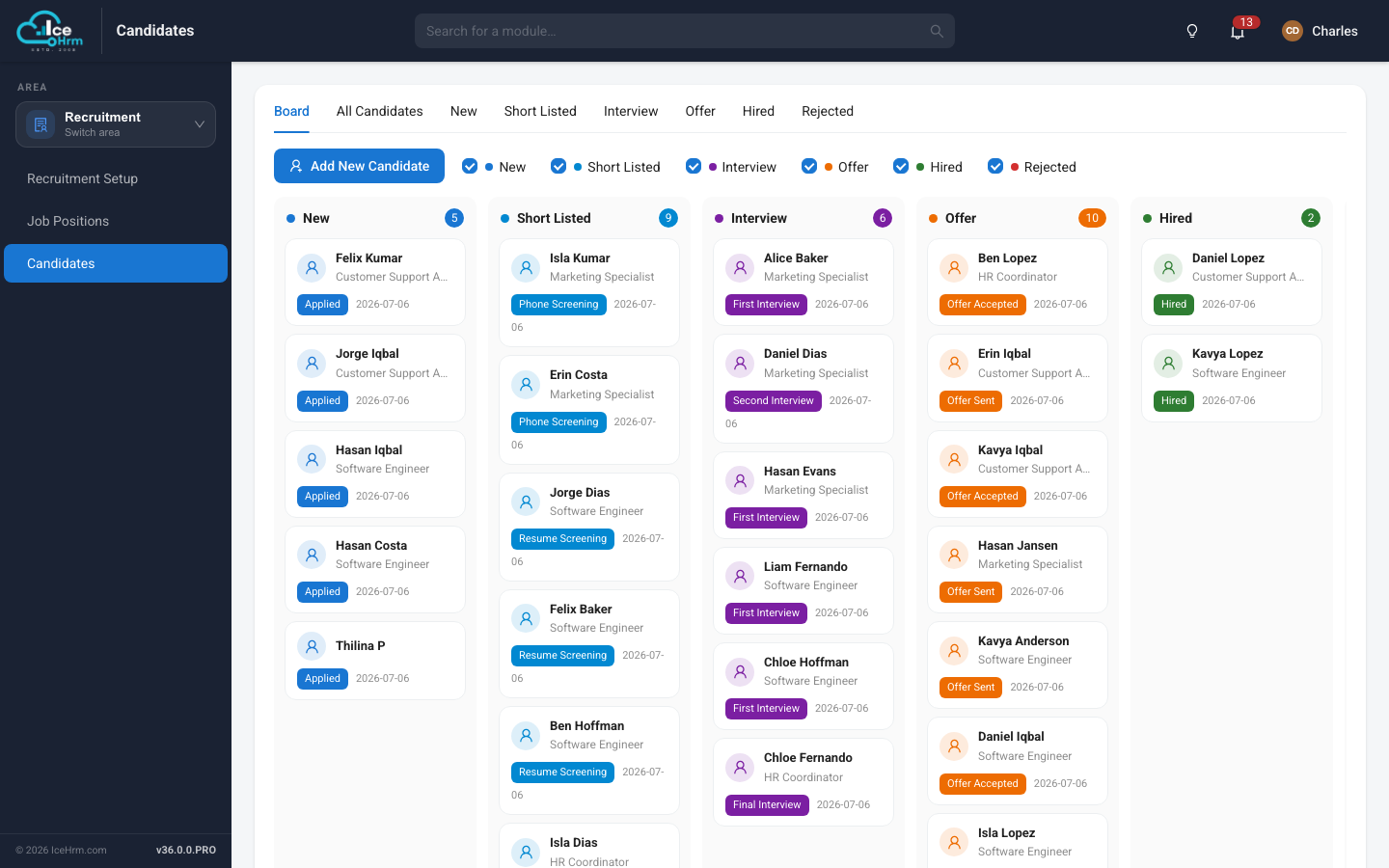
A hiring pipeline you can see - candidates move across a board from applied through screening, interviews and offer to hired.

  • Kanban board across every hiring stage
  • Job positions with requirements and job functions
  • Interview scheduling and candidate profiles
  • Stage counts and filters at the top of the board
Recruitment and Applicant Tracking screen in IceHrm
Documents

Documents and e-Signing

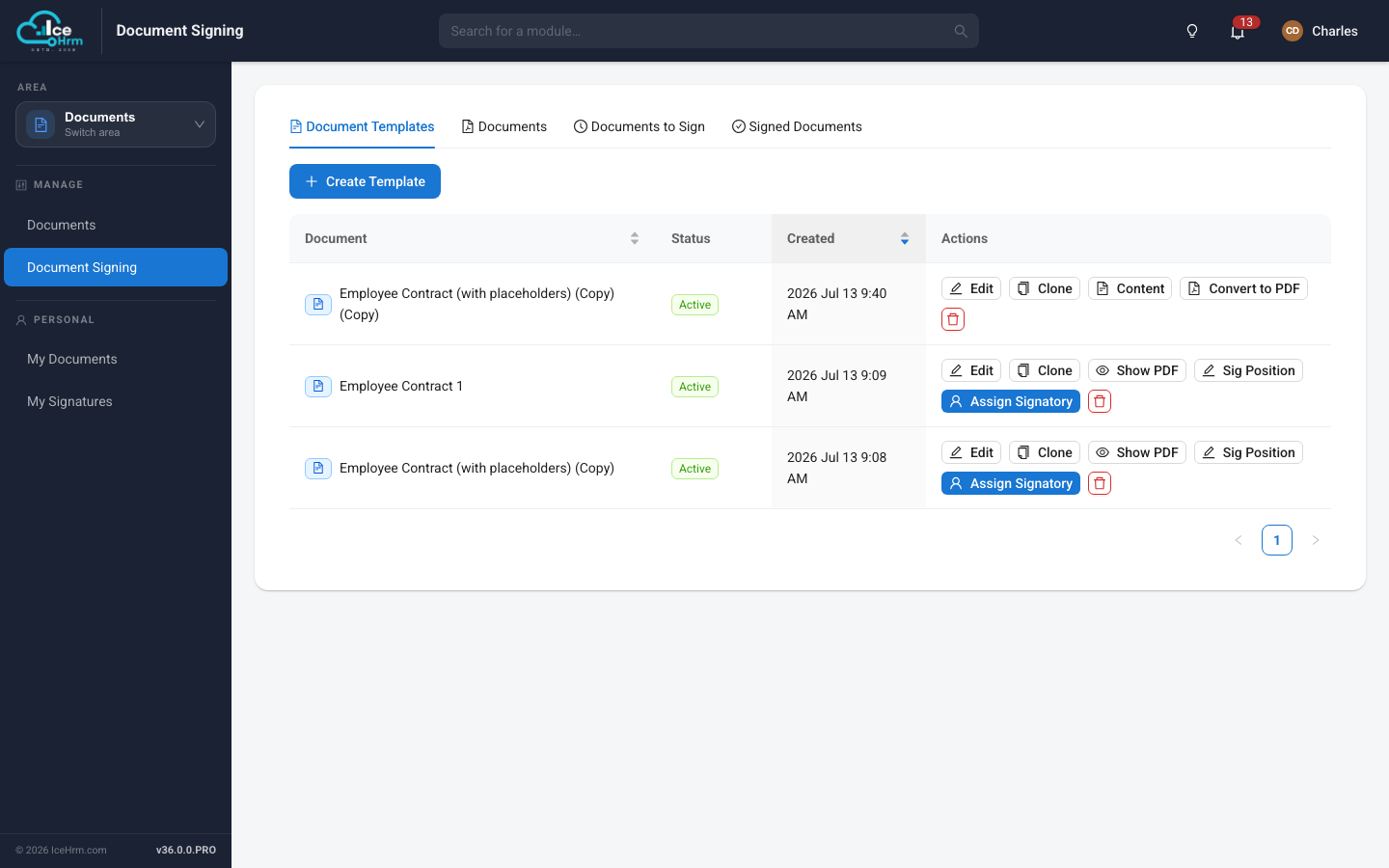
Store company and employee documents, then send contracts out for signature with placeholders filled from employee data.

  • Company and employee document libraries
  • Reusable templates with data placeholders
  • Assign signatories and position signatures
  • Track documents to sign and signed documents
Documents and e-Signing screen in IceHrm
Reports and Insights

HR Reports

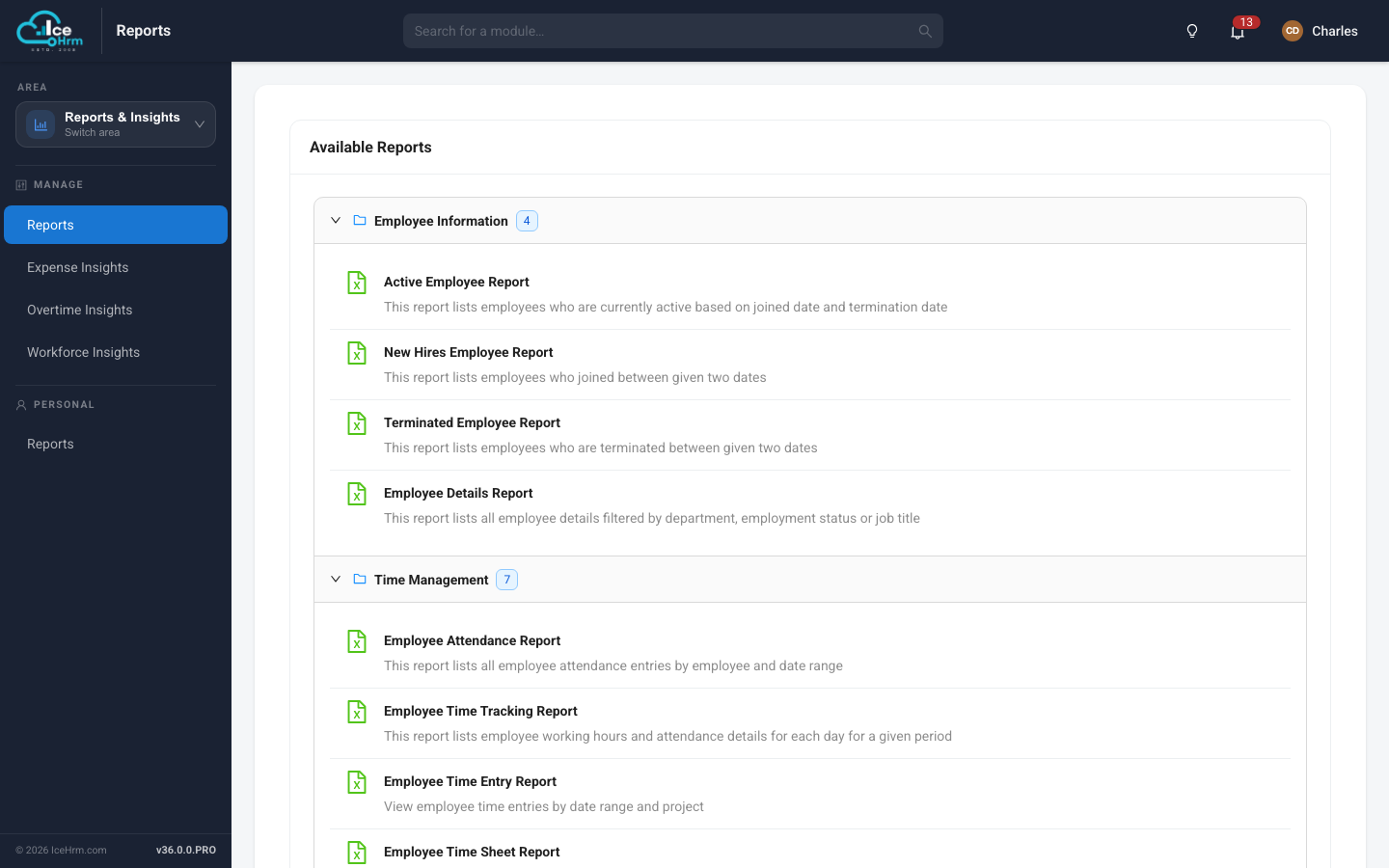
A library of prebuilt reports across employees, time, leave and expenses - filter, preview live and export to CSV.

  • Prebuilt reports grouped by category
  • Customisable filters on every report
  • Live preview before you export
  • CSV export for finance and audit
HR Reports screen in IceHrm
Reports and Insights

Workforce Insights

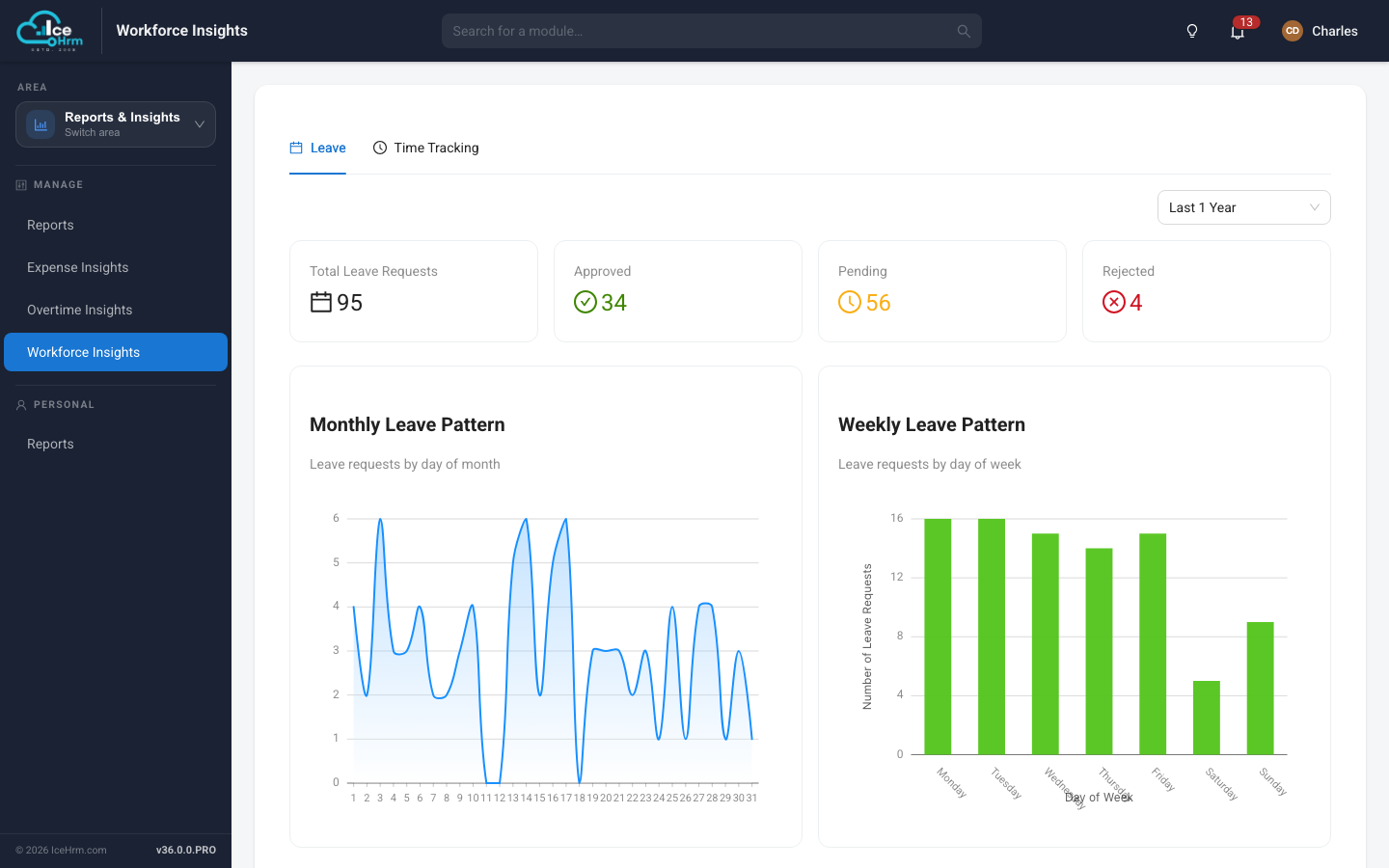
Charted analytics over leave, attendance and expenses - spot the patterns a table of rows will never show you.

  • Leave request volumes and approval outcomes
  • Monthly and weekly attendance patterns
  • Expense and overtime insight dashboards
  • Flexible date ranges
Workforce Insights screen in IceHrm

Try it with your own data

Start a free 14 day trial of IceHrm Cloud, or self host with IceHrmPro.

Start Free Trial Buy IceHrmPro Compare editions