Performance Reviews
The Performance area is where you run appraisals end to end — build the questions, assign a review to each employee, collect self-assessments and peer feedback, track goals, and record the manager's summary.
To open it, use the area switcher at the top of the left sidebar, click Switch area, and choose Performance.
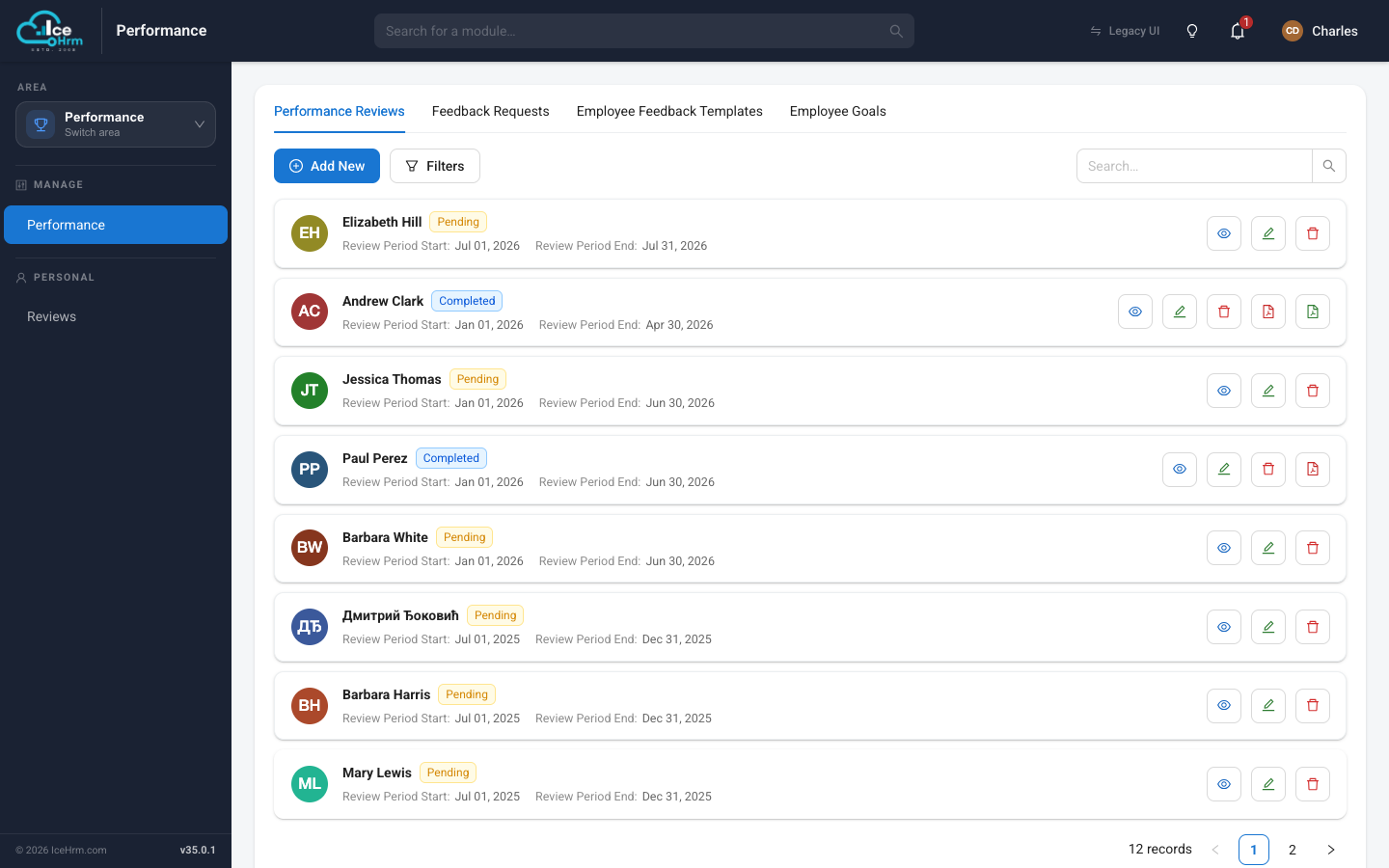
How the module is organised
Under Manage, the Performance module has four tabs:
| Tab | What it's for |
|---|---|
| Performance Reviews | The reviews themselves — one per employee, per period. |
| Feedback Requests | Asking specific people to give peer/supervisor feedback. |
| Employee Feedback Templates | The reusable sets of questions a review is built from. |
| Employee Goals | Every goal across all employees, in one place. |
Under Personal, the Reviews module is the employee's own view — where each person completes their self-assessment and answers feedback requests.
A typical review cycle
1. Build a feedback template (the questions)
          ↓
2. Assign a review to each employee for the period
          ↓
3. Employee fills in their self-assessment
          ↓
4. Request peer / supervisor feedback
          ↓
5. Track goals (employee + manager both rate progress)
          ↓
6. Manager writes their reviewer feedback
          ↓
7. Mark the review Completed
New here? Start with The Review Workflow — it walks through a complete review from start to finish and links to the detailed page for each step.
All pages in this section
📄️ The Review Workflow
This page walks through a complete performance review from start to finish, so you can
📄️ Creating Feedback Templates
A feedback template is the set of questions a review is built from. You create a
📄️ Assigning a Review
Once you have a feedback template, you assign a performance review
📄️ Setting and Tracking Goals
Goals turn a review into a plan. Each goal has two progress bars — one the
📄️ Completing Your Review (Employee)
When a review is assigned to you, your part is to fill in your self-assessment and
📄️ Requesting Peer Feedback
A well-rounded review includes input from the people who work with the employee, not
📄️ Giving Feedback (Supervisor / Peer)
When someone asks you to give feedback on a colleague, the request shows up for you to
📄️ Viewing Reviews (Supervisor)
As a supervisor or administrator you'll often want to open a review to read what's
📄️ Who Can See What
Performance reviews contain sensitive input, so IceHrm is deliberate about who can see
📄️ Recording Review Notes
Beyond the questionnaire answers, a review is also a place to record the manager's own