Work Week and Holidays
For leave to count correctly, IceHrm needs to know which days are working days and which are public holidays. A five-day leave request that spans a weekend and a holiday should only use the actual working days — and that's exactly what these two settings control.
Both live in Leave > Leave (the Manage section).
Work Week
On the Work Week tab, each day of the week is marked as a Full Day, Half Day, or Non-working Day. You can also add country-specific rows so different offices can have different working weeks.
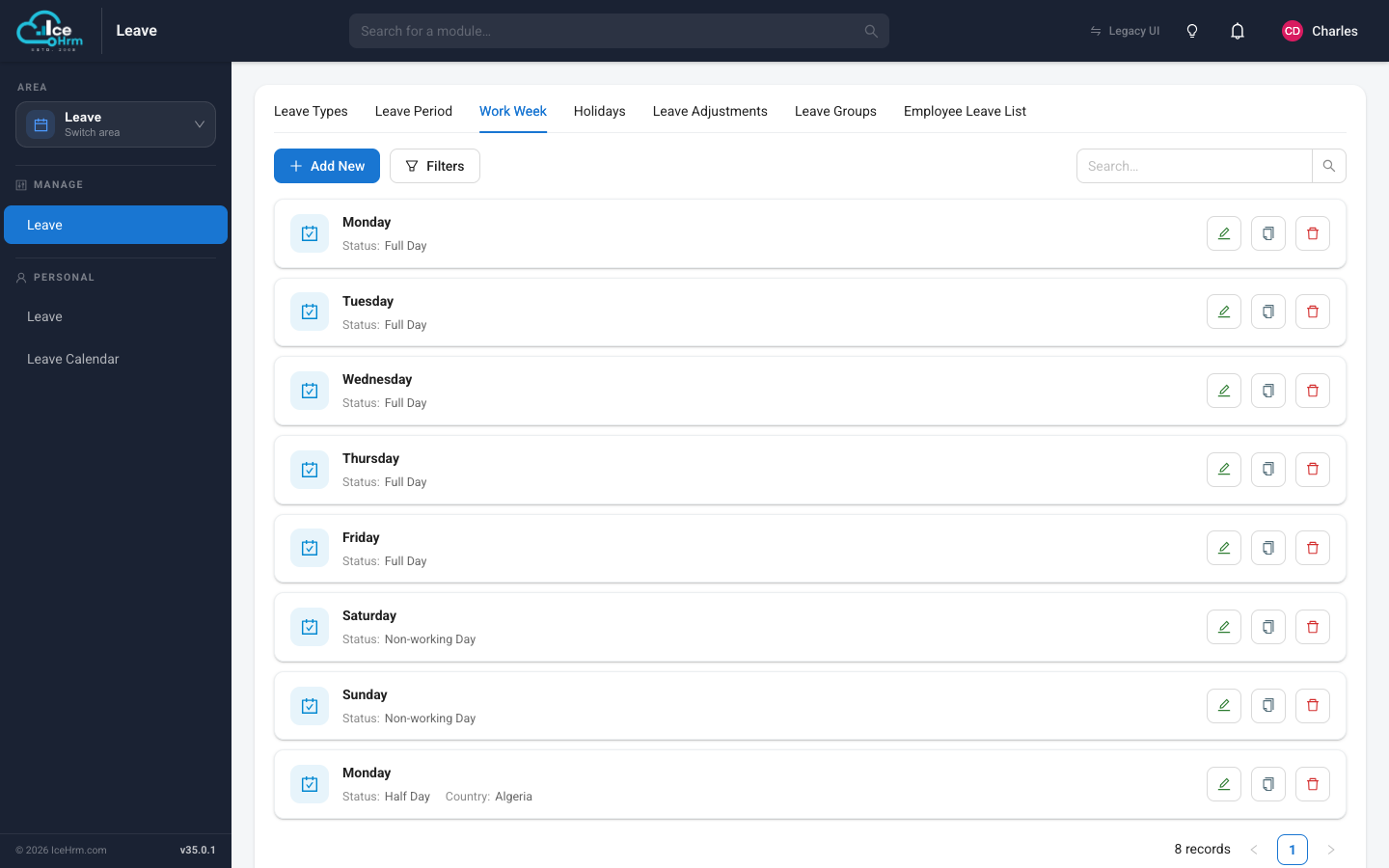
To change a day, click its edit button, pick the status (and a country if needed), and save. Days marked as non-working are never counted against leave.
Holidays
On the Holidays tab you'll find your public holidays, each with a date, a status, and a country.
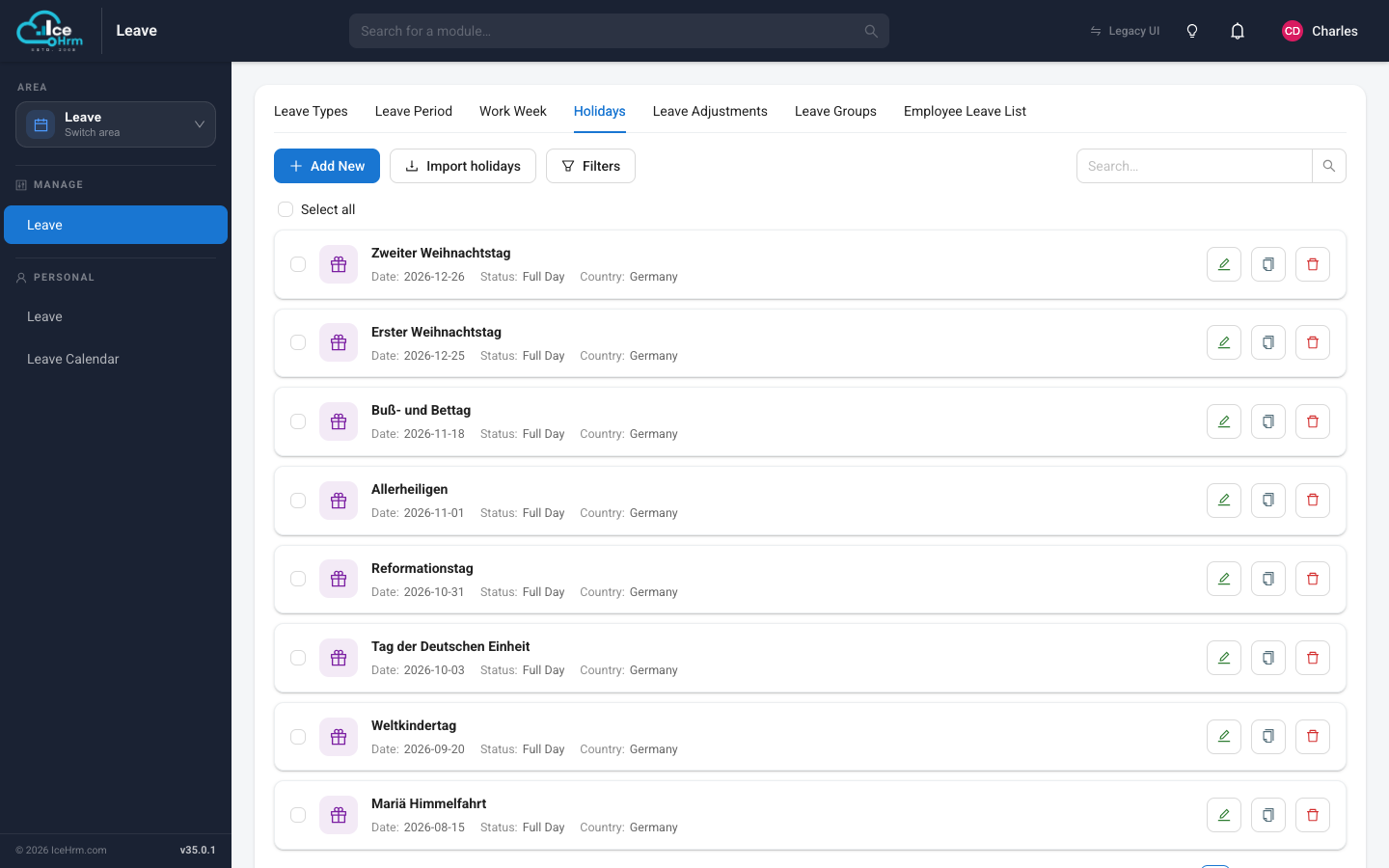
- Click Add New to add a single holiday.
- Click Import holidays to bring in a country's public holidays in one go — much faster than adding them one at a time.
- Use the checkboxes and Select all to manage several holidays together.
Holidays that fall inside a leave request are skipped, so employees aren't charged leave for them (unless a leave type is specifically set to count them).