In IceHrm, leave rules are used when you want to make an exception for an individual, department or for employees with a specific job title.
Suppose all your employees have 14 annual leaves per year. First add a leave type called annual leave with the number of leaves as shown below:
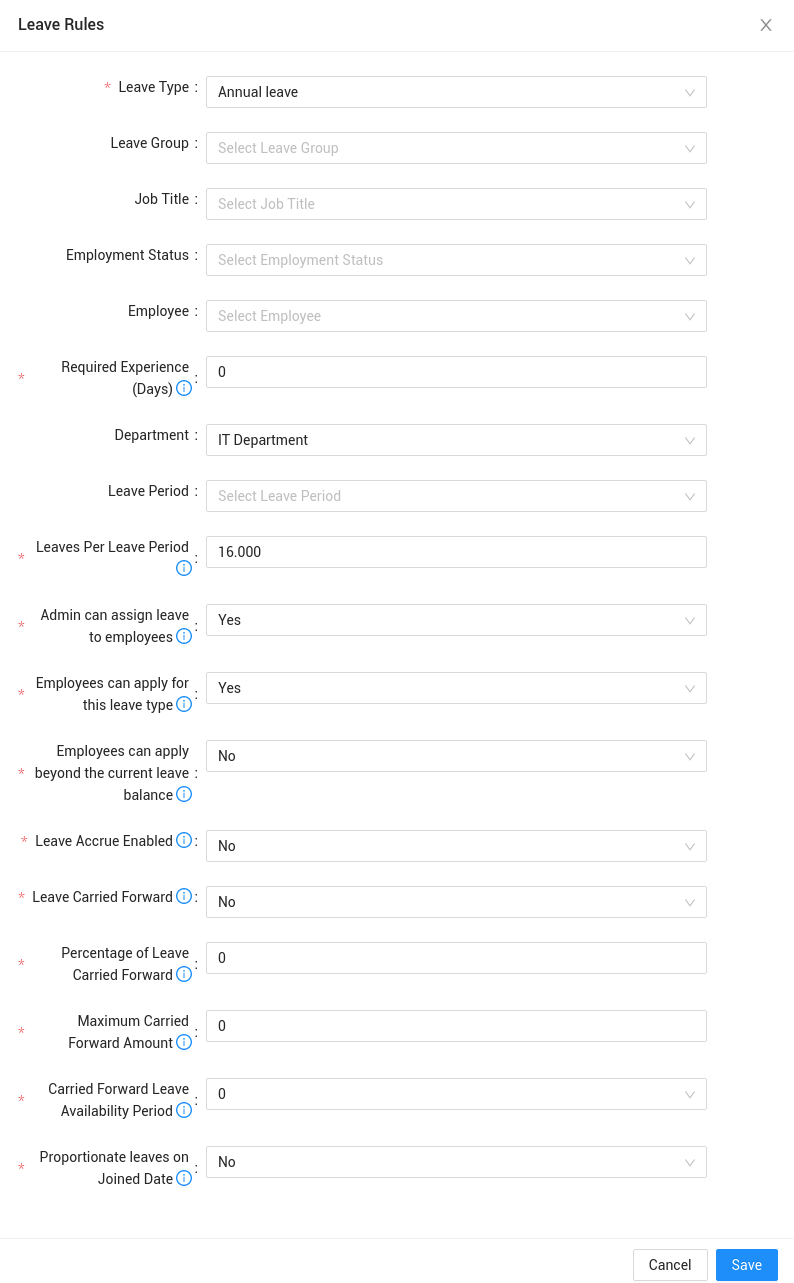
Now suppose you want employees who belong to the IT department have 16 annual leaves instead of 14. Go to the leave rules tab and add the following leave rule:
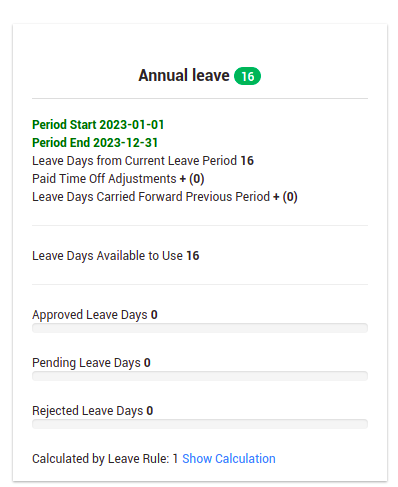
Once you have added the leave rule, you can login as an employee in the IT department to check if the leave entitlement is displayed correctly.
Click here to find more about IceHrm’s Leave Management Module.