The largest interface release in the product's history
IceHrm v36 rebuilds the entire application as a single-page React experience —
a persistent shell with instant navigation, a global module search, in-app
notifications, a full dark theme, and a layout that works on a phone. Alongside it
come redesigned dashboards, a visual org chart, and a built-in updater that keeps
your installation current without touching a terminal.
IceHrm now runs as a single-page application. The shell — navigation, search,
header and notifications — stays loaded while you work, so moving between
modules is instant instead of a full page reload.
Instant navigation
Persistent application shell — the sidebar and header never reload; only the content area changes
Areas — modules are grouped into areas (People, Time and Work, Leave, Pay), switchable from the top of the sidebar, so long menus stay manageable
Global module search — type in the header search box to jump straight to any module you have access to, with no hunting through menus
Permission-aware menu — the sidebar shows only what the signed-in user may open
Deep links — every module has its own address, so screens can be bookmarked and shared
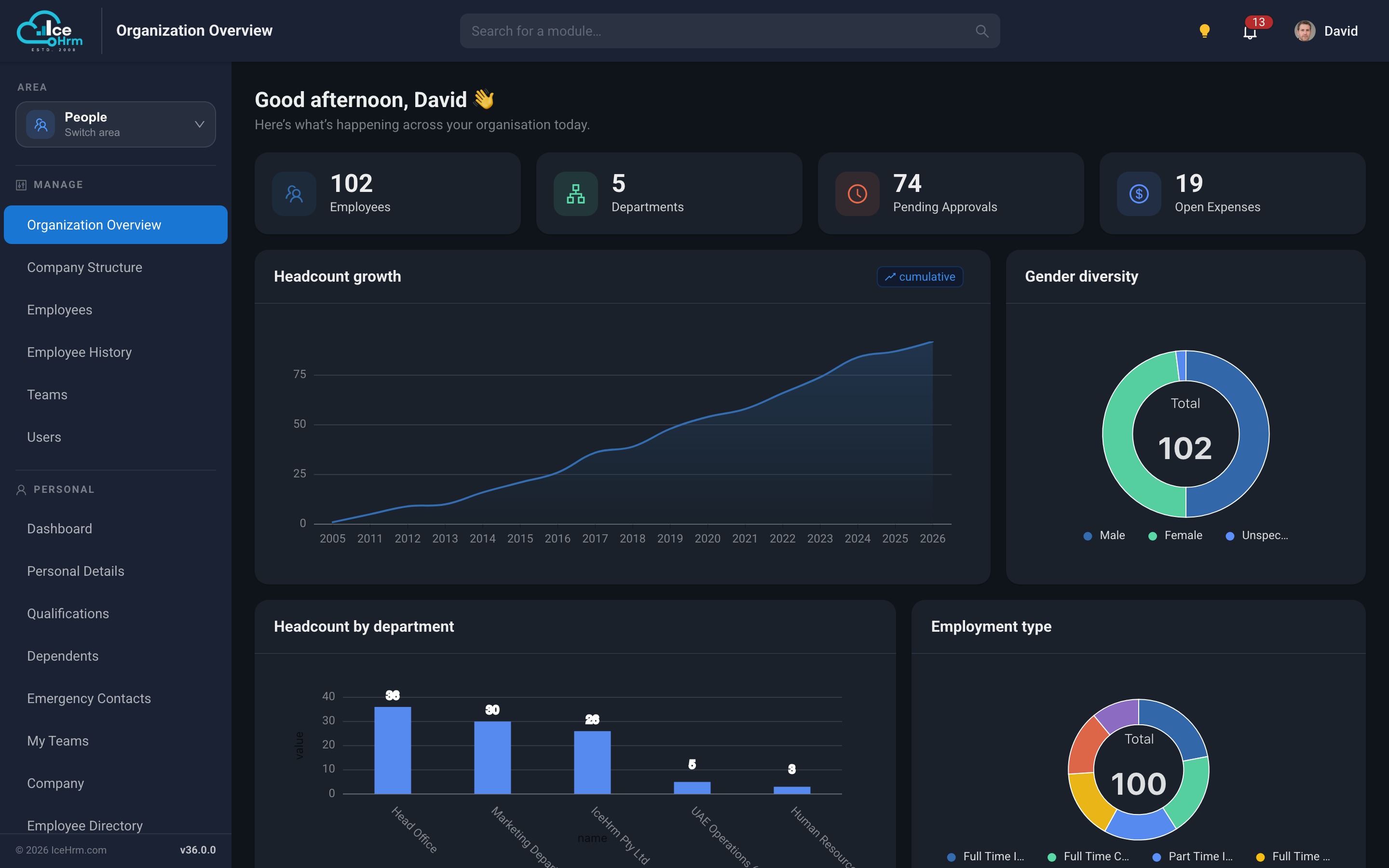
Dark mode
A full dark theme across the entire application, remembered per browser and applied
before the first paint so there is no white flash on load. Charts, dialogs, tables
and forms are all themed — including the older screens that have not yet been
rebuilt.
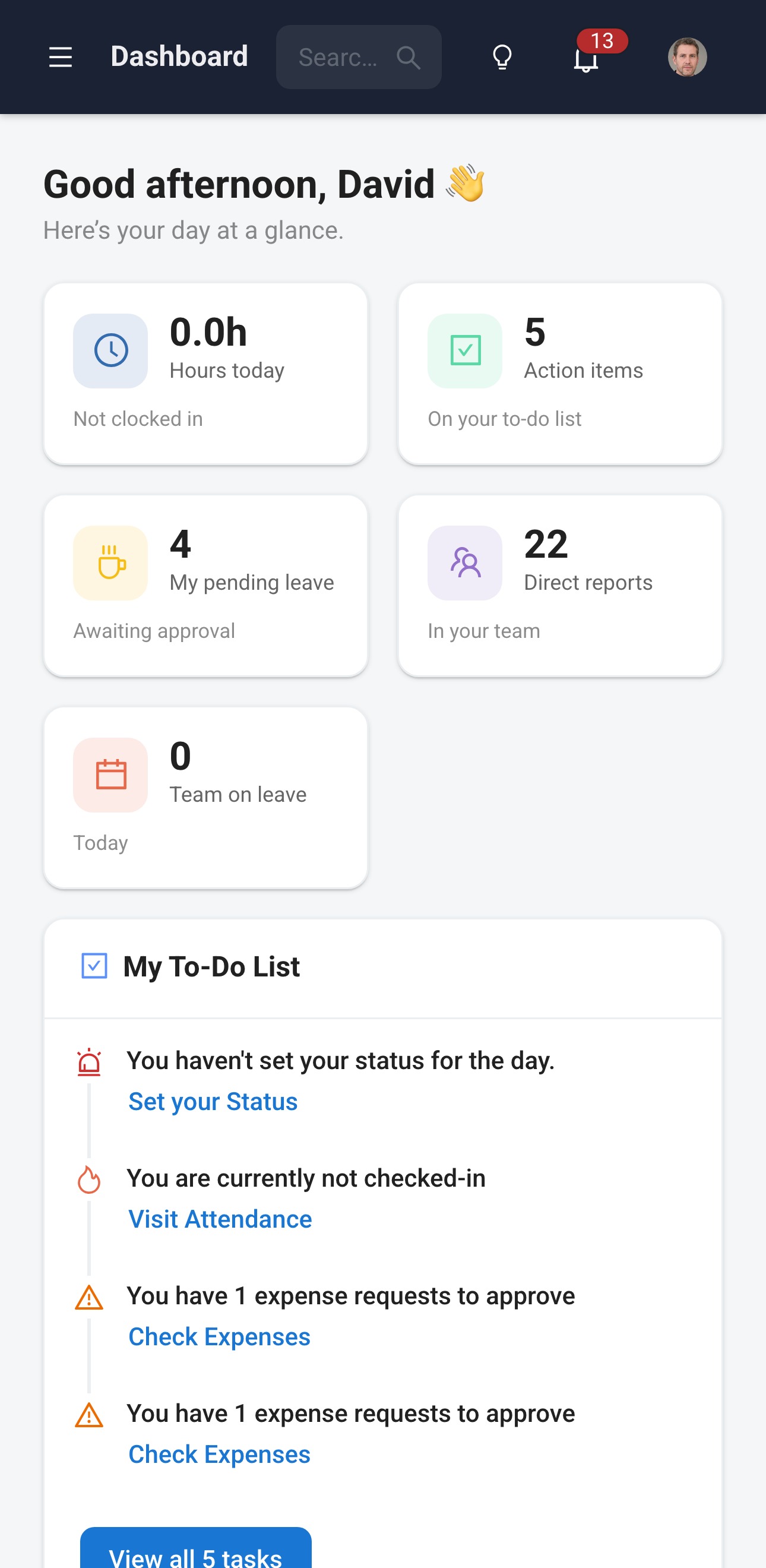
Works on a phone
The layout adapts to small screens: the sidebar collapses into a drawer, cards stack,
and tables become scrollable, so employees can check leave balances, submit requests
and fill in timesheets from a phone browser.
Dashboard on a phone
In-app notifications
Approvals, assignments and reminders now appear in a notification tray in the header,
with an unread count, rather than relying solely on email.
Redesigned dashboards
Both the administrator and employee dashboards have been rebuilt natively.
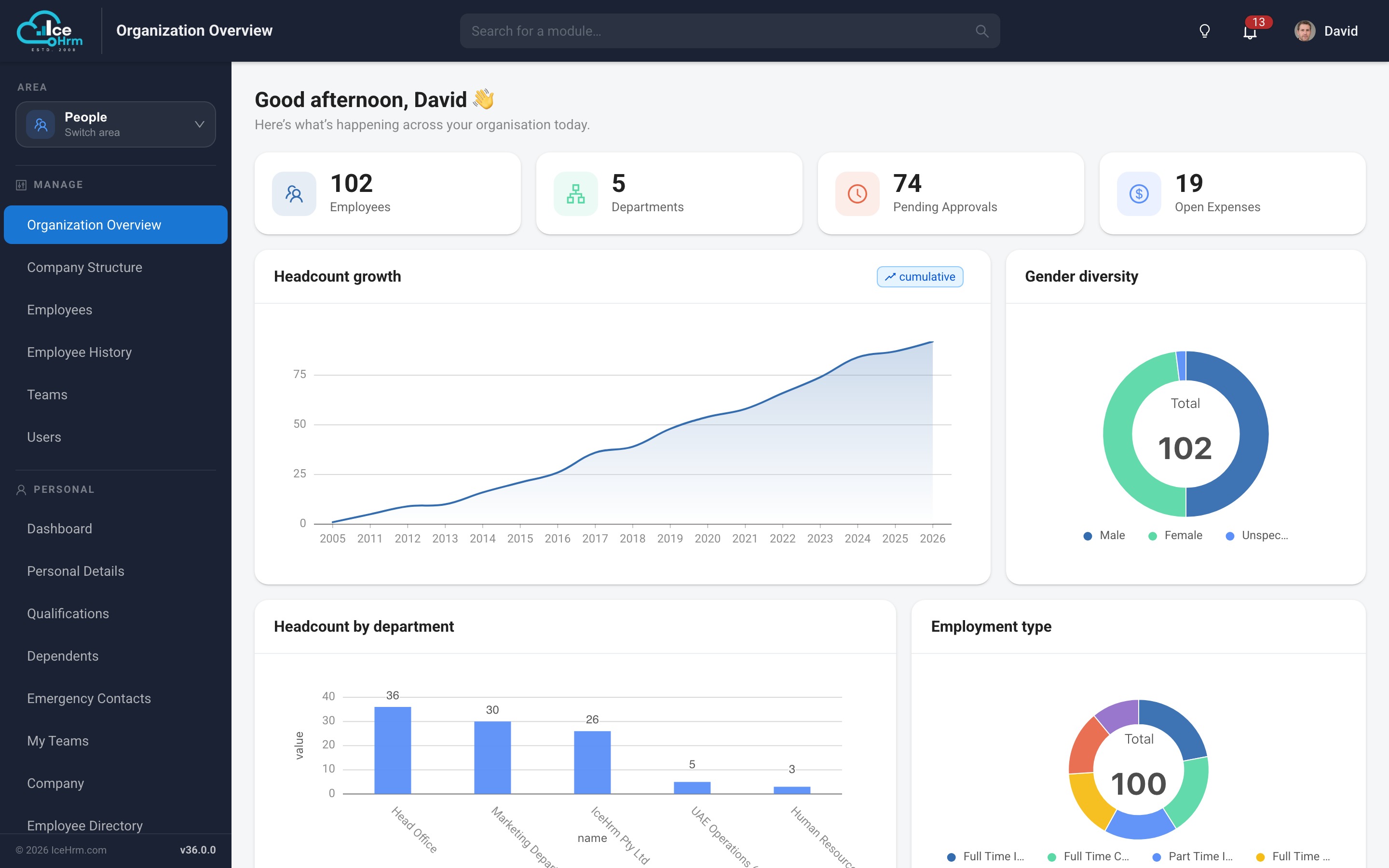
Organization Overview
A live picture of the organisation for administrators and HR managers:
Headline figures — employees, departments and pending approvals, as clickable cards that take you straight to the relevant module
Headcount growth — cumulative headcount over time
Gender diversity and employment type — composition of the workforce at a glance
Headcount by department — where people actually sit in the organisation
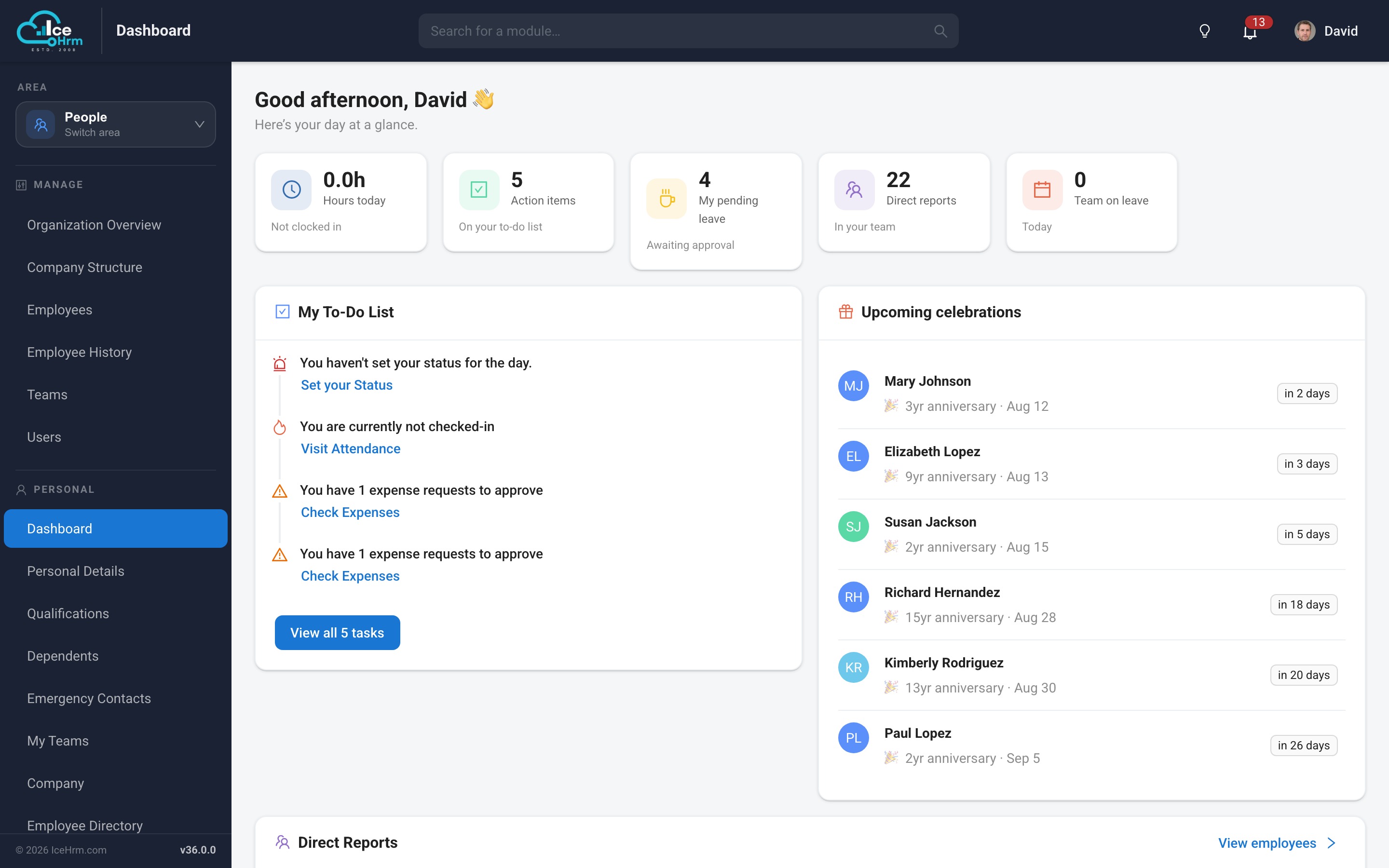
Personalised greeting — the dashboard greets the signed-in user by name
Employee dashboard
A personal home page showing leave balances, upcoming holidays, pending requests,
assigned tasks and training — the things an employee actually needs on arrival.
Visual company structure
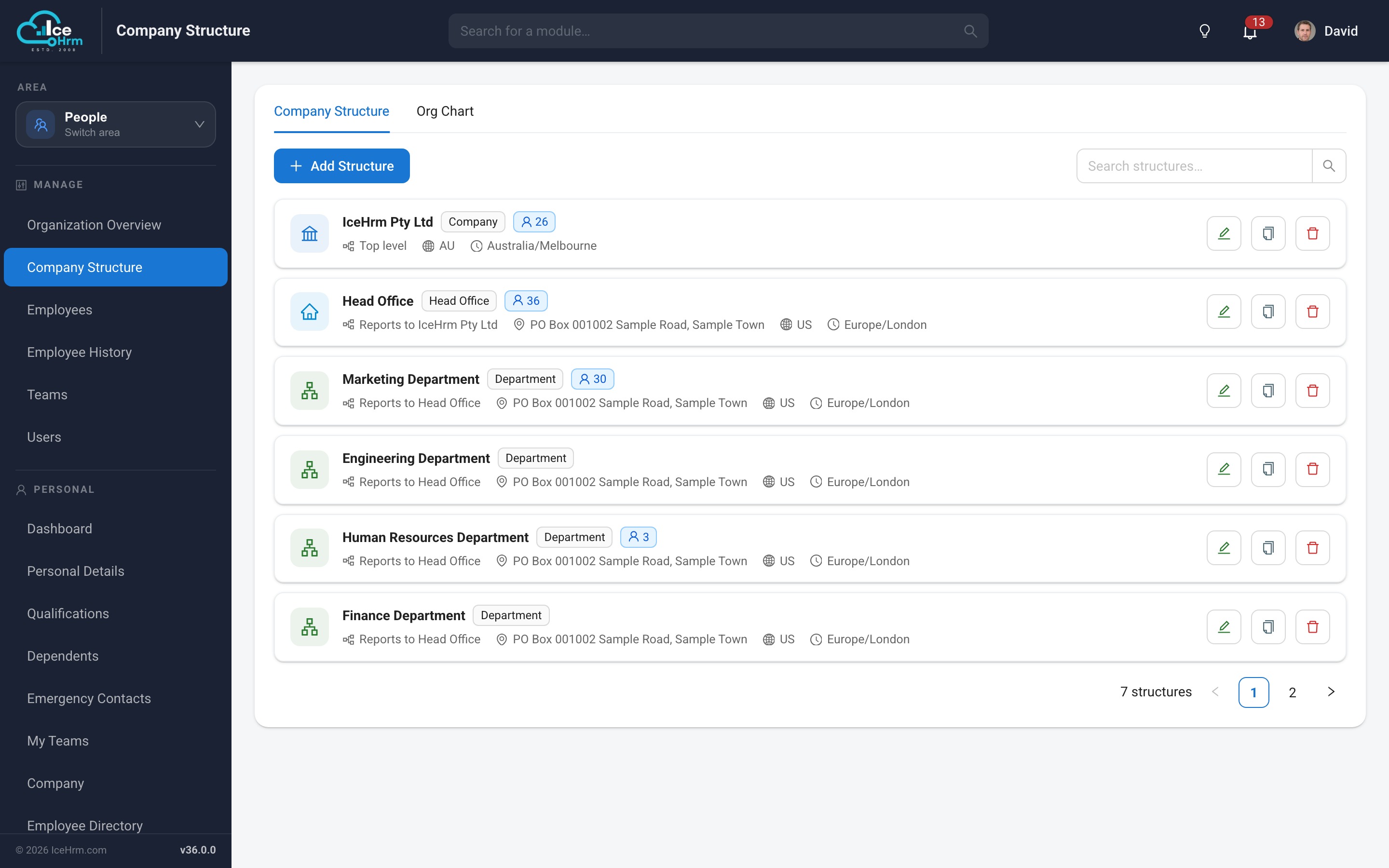
The company structure module now has two views. The list gives you each unit with its
type, reporting line, address, country, timezone and headcount, with inline edit,
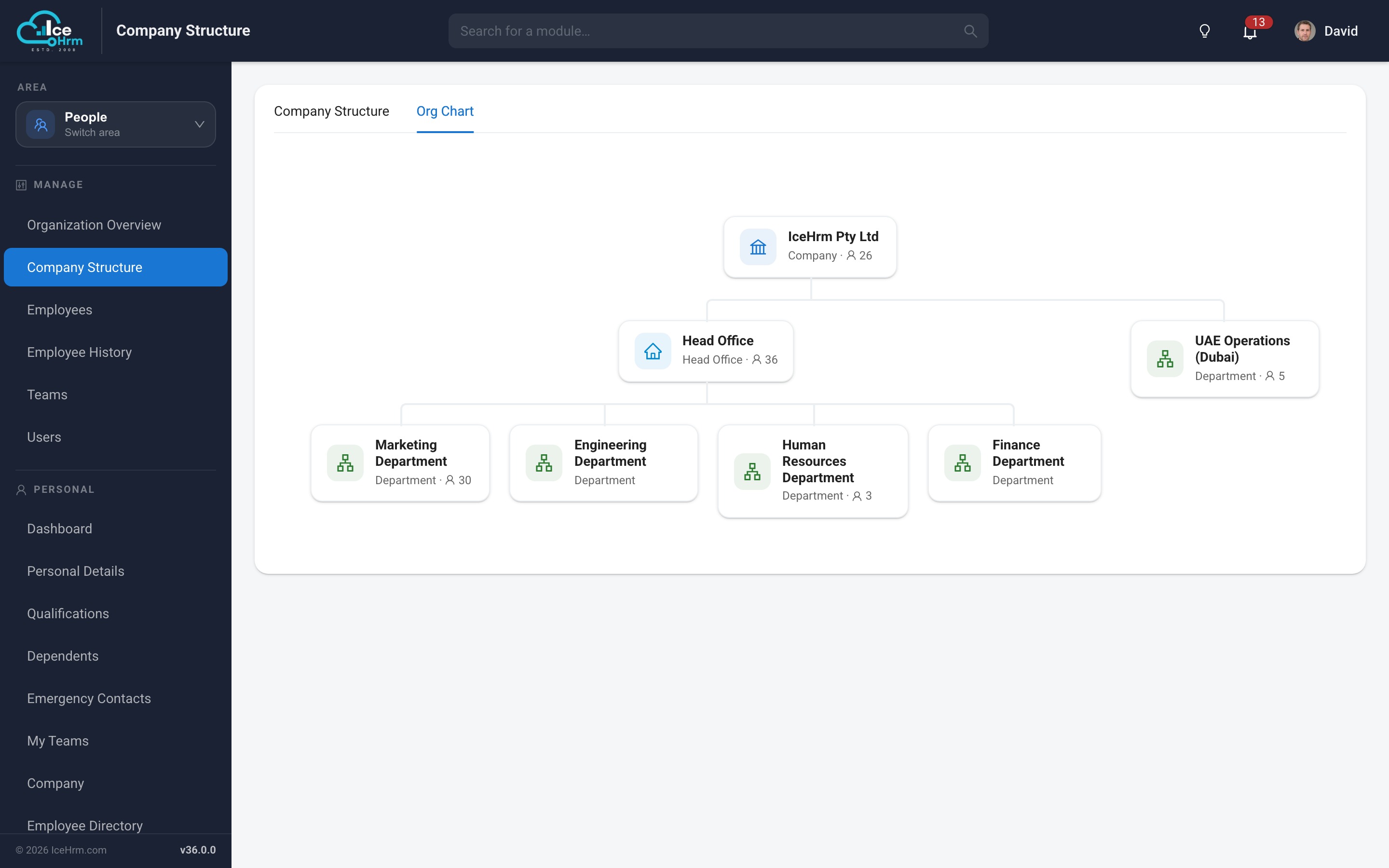
duplicate and delete. The new Org Chart tab renders the same data as
a proper hierarchy.
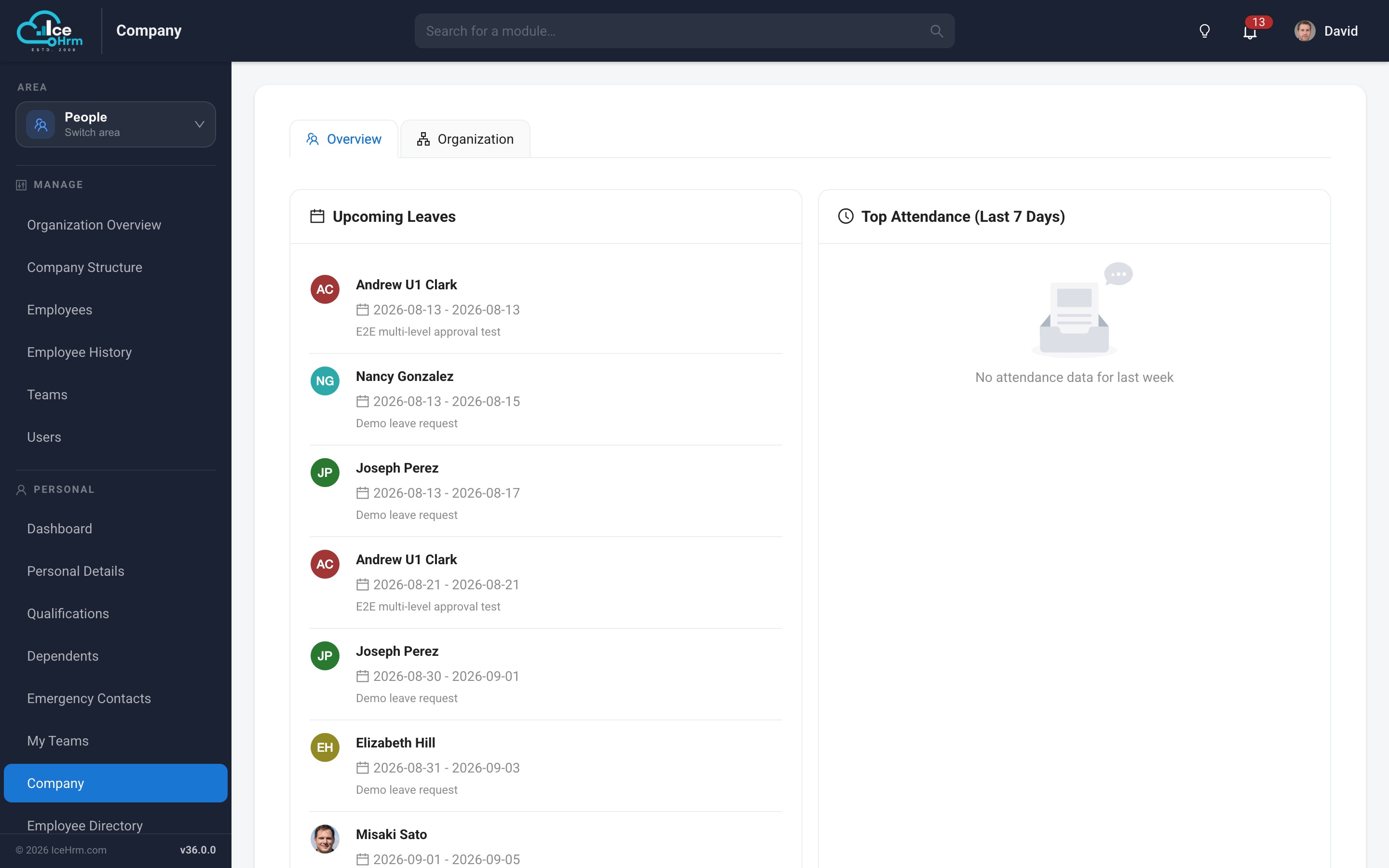
The employee-facing Company view presents the same structure to staff,
so everyone can see how the organisation fits together.
Modernised everyday screens
The screens people use daily have been rebuilt as native React views — no more
embedded frames, consistent styling, and dialogs that match the rest of the application.
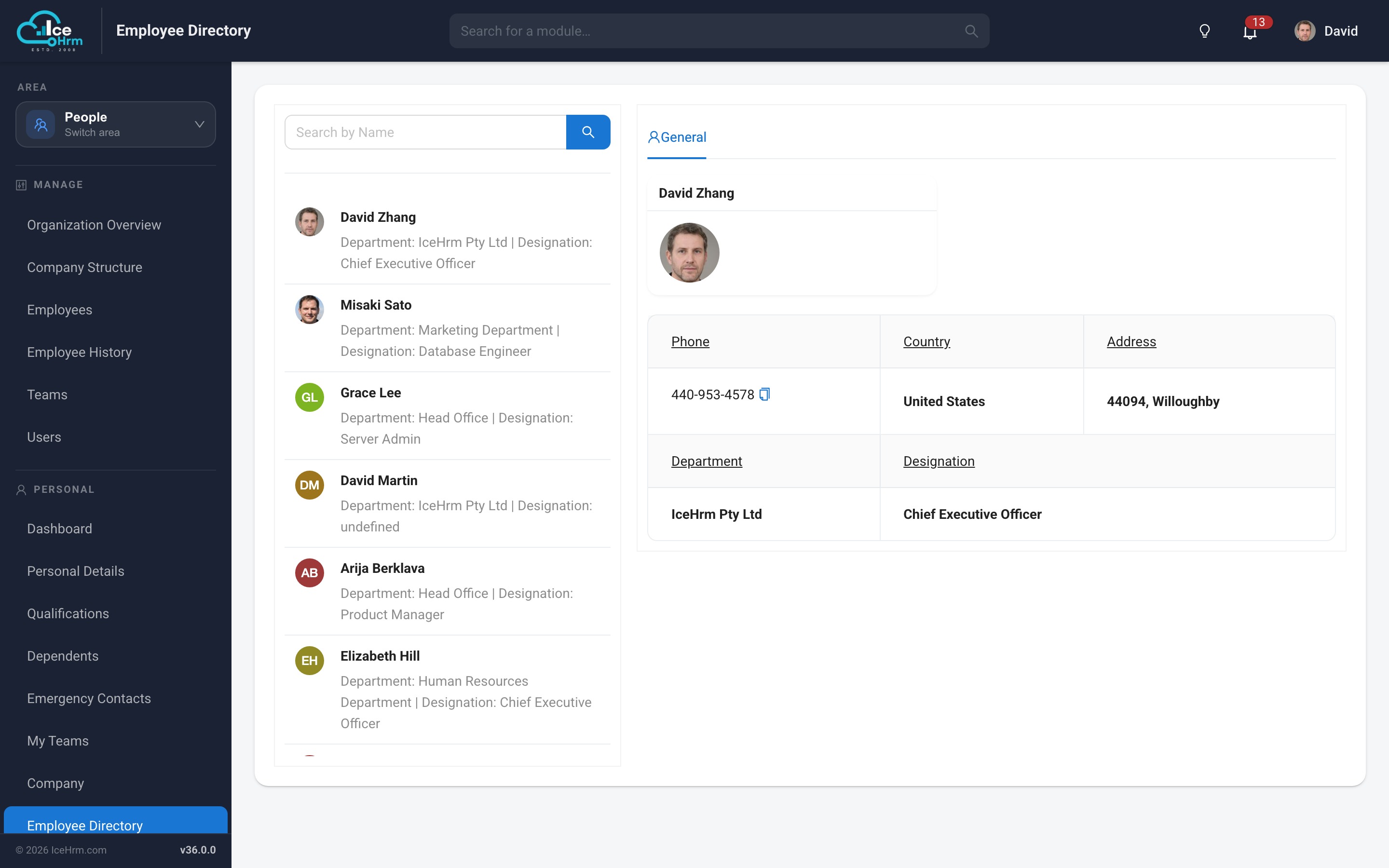
Employee directory
Searchable directory of colleagues with photos, roles and contact details.
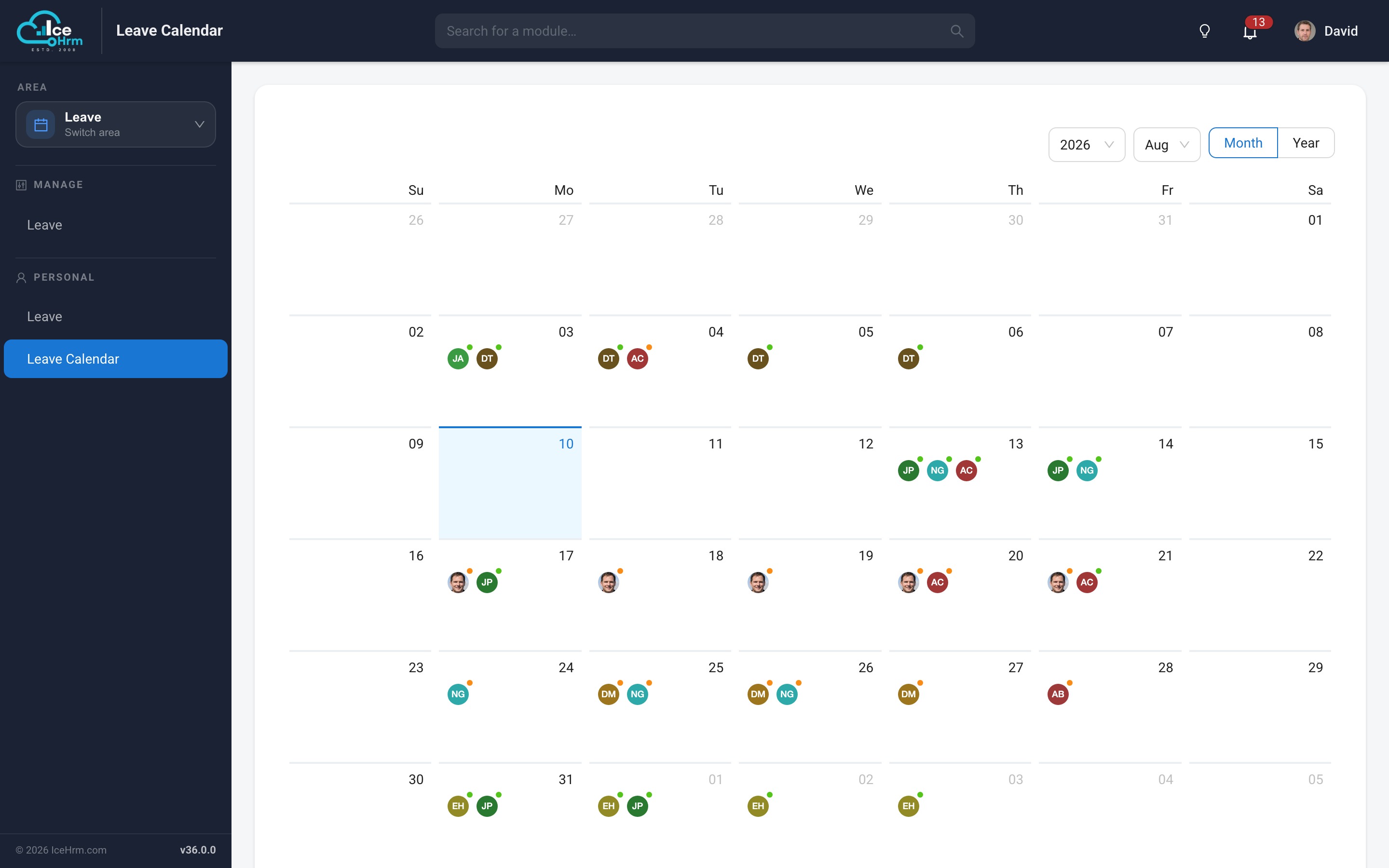
Leave calendar
See team leave laid out across the month, so overlapping absences are obvious before
they are approved.
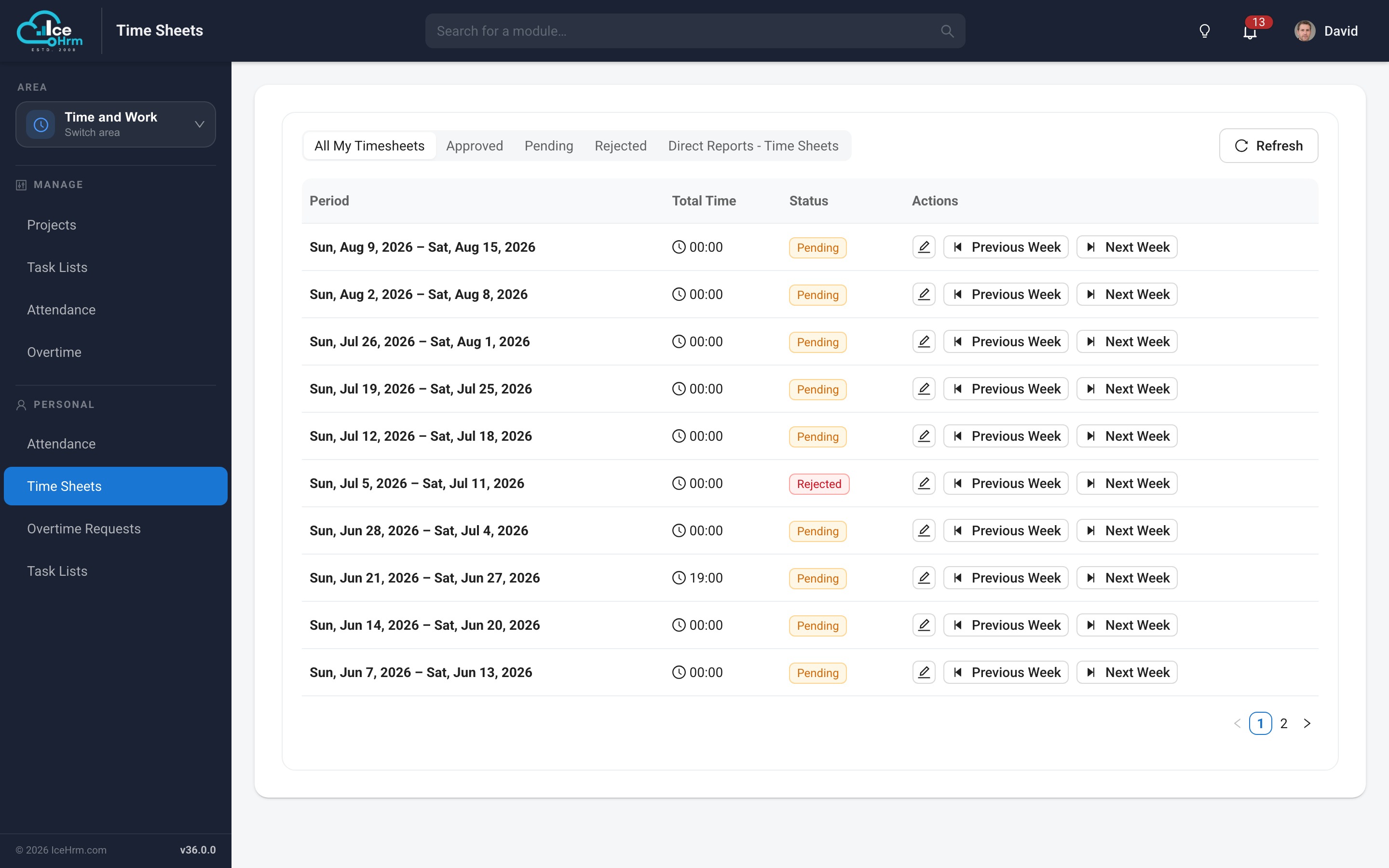
Time sheets
Weekly timesheet entry and review with project breakdowns and an approval flow.
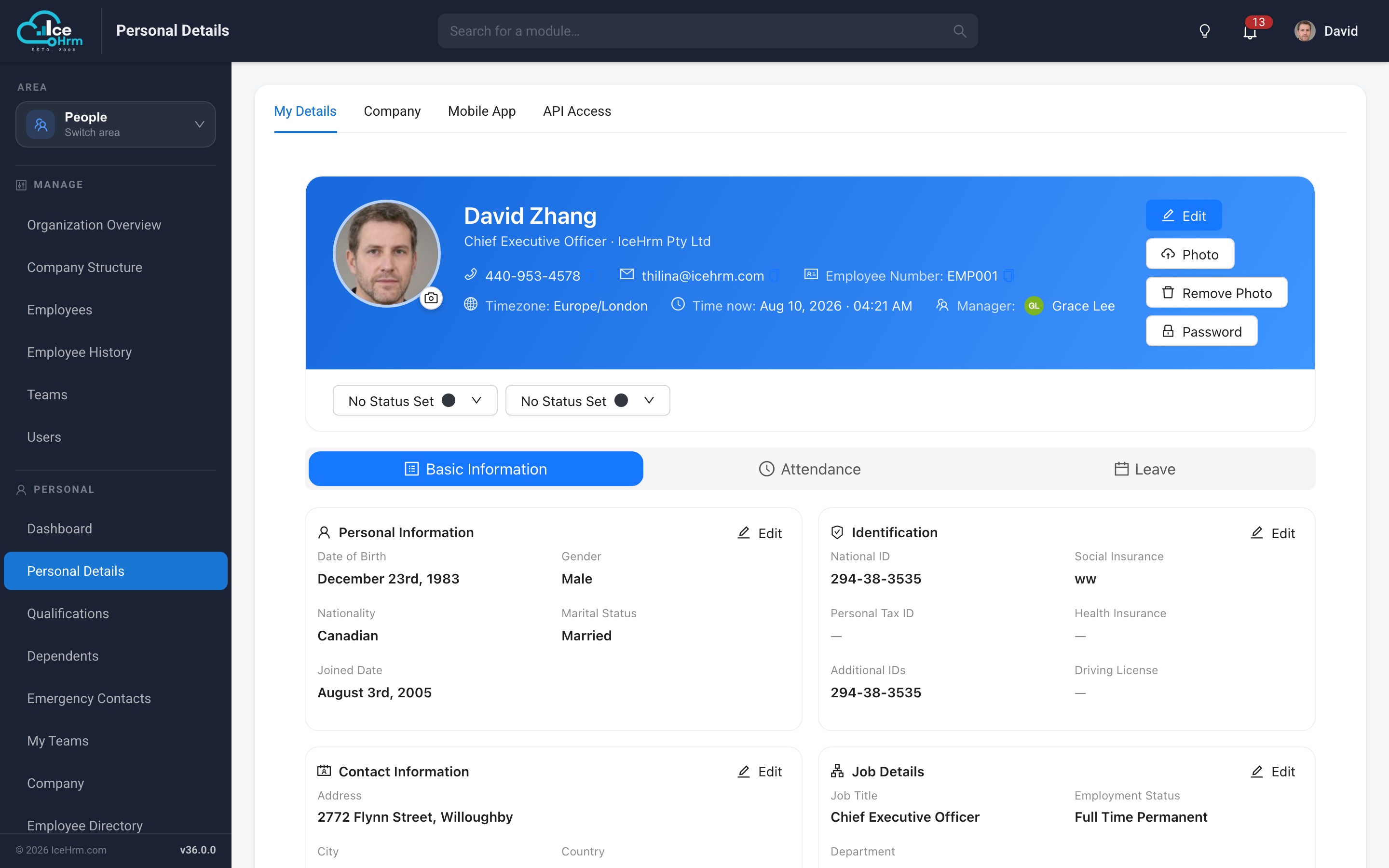
Employee profile
Personal details, qualifications, dependents, emergency contacts and documents
organised into tabs, with profile photos shown consistently across the application.
Built-in updater
IceHrm can now update itself. When a newer version is published, administrators see a
banner on the dashboard.
What's New opens the changelog for your edition
Update opens the updater, which downloads the release, checks the version, and asks you to confirm before anything is replaced
The update itself is designed to be reversible:
Your data is kept — configuration, uploads and cached files are never replaced
Extensions you installed yourself are preserved — anything not part of the release is left untouched and reported to you
Automatic backup — the previous version is moved aside before the new files are copied in, and is only removed once the update is confirmed working
One-click rollback — if the application does not come back, the previous version can be restored from the same screen
Full log — every step is written to a log file for support
UI/UX improvements
Material-style theme with Roboto typography throughout, replacing the previous default serif font
Consistent card layouts, spacing and iconography across every module
Themed dialogs and forms, including on the older screens
Charts restyled and made readable in both light and dark themes
Clickable KPI cards that navigate to the underlying module
Bundled public-holiday import for the Holidays tab
Module descriptions throughout the Manage Modules screen
Employee profile photos shown consistently in lists, charts and headers
Improved layout on smaller screens across all rebuilt modules
Upgrade notes
Database migrations are applied automatically the next time any user signs in — there is no separate step and no need to visit a particular screen first. If several people sign in at once after an upgrade, the migration runs exactly once.
Extensions are now organised into free and paid sets. Existing installations continue to work unchanged; extensions you installed yourself are preserved across updates.
Requirements — no change; v36 runs on the same PHP and MySQL versions as v35.
Breaking changes — none. All changes are backward compatible.
Coming soon
Further modules rebuilt as native React views
Continued mobile experience improvements
Workflow automation
Looking for payroll, document signing, company assets, the extensions marketplace,
and the expense and overtime insights dashboards? Those ship with IceHrmPro — see the
IceHrmPro changelog.