The largest interface release in the product's history
IceHrm v36 rebuilds the entire application as a single-page React experience —
a persistent shell with instant navigation, global module search, in-app
notifications, a full dark theme, and a layout that works on a phone. Alongside it
come new dashboards, two new analytics modules, document signing, company asset
tracking, an extensions marketplace, and a built-in updater that keeps your
installation current without touching a terminal.
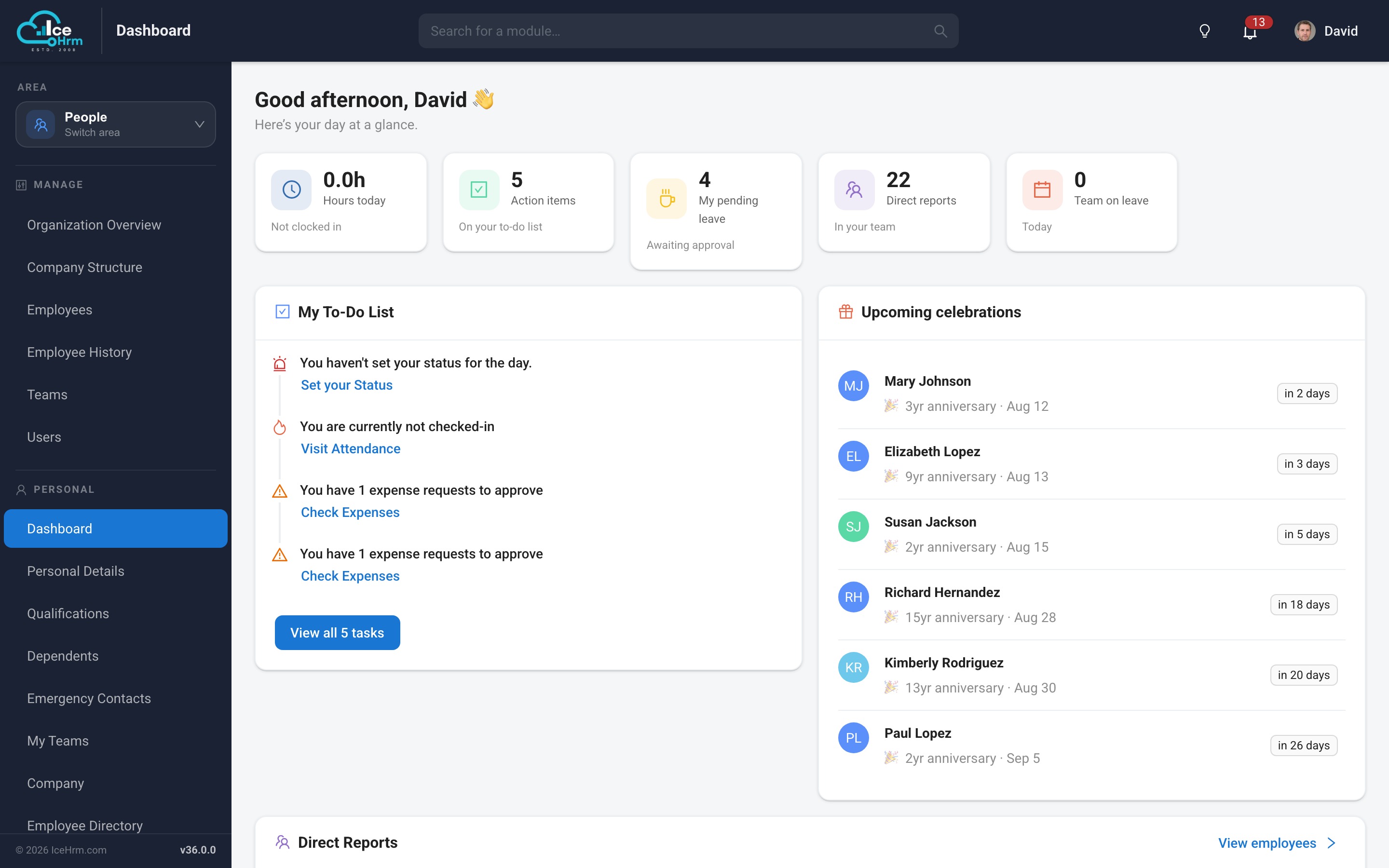
IceHrm now runs as a single-page application. The shell — navigation, search,
header and notifications — stays loaded while you work, so moving between
modules is instant instead of a full page reload.
Instant navigation
Persistent application shell — the sidebar and header never reload; only the content area changes
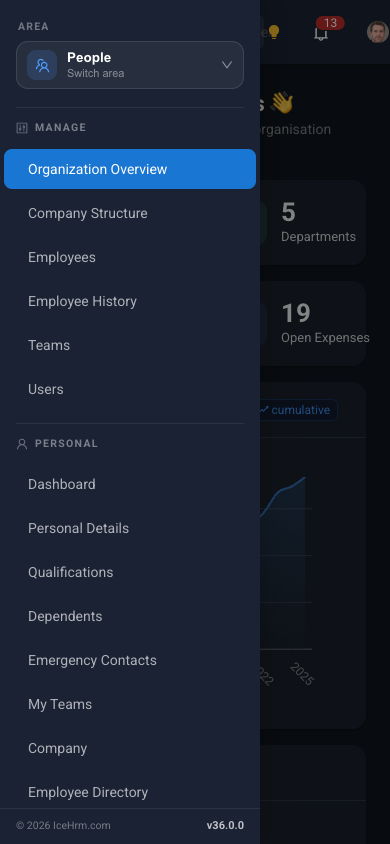
Areas — modules are grouped into areas (People, Time, Finance, Reports & Insights), switchable from the top of the sidebar
Global module search — type in the header search box to jump straight to any module you have access to
Permission-aware menu — the sidebar shows only what the signed-in user may open
Deep links — every module has its own address, so screens can be bookmarked and shared
Dark mode
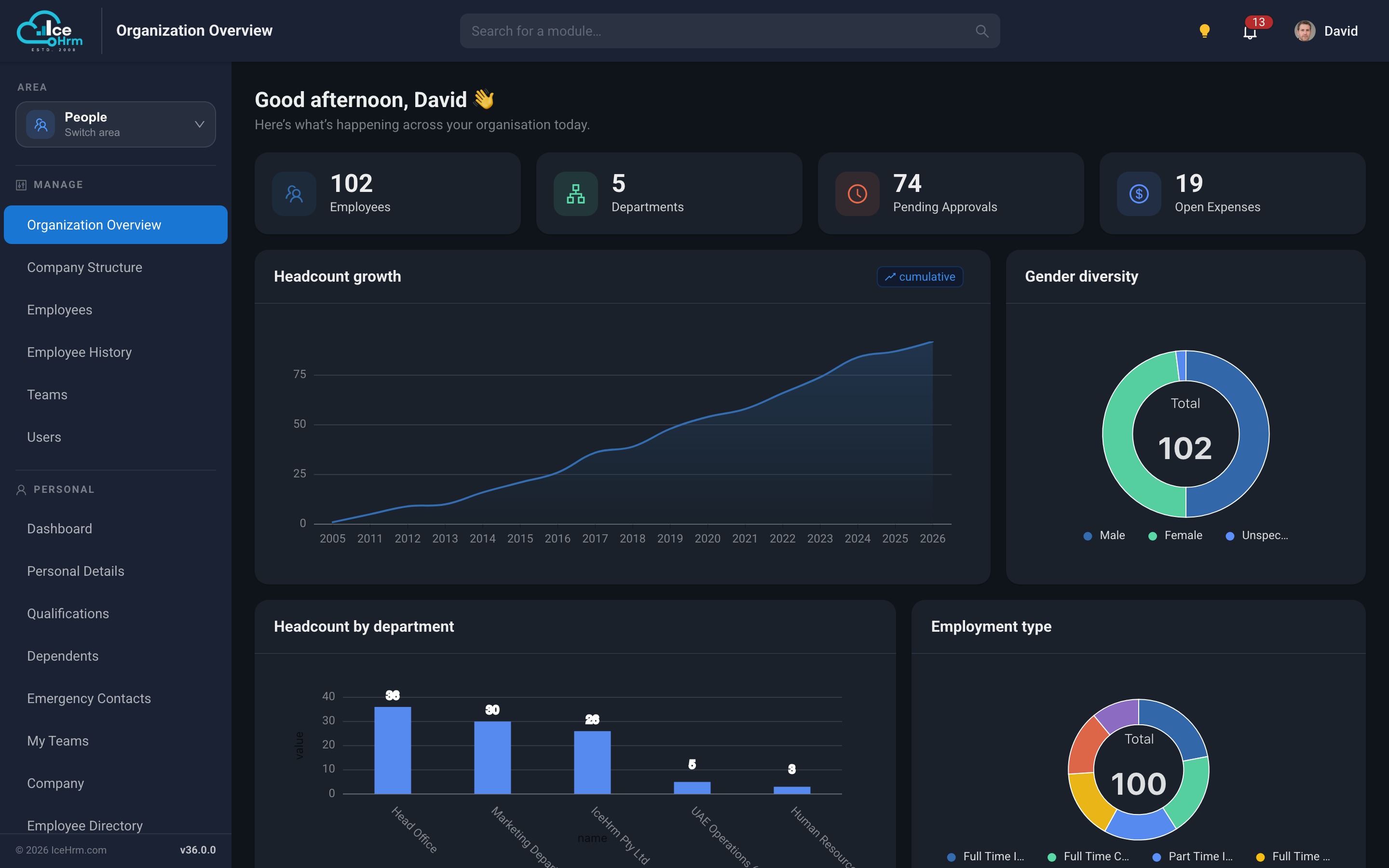
A full dark theme across the entire application, remembered per browser and applied
before the first paint so there is no white flash on load. Charts, dialogs, tables
and forms are all themed — including the older screens that have not yet been
rebuilt.
Works on a phone
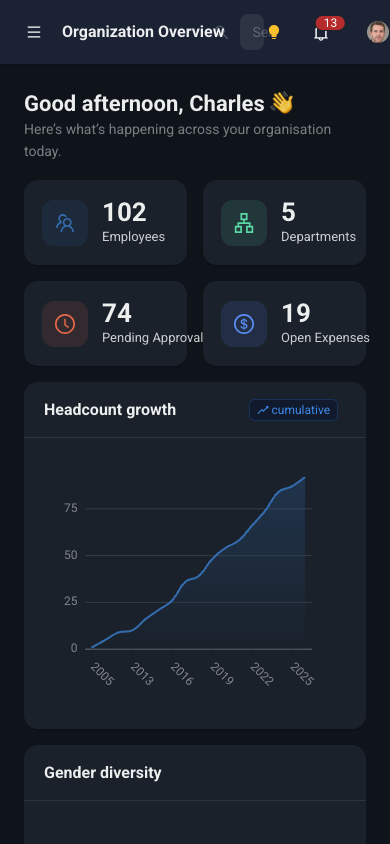
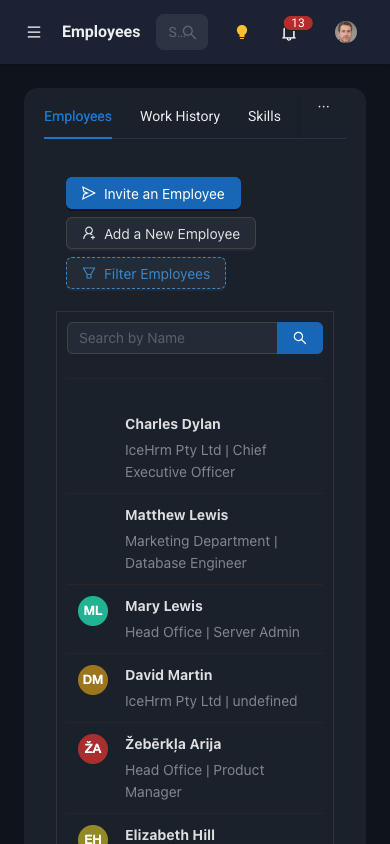
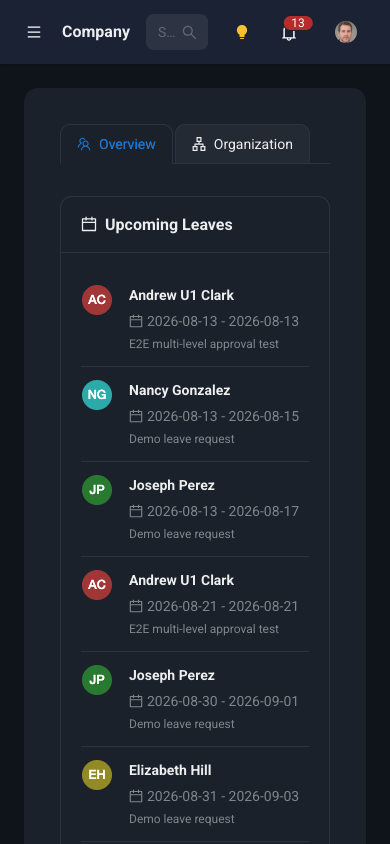
The layout adapts to small screens: the sidebar collapses into a drawer, cards stack,
and tables become scrollable, so employees can check leave balances, submit requests
and view payslips from a phone browser.
DashboardNavigationEmployeesCompany
In-app notifications
Approvals, assignments and reminders now appear in a notification tray in the header,
with an unread count, rather than relying solely on email.
Redesigned dashboards
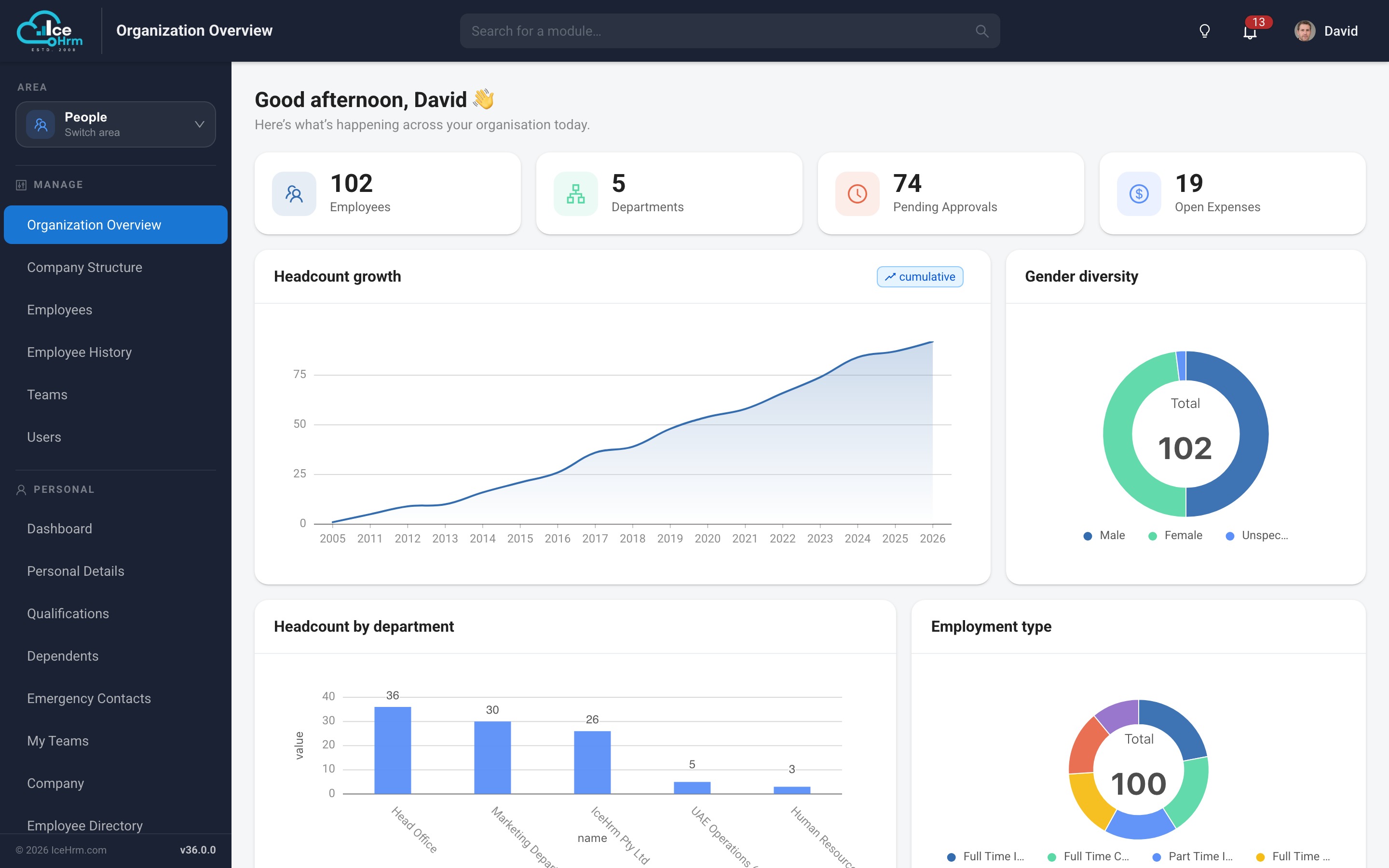
Organization Overview
A live picture of the organisation for administrators and HR managers — headline
figures as clickable cards (employees, departments, pending approvals, open expenses),
cumulative headcount growth, gender diversity and employment type, headcount by
department, and a personalised greeting.
Employee dashboard
A personal home page showing leave balances, upcoming holidays, pending requests,
assigned tasks and training — the things an employee actually needs on arrival.
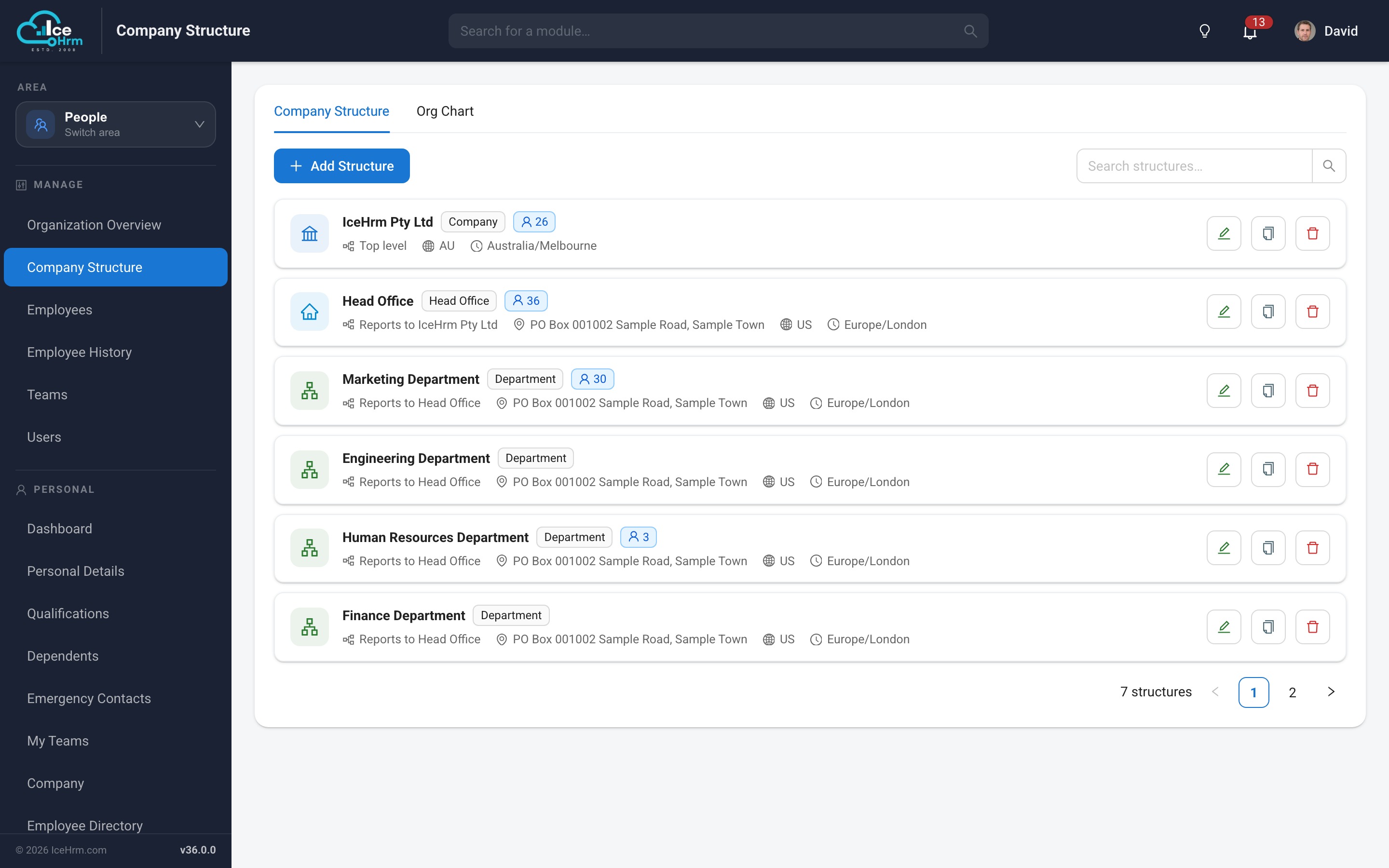
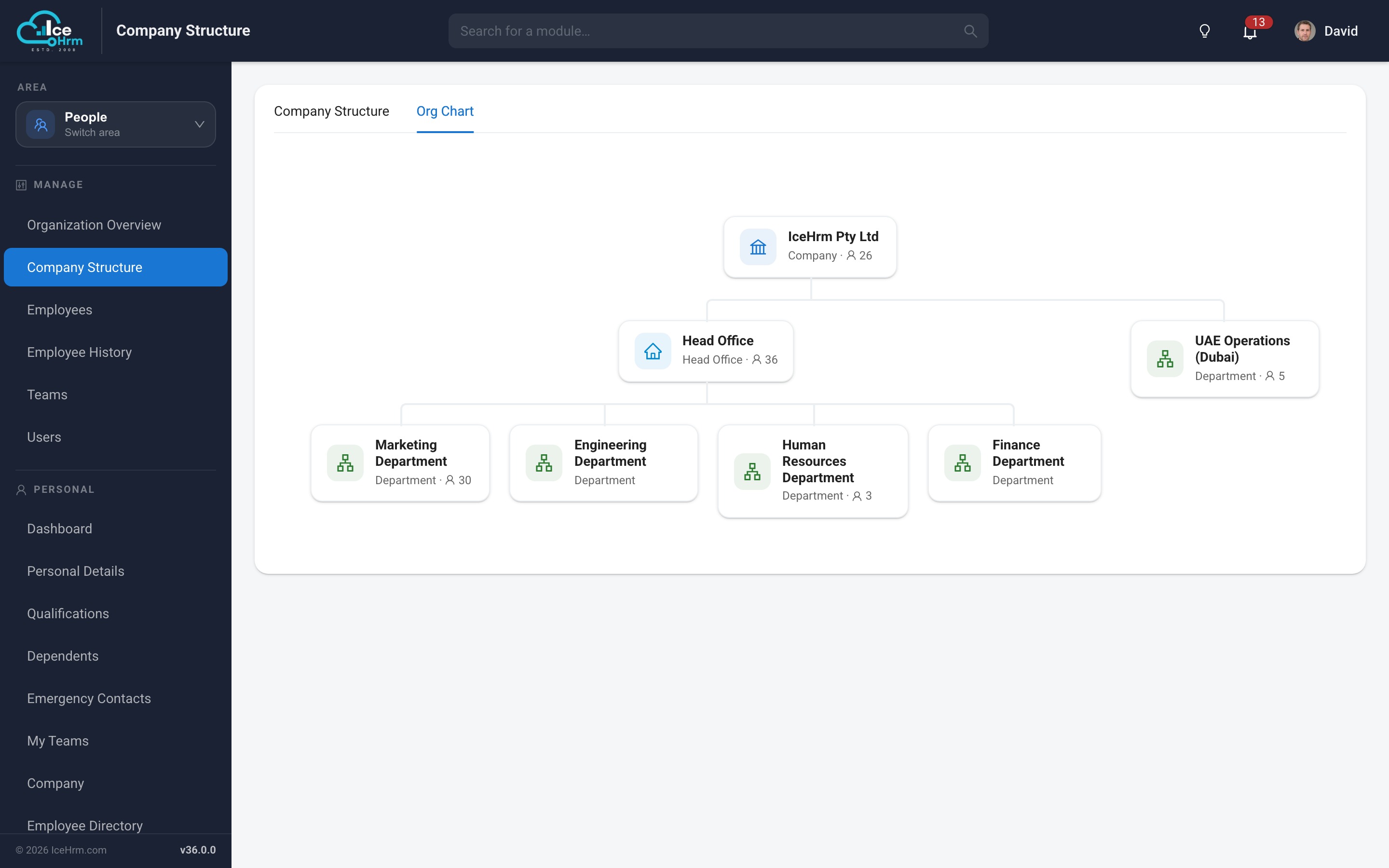
Visual company structure
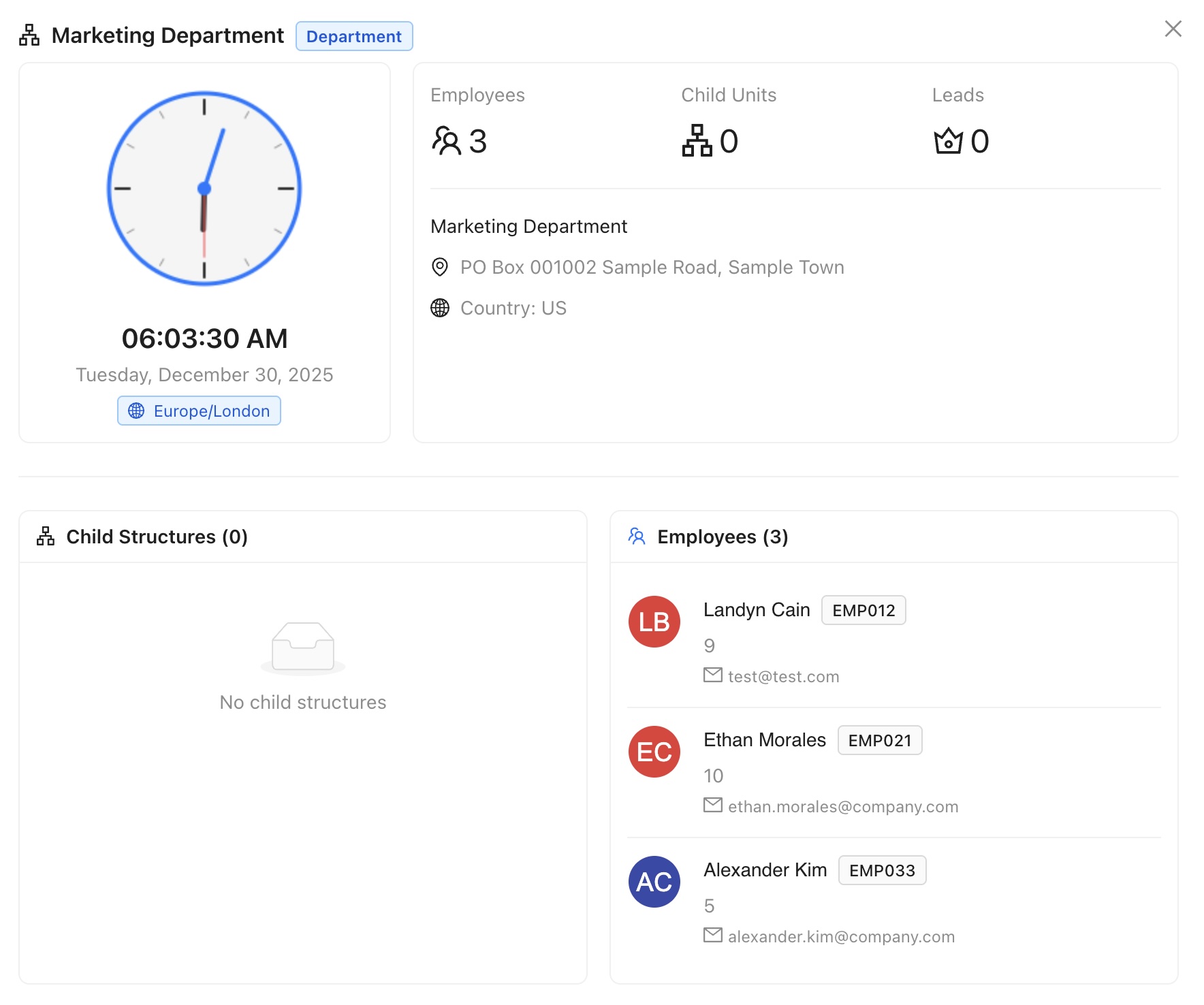
The company structure module now has two views. The list gives each unit with its
type, reporting line, address, country, timezone and headcount, with inline edit,
duplicate and delete. The new Org Chart tab renders the same data as
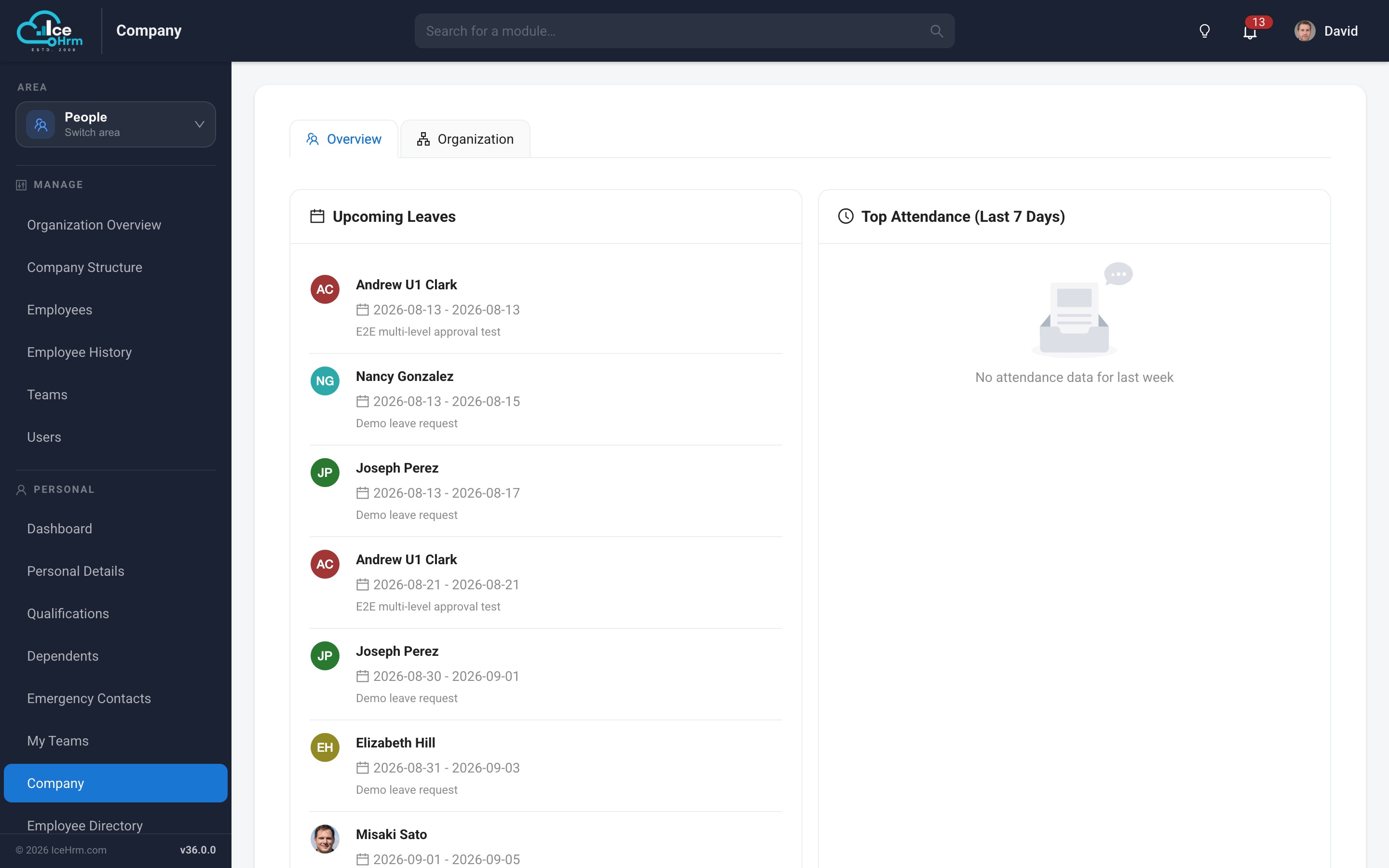
a proper hierarchy, and the employee-facing Company view presents the
structure to all staff.
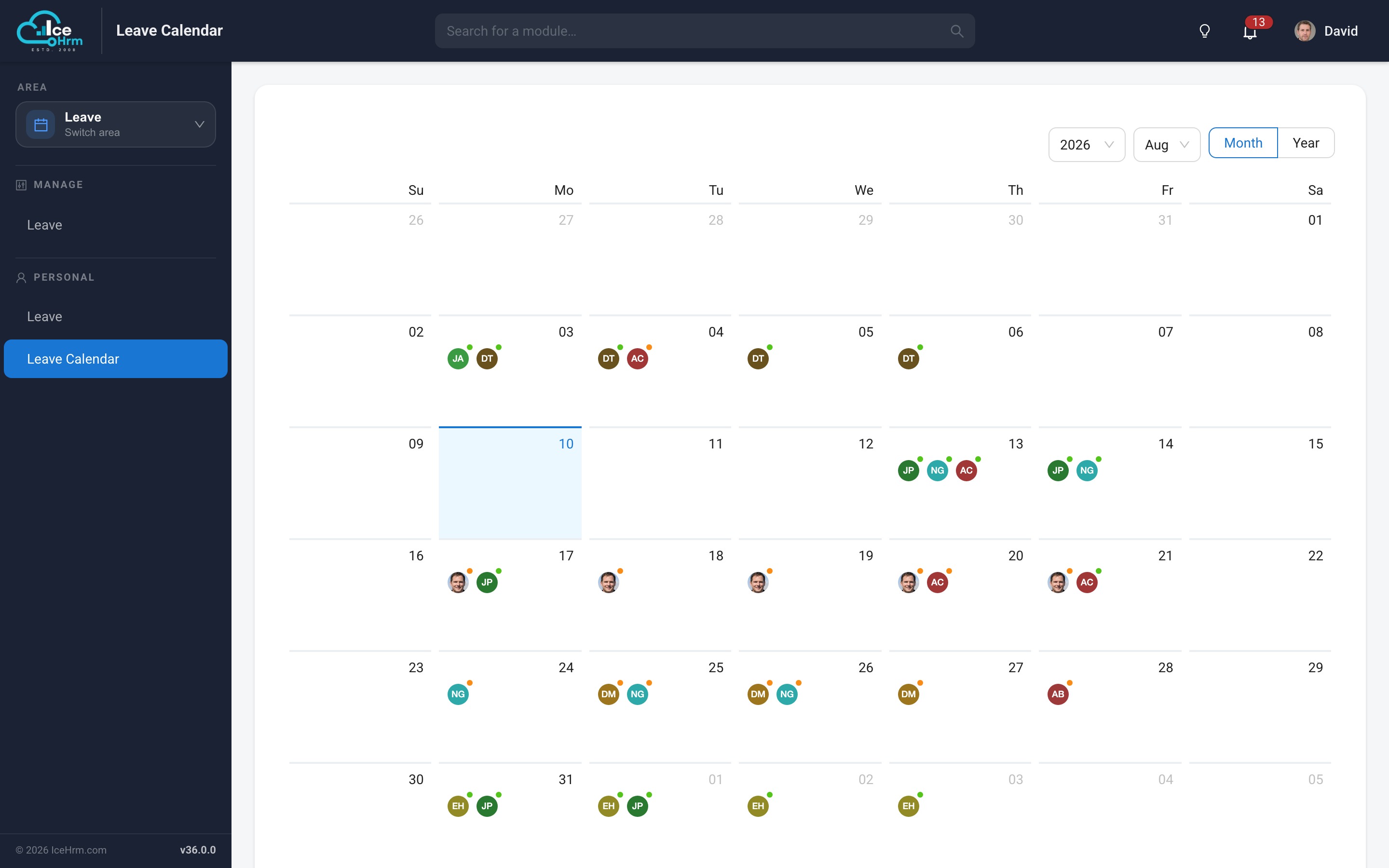
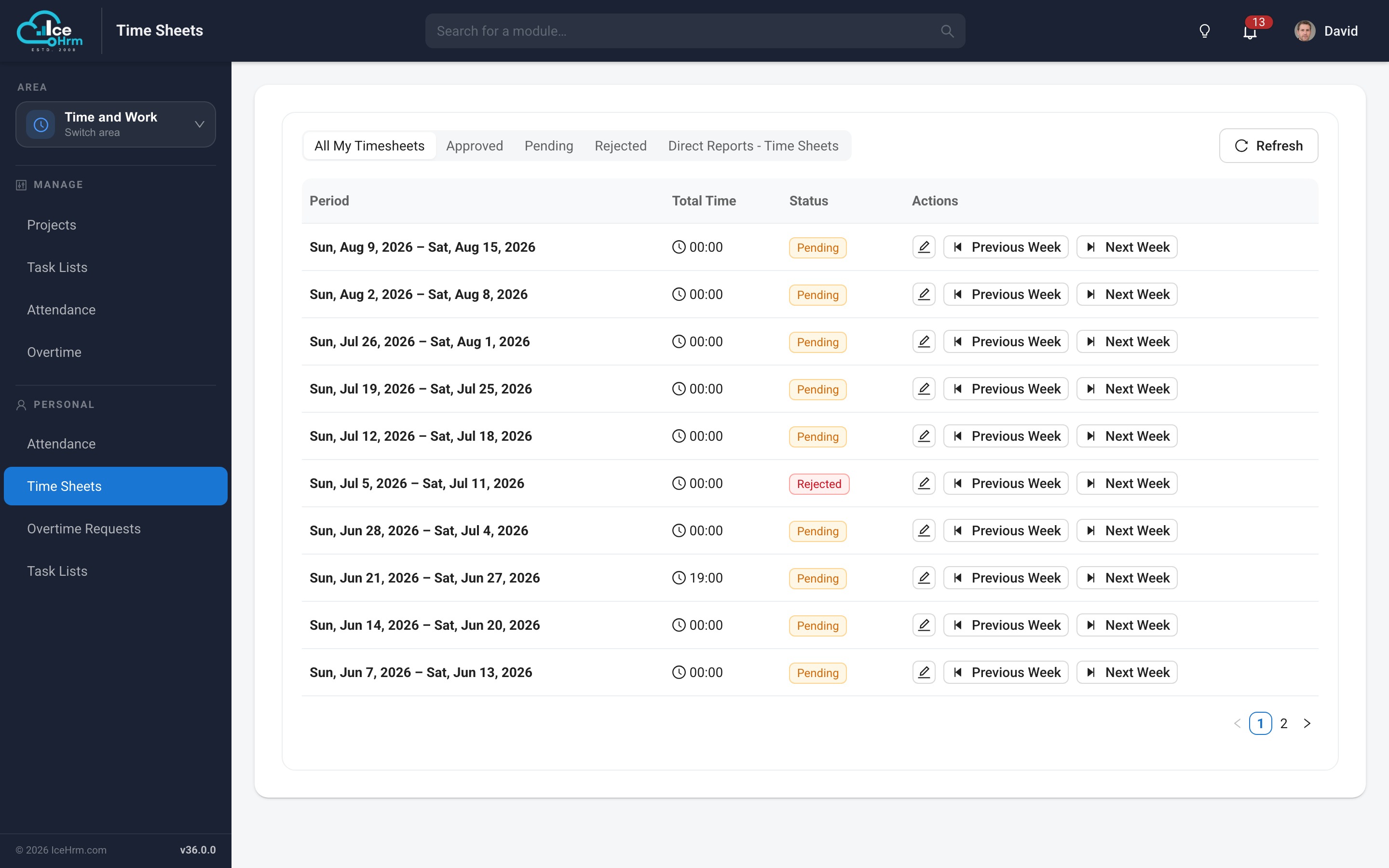
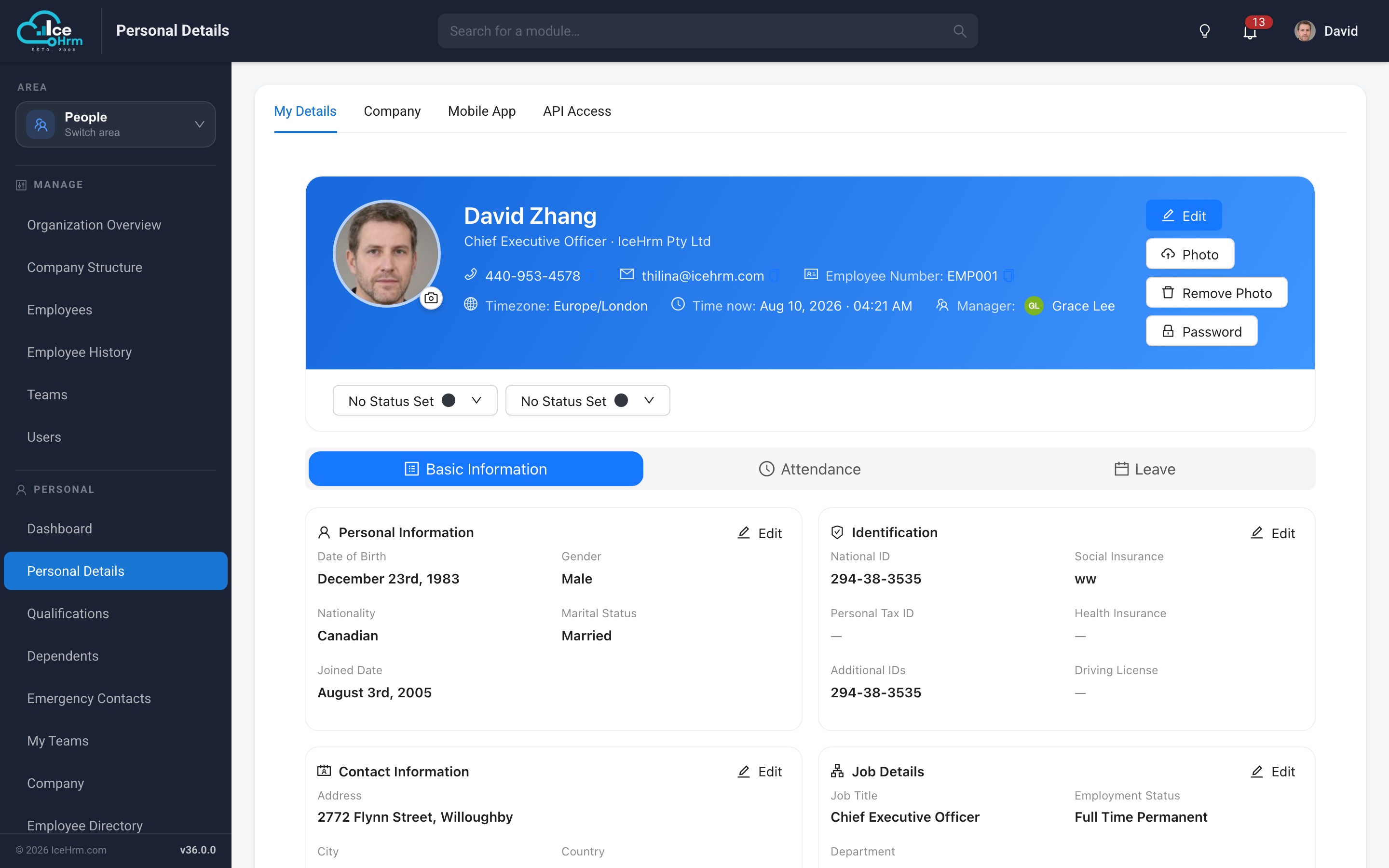
Modernised everyday screens
The screens people use daily have been rebuilt as native React views — no more
embedded frames, consistent styling, and dialogs that match the rest of the application.
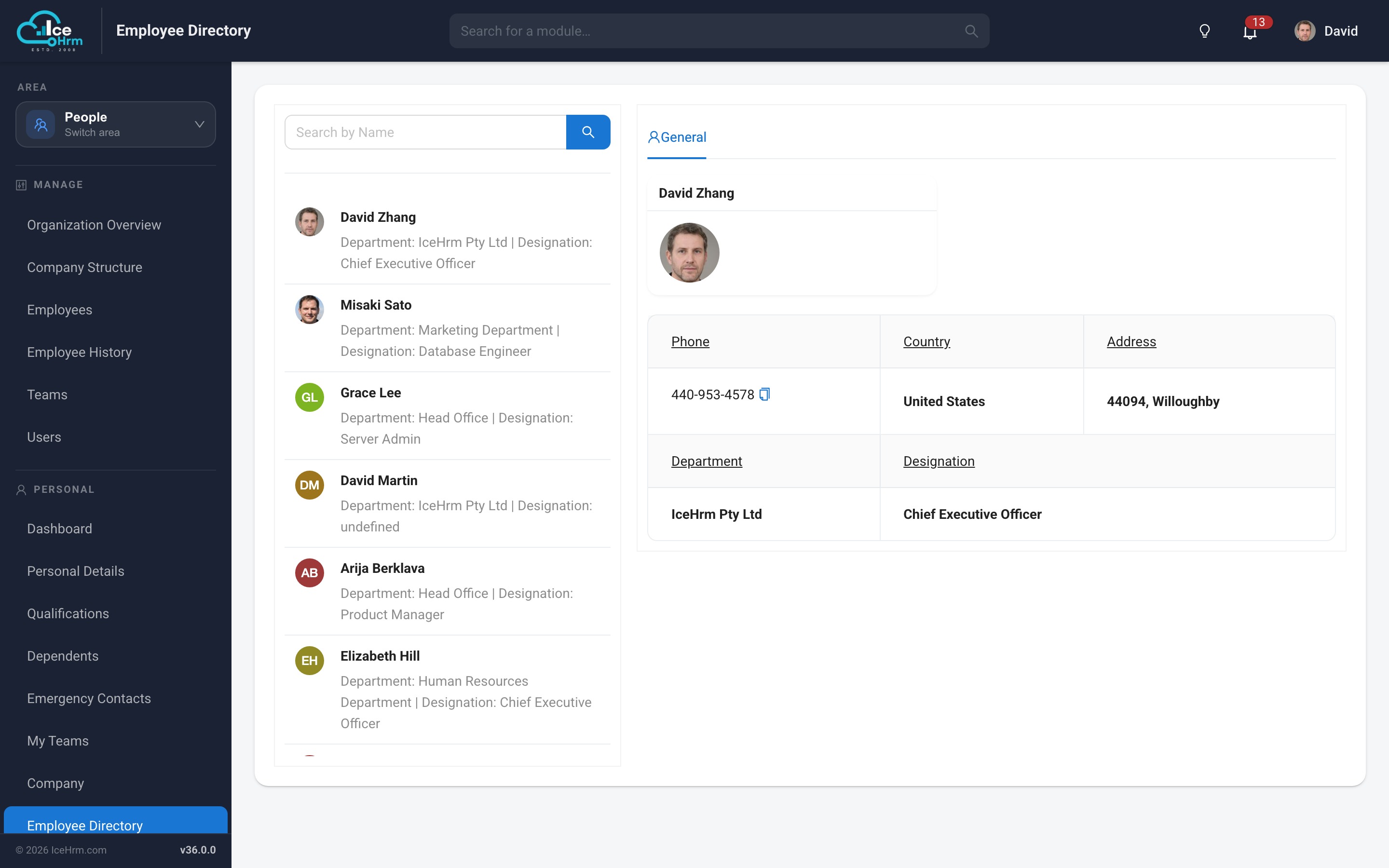
Employee directory
Leave calendar
Time sheets
Employee profile
New modules
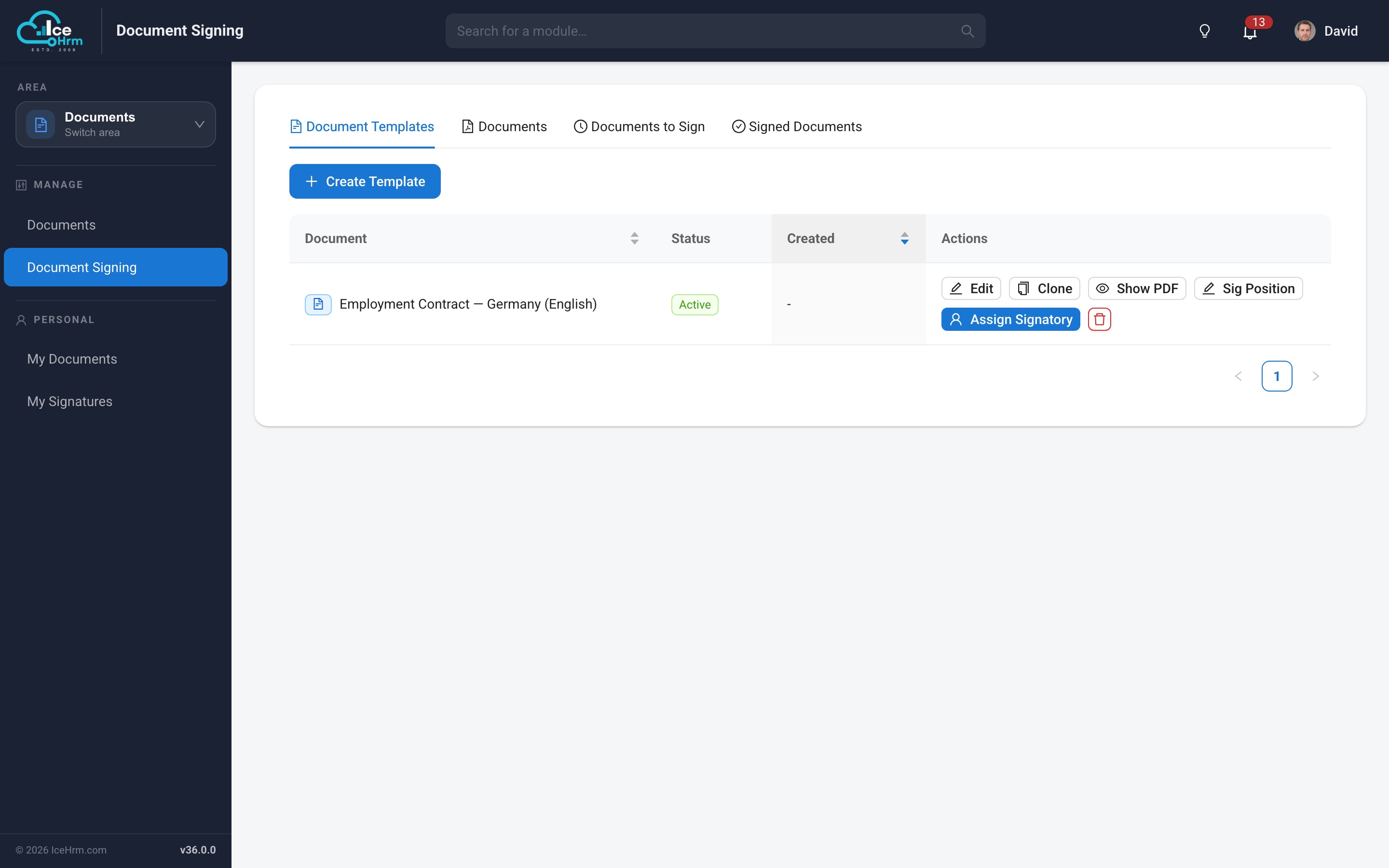
Document signing
Send documents for electronic signature and track them to completion — contracts,
policy acknowledgements and onboarding paperwork, without leaving IceHrm. Employees see
everything awaiting their signature under My Signatures.
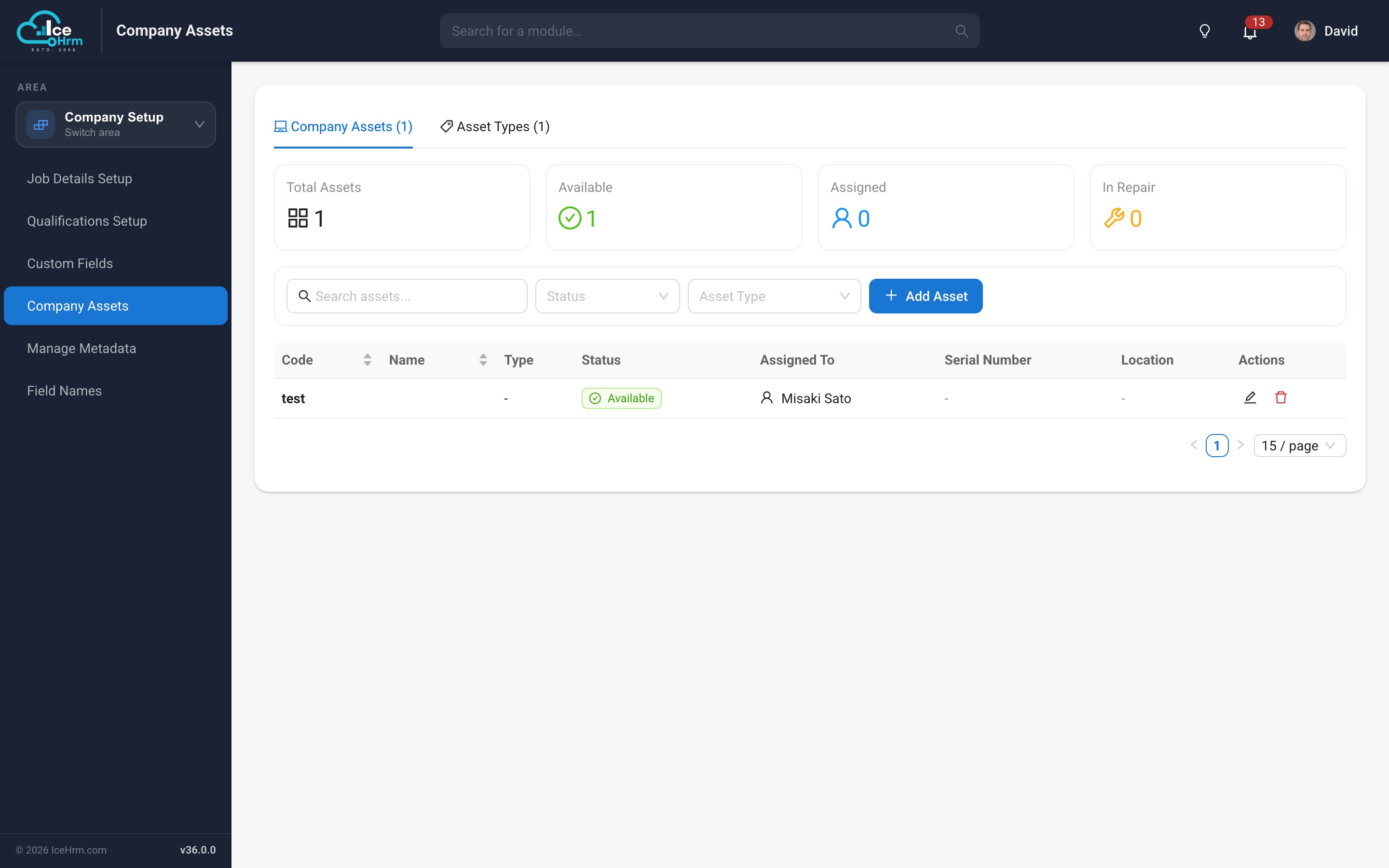
Company assets
Track what the company owns and who holds it: assign laptops, phones, vehicles and
access cards to employees, and see the full assignment history for each item.
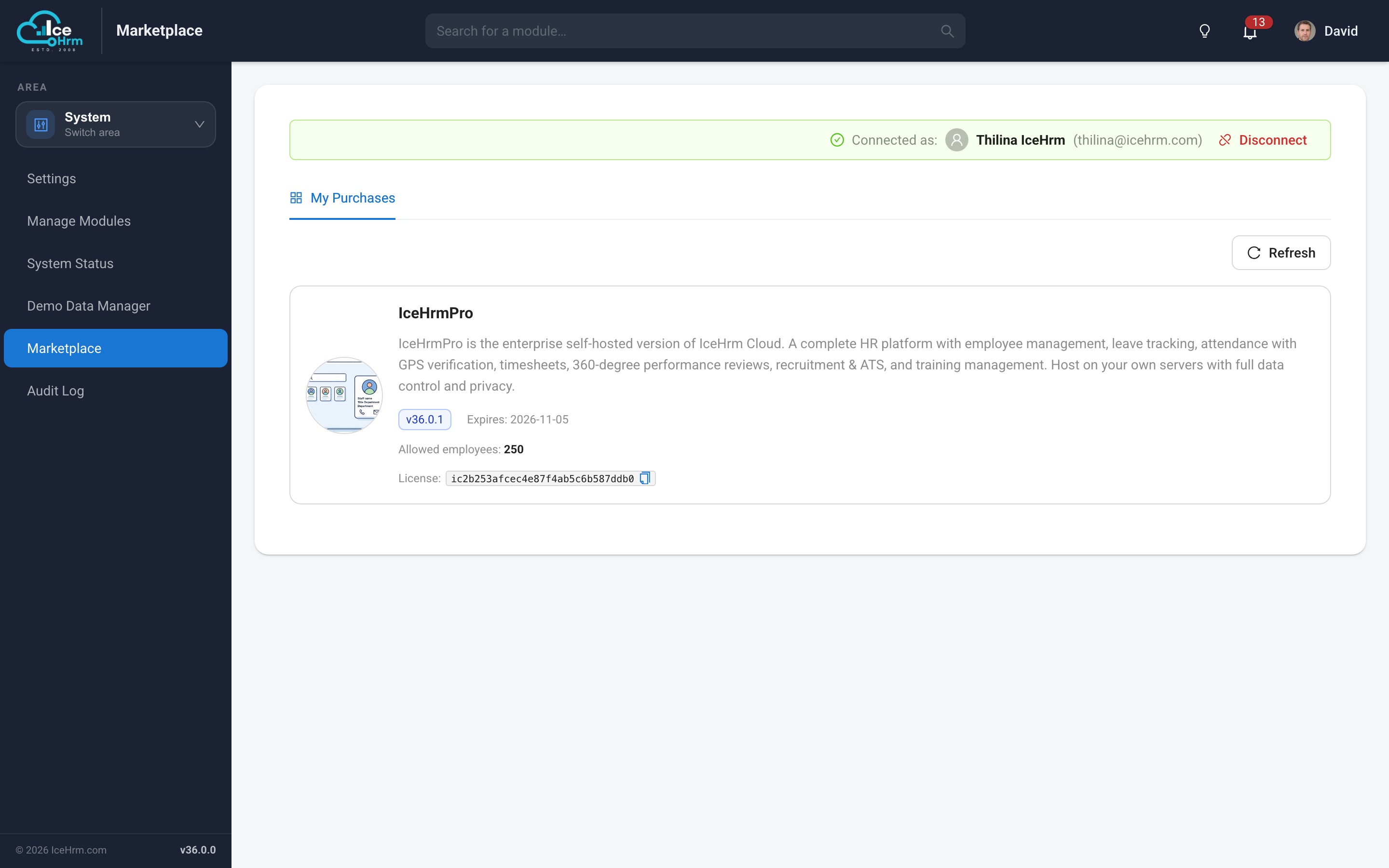
Extensions marketplace
Browse and manage the extensions available to your installation from inside the
application, with licence status for each one.
Expanded insights
The Insights family gains two new dashboards, joining the workforce, leave and
attendance analytics introduced in v35.
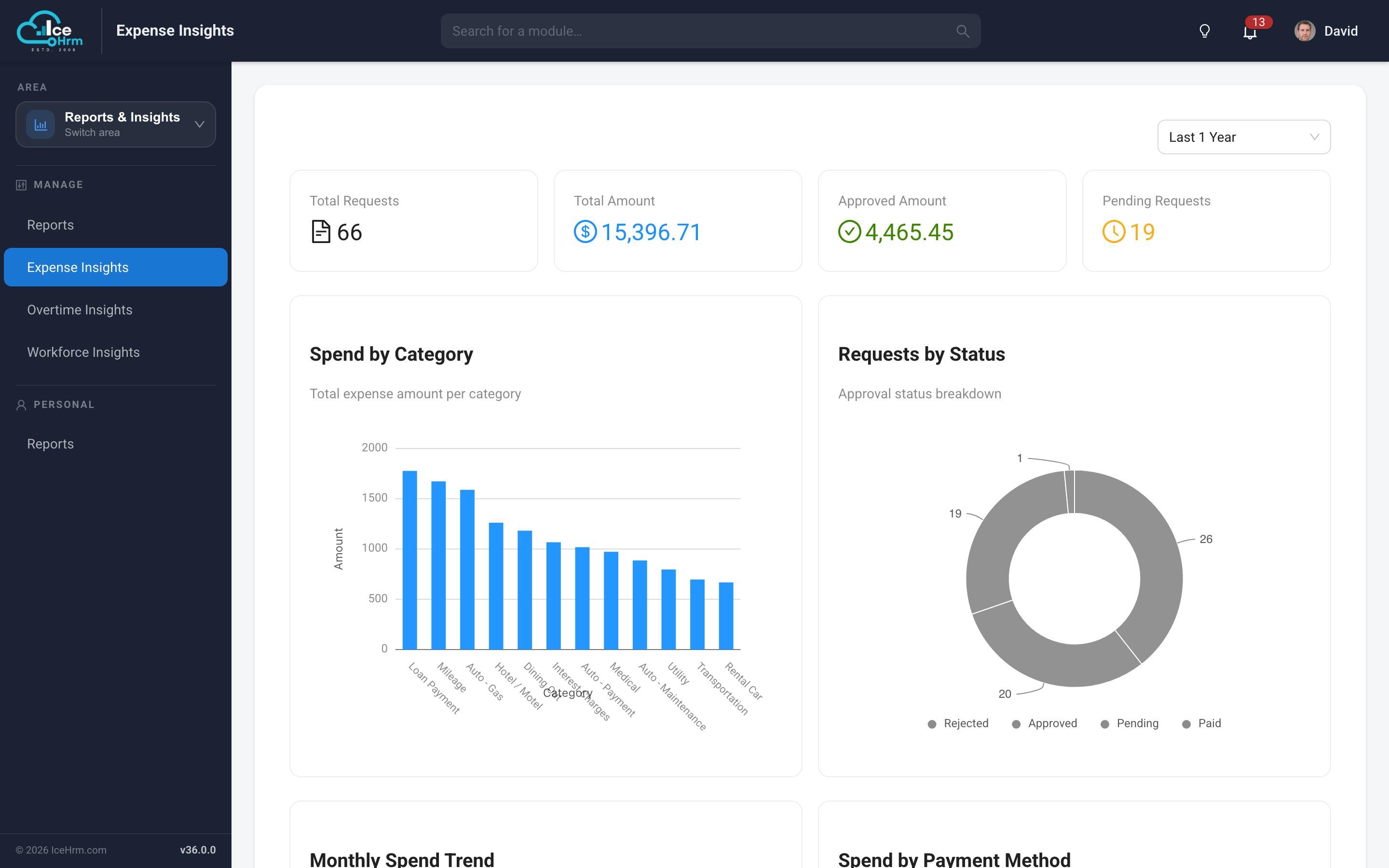
Expense Insights
Understand where the money goes: totals for the period, spend by category, requests by
status, monthly spend trend, and spend by payment method.
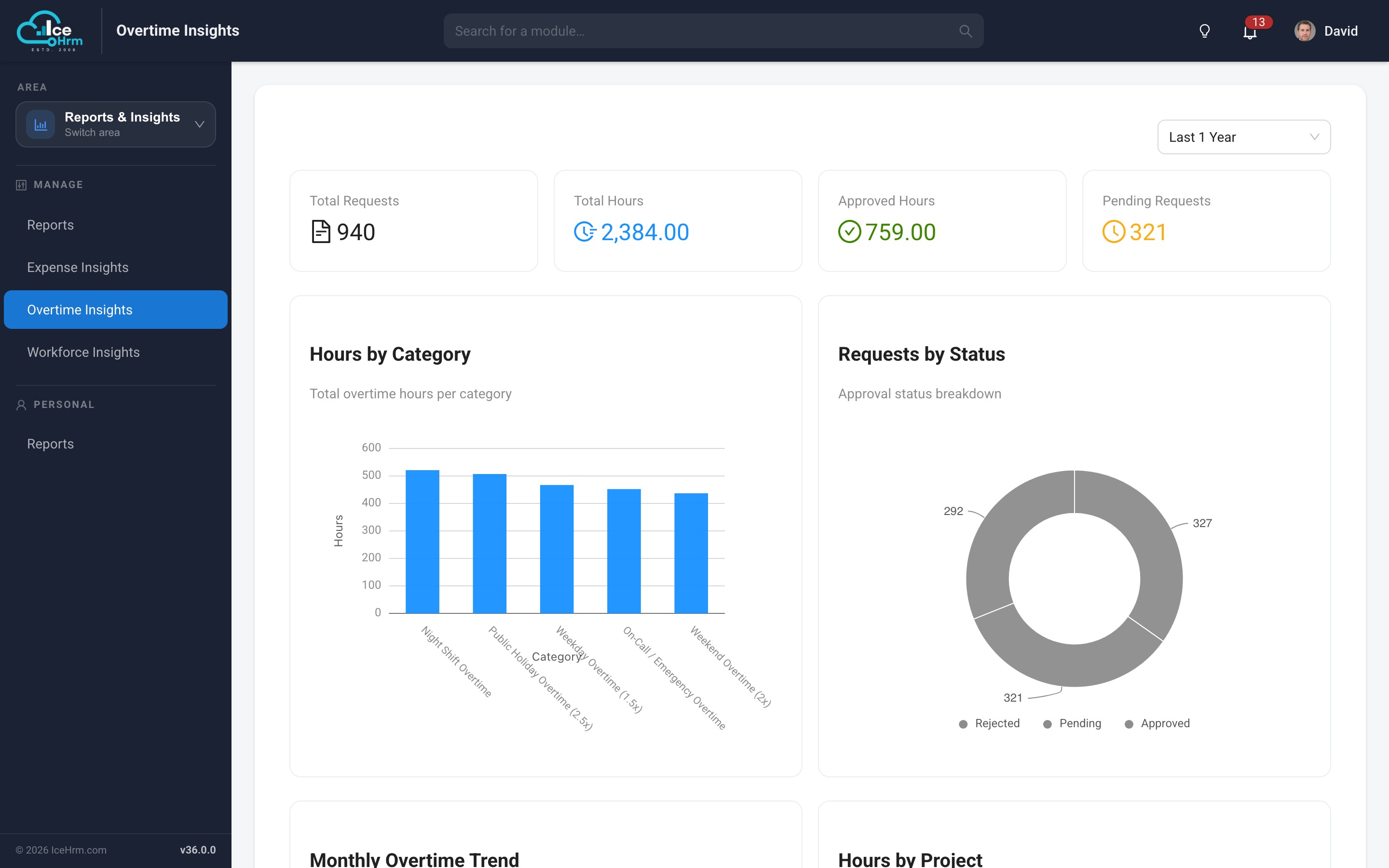
Overtime Insights
Track overtime hours by employee, department and category, with trends over time —
useful for spotting sustained overtime before it becomes a problem.
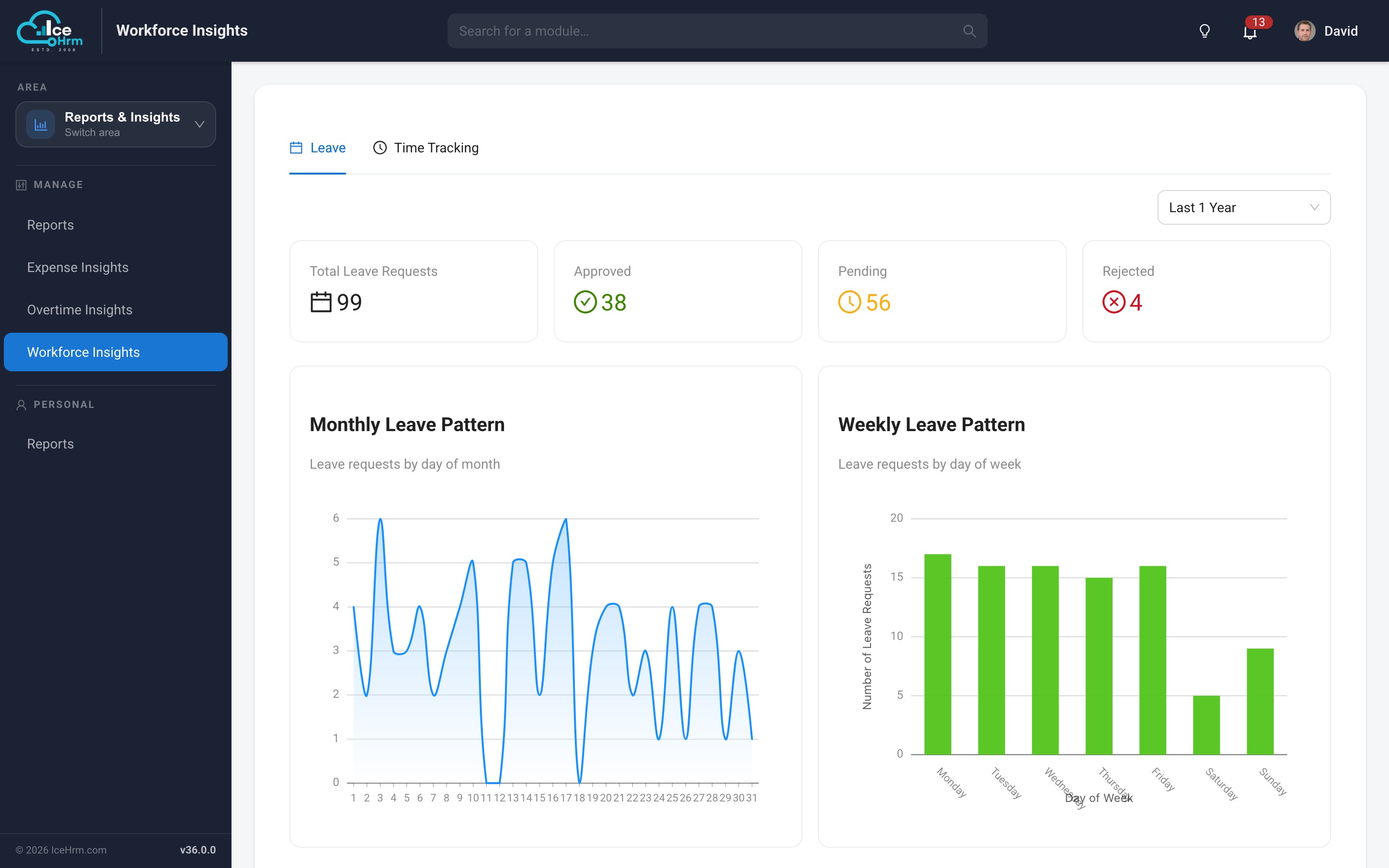
Workforce Insights
The leave, attendance and timesheet dashboards, now grouped with the rest of the
analytics under a single Reports & Insights area.
Smarter payroll formulas
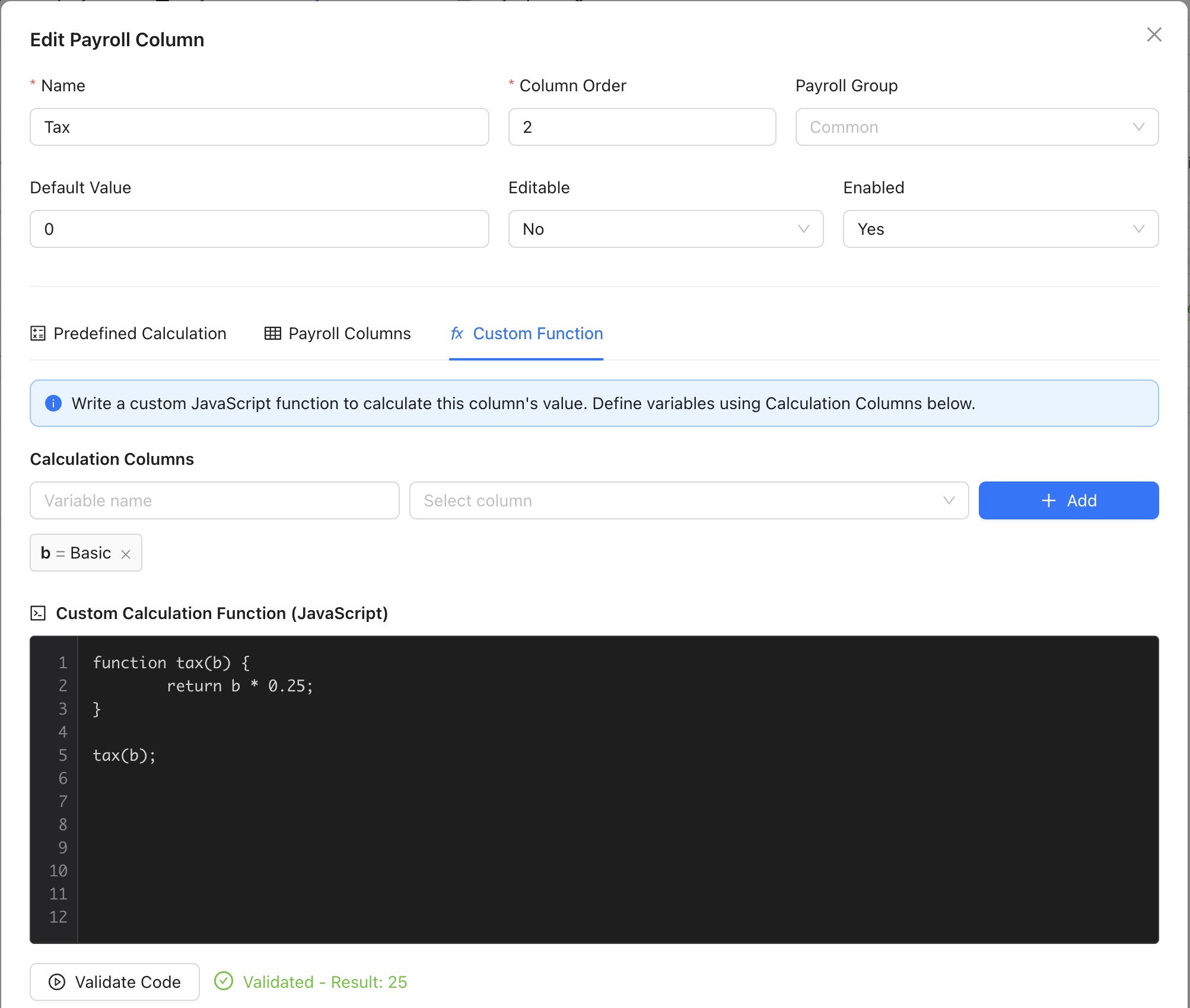
Payroll columns can be calculated with JavaScript functions, and the editor now tells
you exactly what is wrong with one instead of simply refusing it:
Precise syntax errors — the problem and the line number
Unknown variables are caught — a misspelt variable is named with a suggested correction, instead of quietly evaluating to zero
Clear result checks — functions that return nothing, produce NaN, or divide by zero are reported in plain language
Consistent arithmetic — rounding, division and number formatting behave identically everywhere, so a formula produces the same figure on every installation
Built-in updater
IceHrm can now update itself. When a newer version is published, administrators see a
banner on the dashboard — What's New opens this changelog, and
Update opens the updater, which downloads the release, checks the
version, and asks you to confirm before anything is replaced.
The update is designed to be reversible: your configuration, uploads and cached files
are never replaced; extensions you installed yourself are preserved; the previous
version is backed up before the new files are copied in and only removed once the
update is confirmed working; and one-click rollback restores the previous version if
the application does not come back. Every step is written to a log file for support.
Upgrade notes
Database migrations run automatically the next time any user signs in — no separate step, and the migration runs exactly once even if several people sign in at the same time.
Extensions are now organised into free and paid sets; existing installations continue to work unchanged.
Requirements — no change; v36 runs on the same PHP and MySQL versions as v35.
Breaking changes — none. All changes are backward compatible.
Version 35.0.0Released December 2025
Better insights, streamlined workflows, a more modern experience
A major update focused on insights and analytics, a redesigned payroll configuration
module, enhanced travel management, project time tracking, and a broad round of UI
modernisation.
New Insights & Analytics module
A brand new Insights module provides comprehensive analytics dashboards
for leave, attendance and timesheet data, giving HR managers real-time visibility into
workforce patterns.
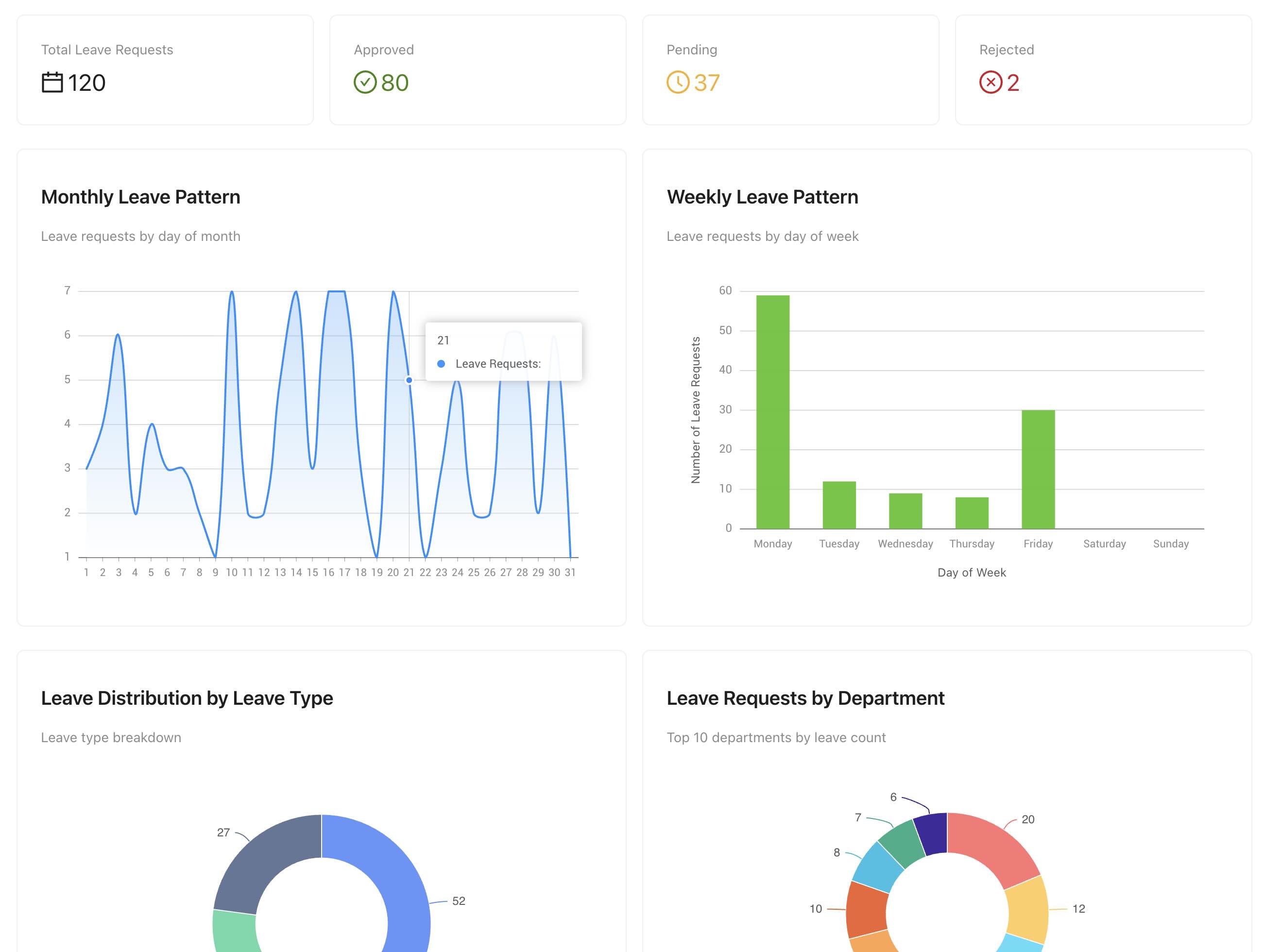
Leave Insights
Leave summary dashboard, monthly leave distribution, weekly leave patterns, leave-by-type
breakdown, and a departmental leave overview.
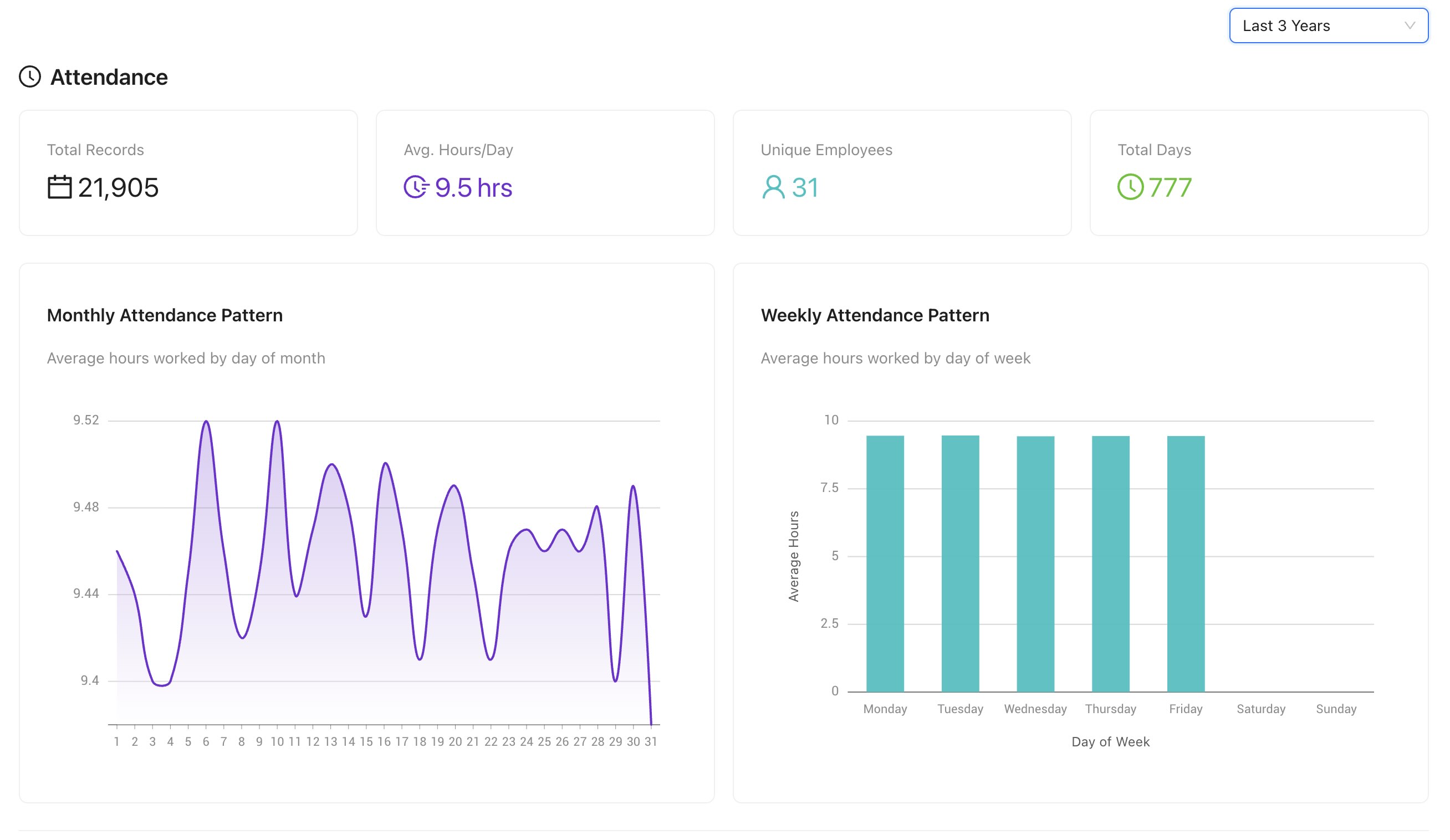
Attendance & timesheet Insights
Attendance summary, monthly and weekly patterns, department-wise attendance, project time
distribution and individual employee time tracking in one unified dashboard.
Redesigned Payroll Configuration module
A complete payroll management solution with flexible configuration and automated processing.
Payroll column configuration
Define custom payroll columns (earnings, deductions, contributions) with a built-in code
editor and syntax validation.
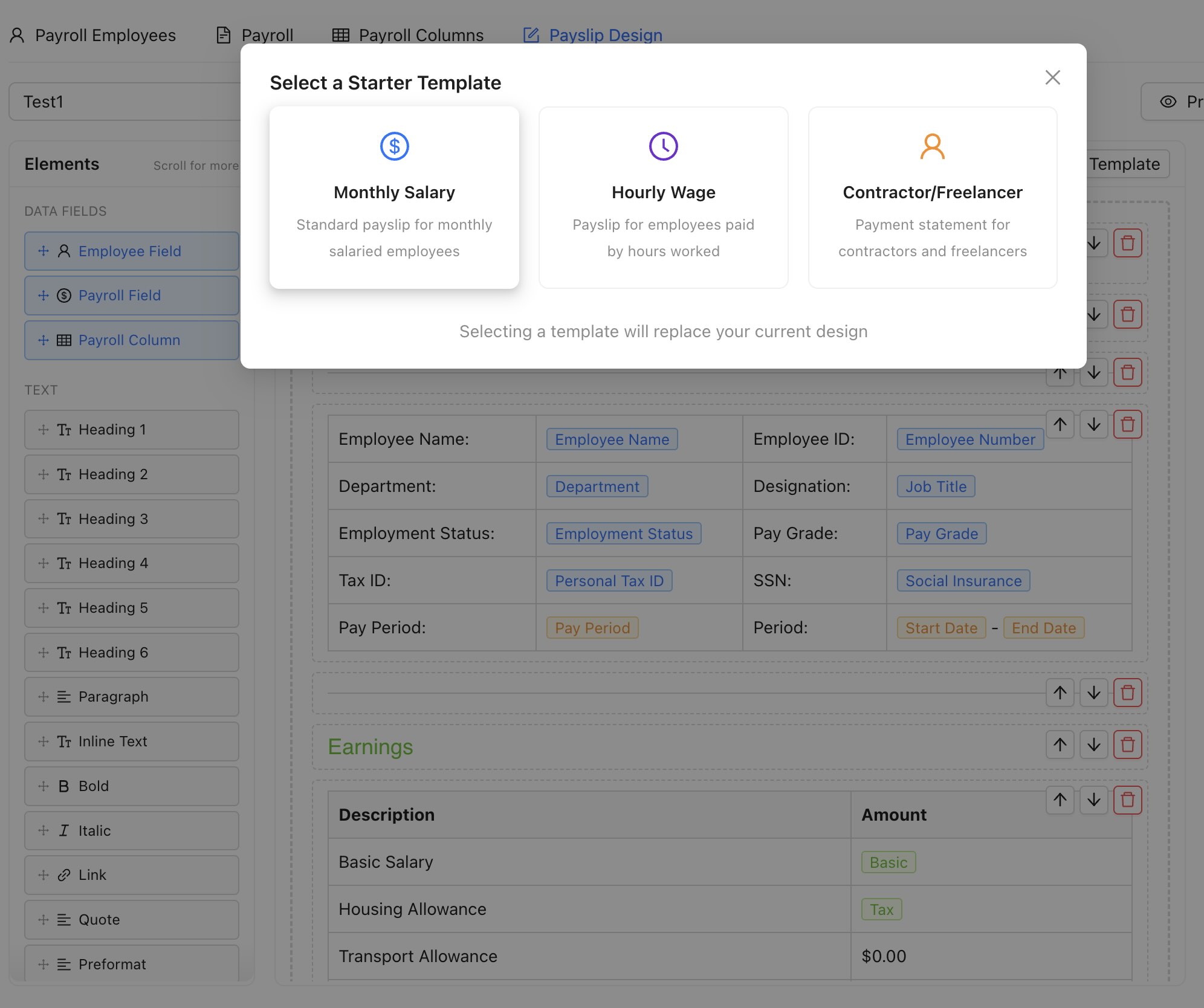
Payslip template designer
Create custom payslip templates with HTML/CSS, preview before deployment, deprecate legacy
templates, and protection against deleting templates in use.
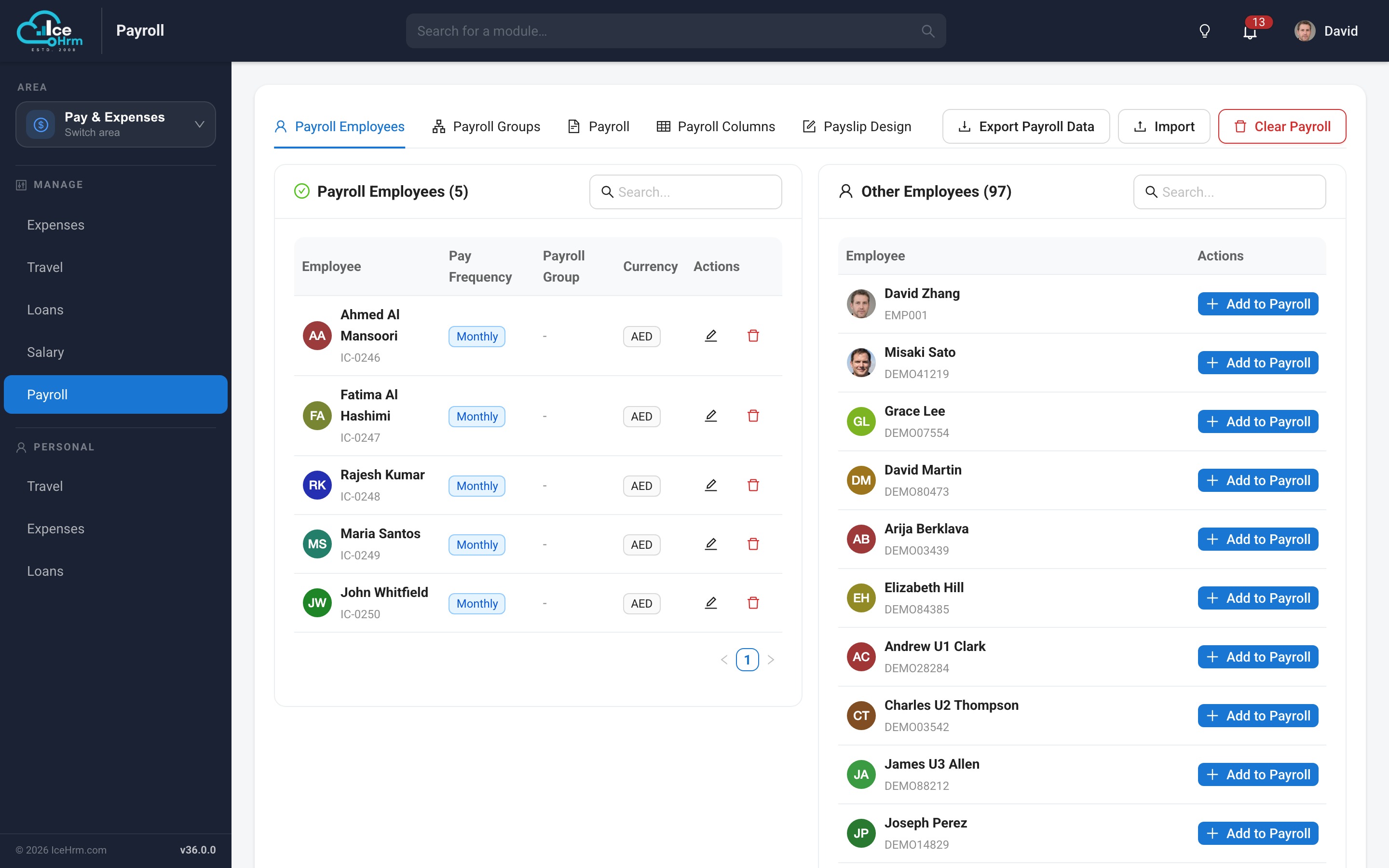
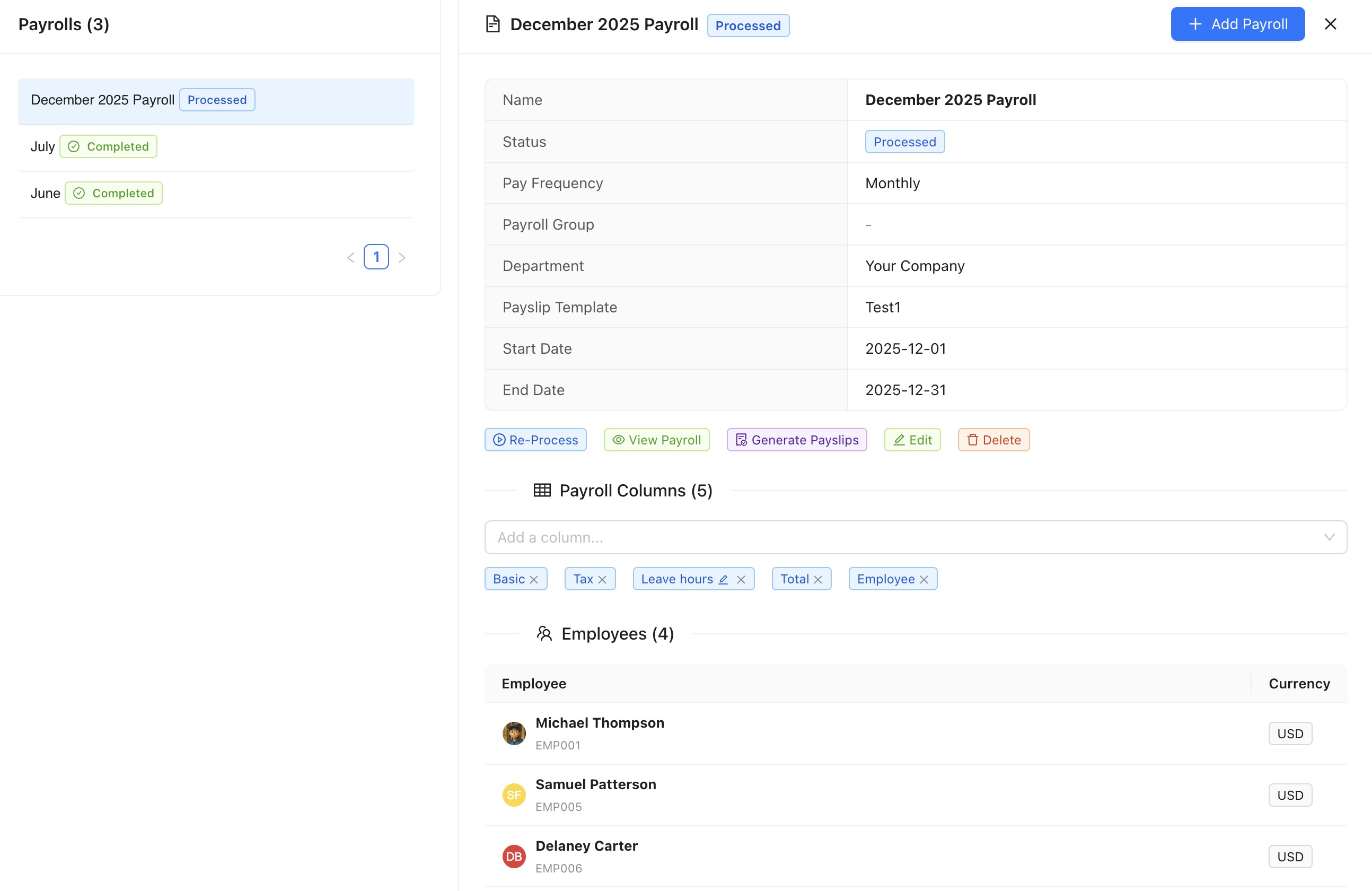
Payroll processing
Batch process employee payrolls, view payroll data by employee with profile images,
generate and manage payslips, and multi-currency support.
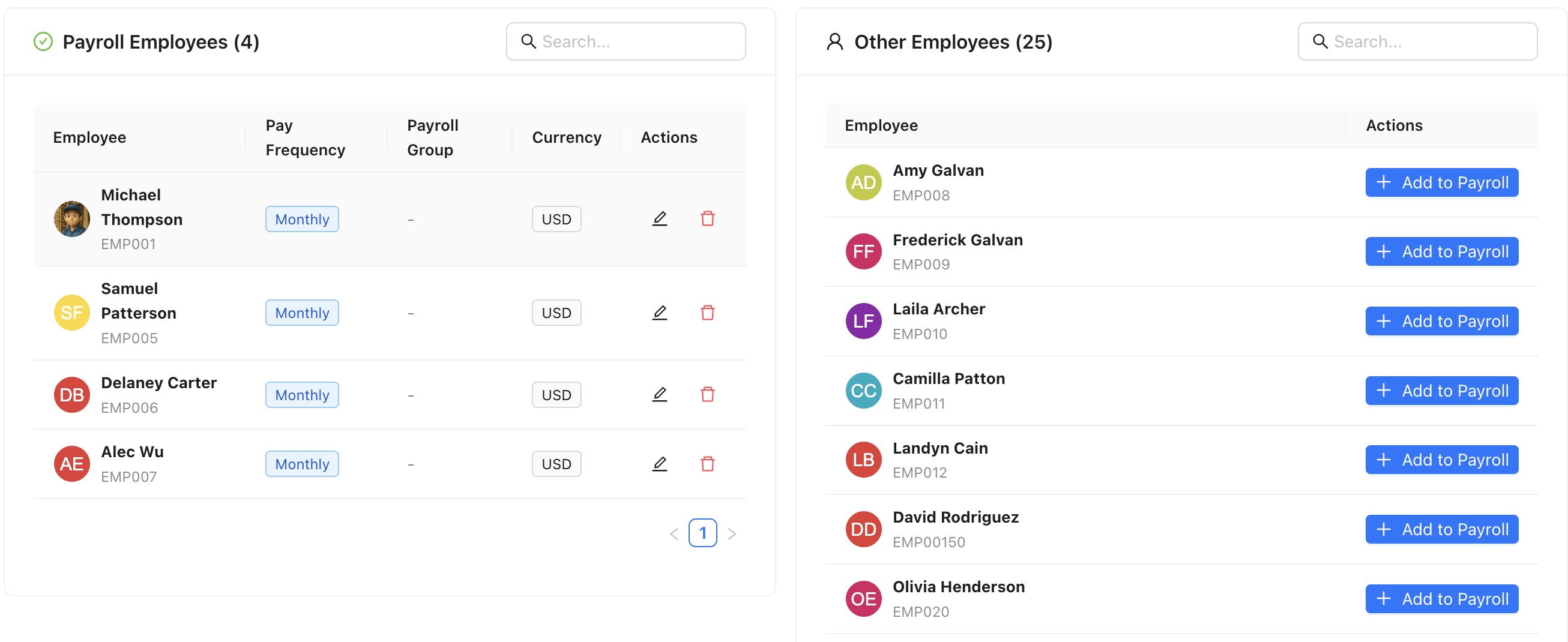
Employee payroll assignments
A redesigned UI for assigning employees to payrolls, with the ability to run multiple
payrolls for different employees.
Enhanced travel management
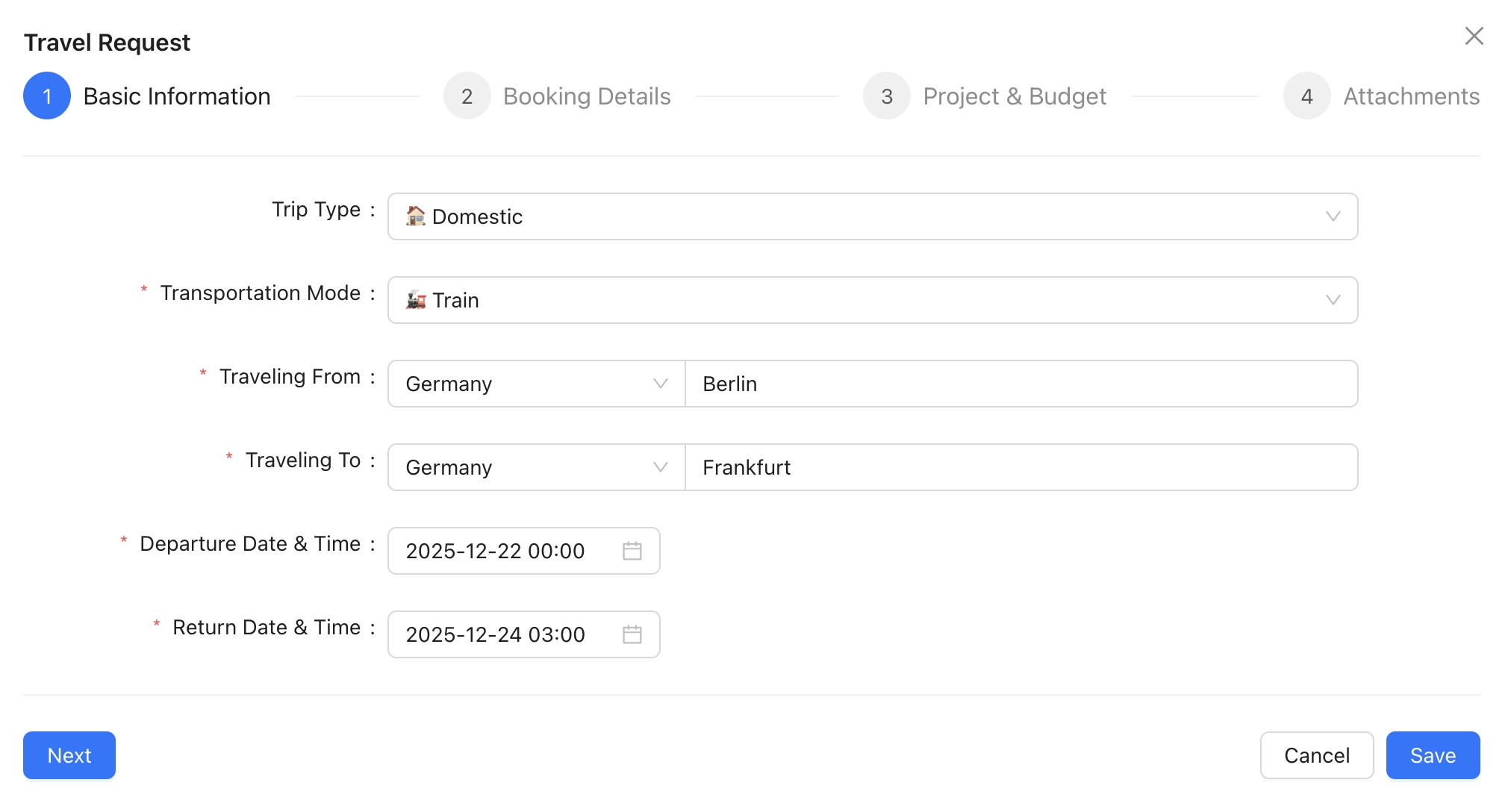
The Travel module has been completely rebuilt with a modern interface and new
capabilities: trip classification (domestic, international, regional), detailed
itineraries, booking information, travel project and budget integration with
multi-currency support, and a step-by-step request form with a location picker.
Project time tracking
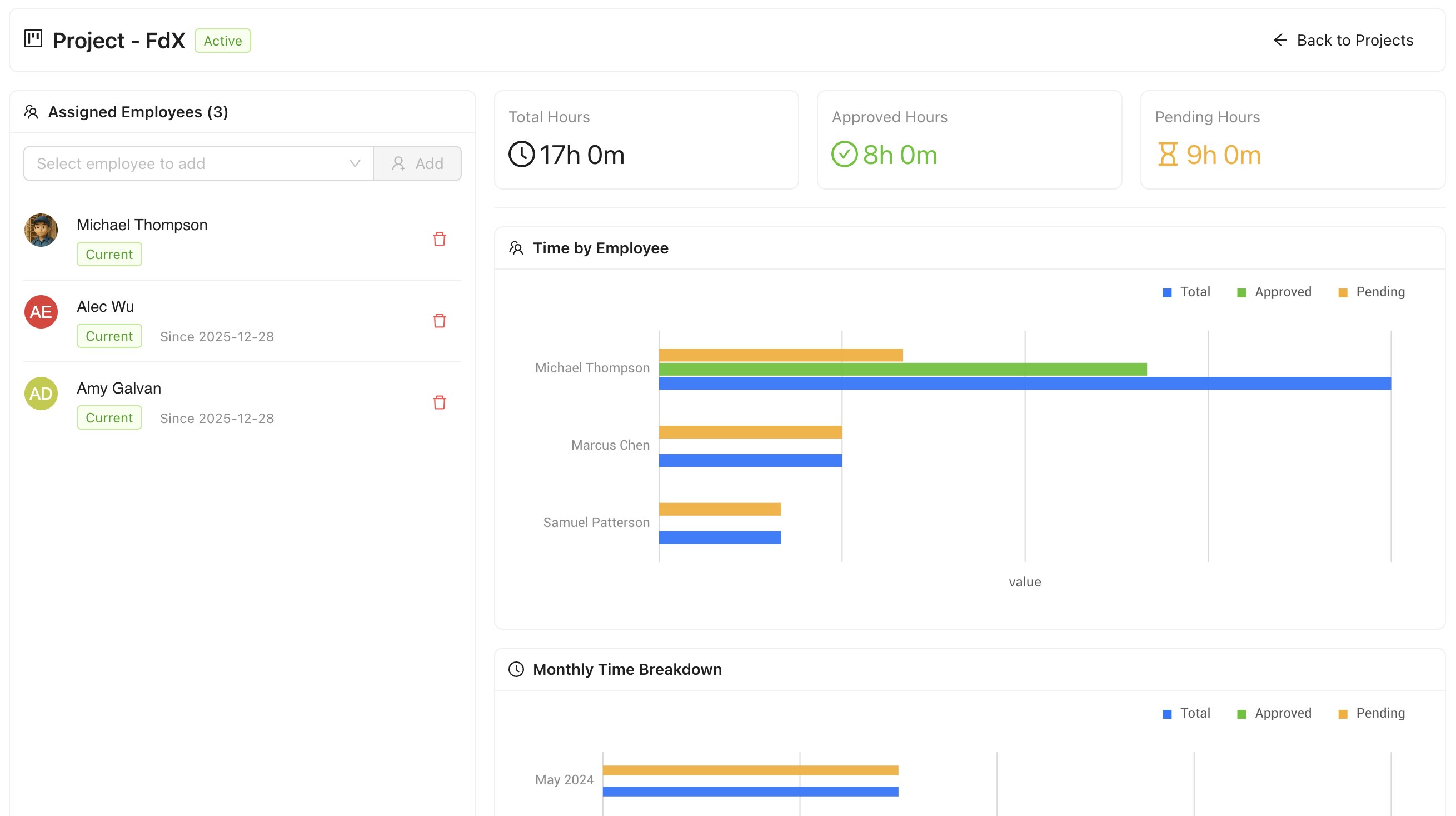
A new Project Detail View replaces the table with rich project
information — total hours logged, approved vs pending hours, and team size —
plus time-by-employee and monthly breakdown charts, and a panel to add or remove team
members.
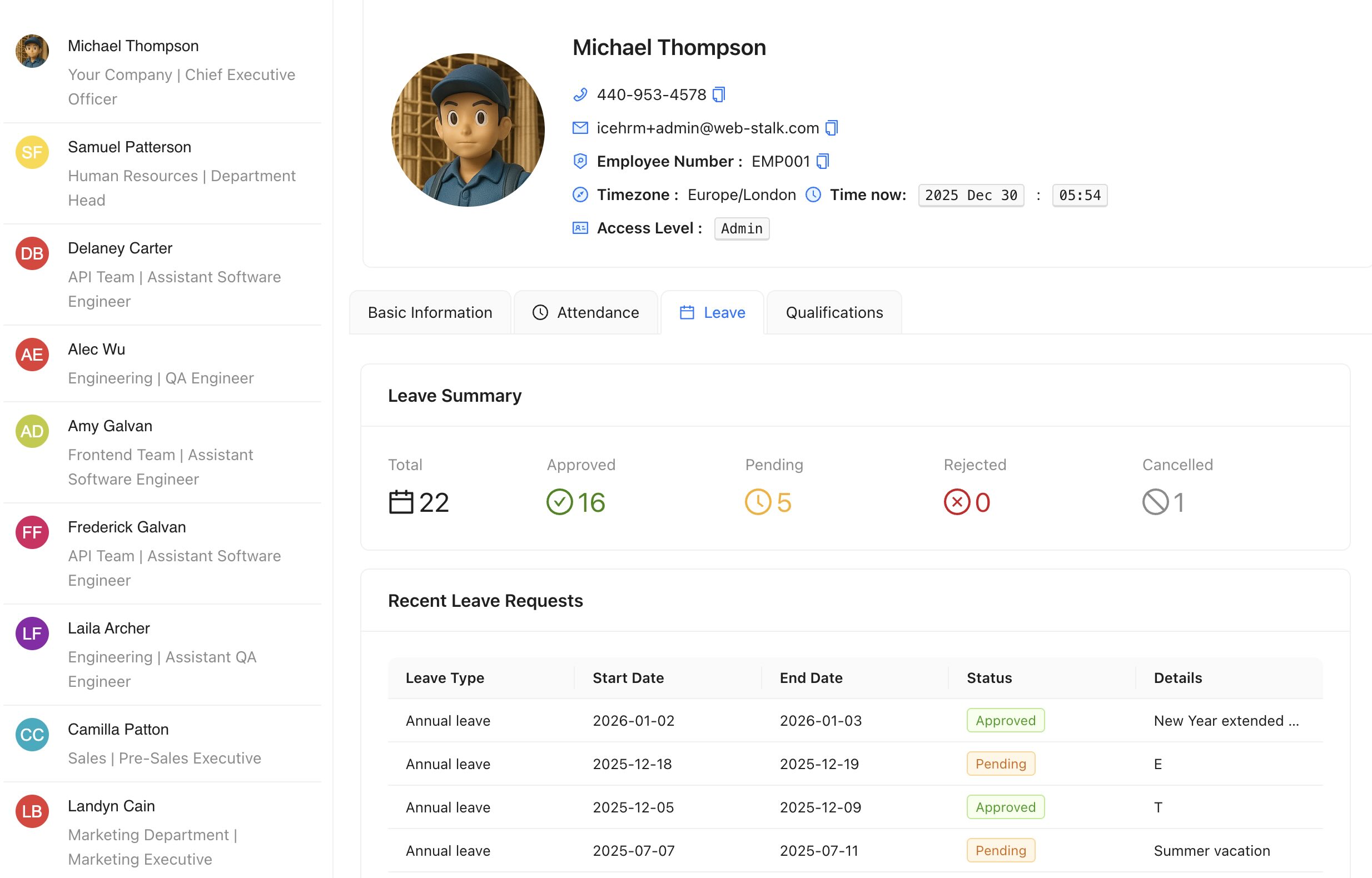
Employee profile enhancements
Employee profile images are now displayed across all modules for better visual
identification — leave, attendance, performance, training, expenses, overtime,
travel, salary and documents. New Leave and Attendance
tabs were added to the profile view, and "Deactivate" was renamed to "Resigned" with a
dedicated filter for resigned employees.
Performance management improvements
Create performance reviews for multiple employees at once, and create feedback requests
in bulk (available for pending reviews), with an improved self-feedback UI.
Sandwich leave support
Mark specific leave types as "Sandwich Leave" with a toggle. When enabled, leaves of that
type are always counted as full days — so a Friday and Monday leave with the
weekend in between counts as four days rather than two. Useful for unpaid leave policies.
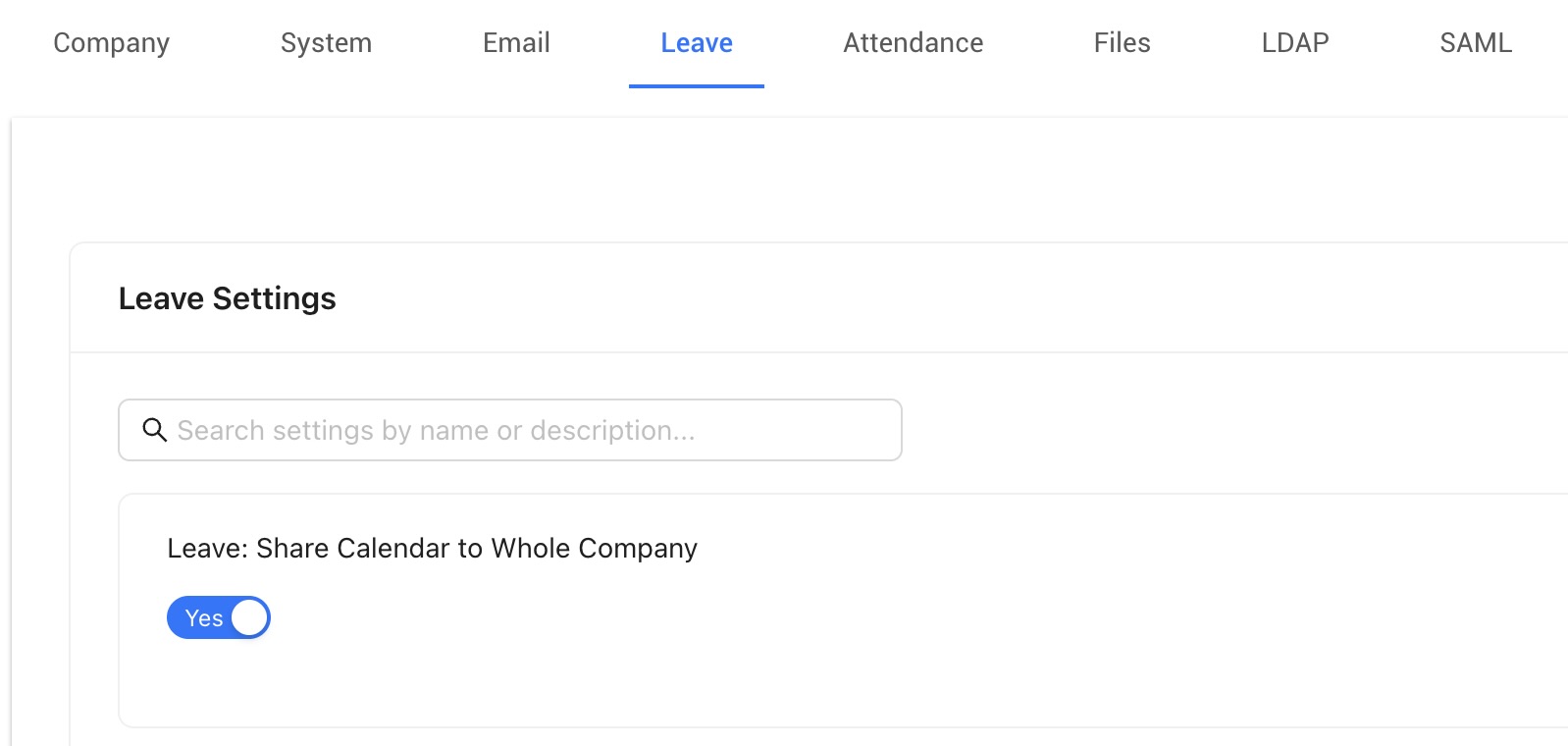
Settings module redesign
Search settings by name or description, logically ordered settings within each category,
improved descriptions, hidden deprecated settings, switch components for Yes/No settings,
better form layouts, and file-upload settings with preview.
UI/UX improvements
Modern modals replacing browser dialogs with loading states and better error handling;
clearer menu names and updated icons; and modernised User Leave, Dependent, Emergency
Contacts, Qualifications and Travel modules. A new Company Overview
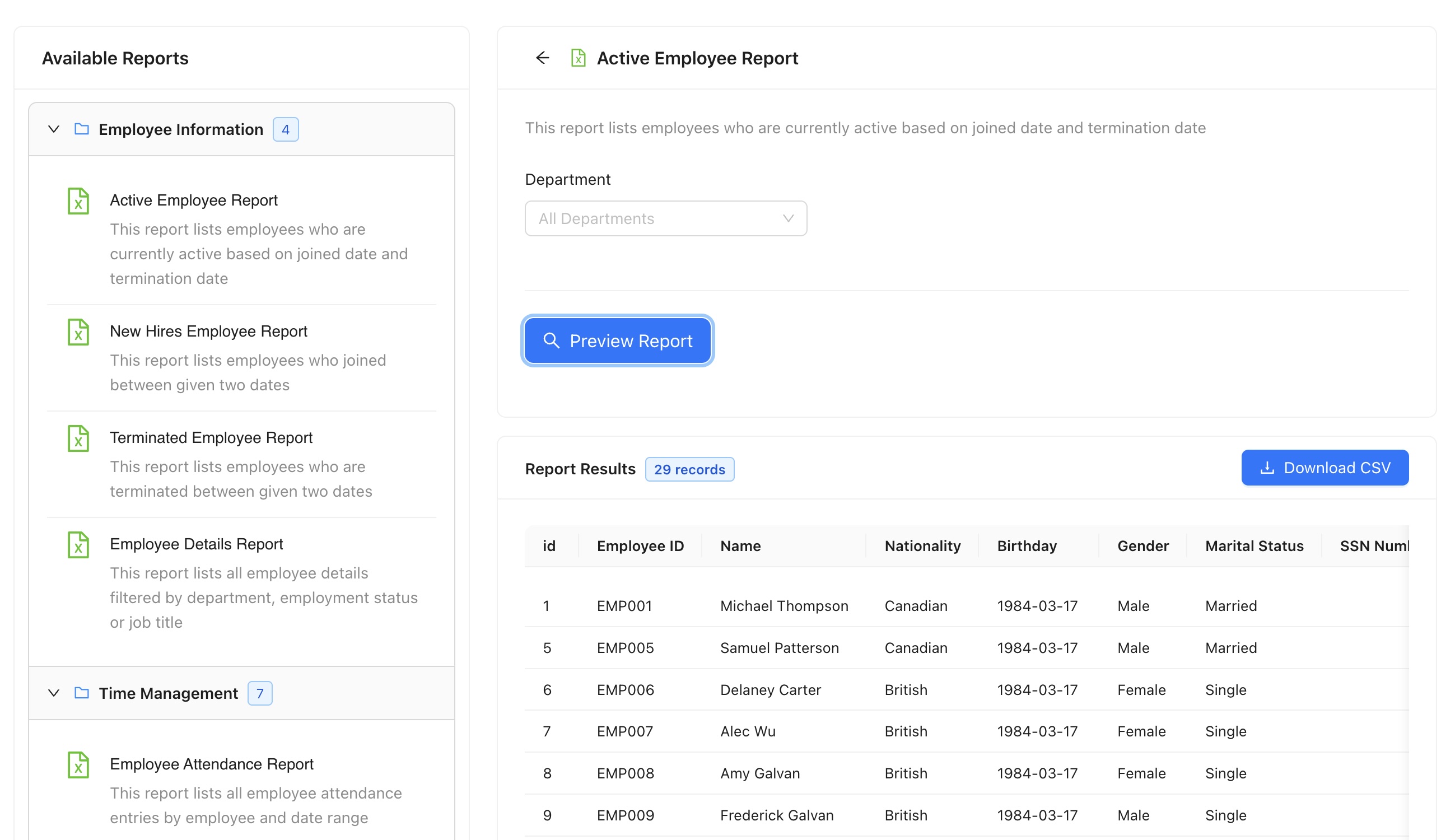
module and an Advanced Reports module (replacing the legacy reports
system) were also introduced.
Bug fixes & cleanup
Numerous fixes across step-form modals, subordinate travel requests, insights chart
rendering, attendance view, profile loading, reports and form-field rendering, plus an
improved cache fallback when memcache is unavailable. Legacy Charts, Leave Charts, Data,
Clients and Report Files modules were removed, replaced by Insights, Projects and
Advanced Reports.
Upgrade notes
Migrations cover the sandwich-leave column, settings order and descriptions, payslip
template additions and module cleanup. Breaking changes:
none — all changes are backward compatible.