Payroll Report is the unit used to combine all the payroll columns and calculate monthly payments for all the employees which you have specified under the Company payroll tab.
To do this using IceHrm;
Log in to the admin account
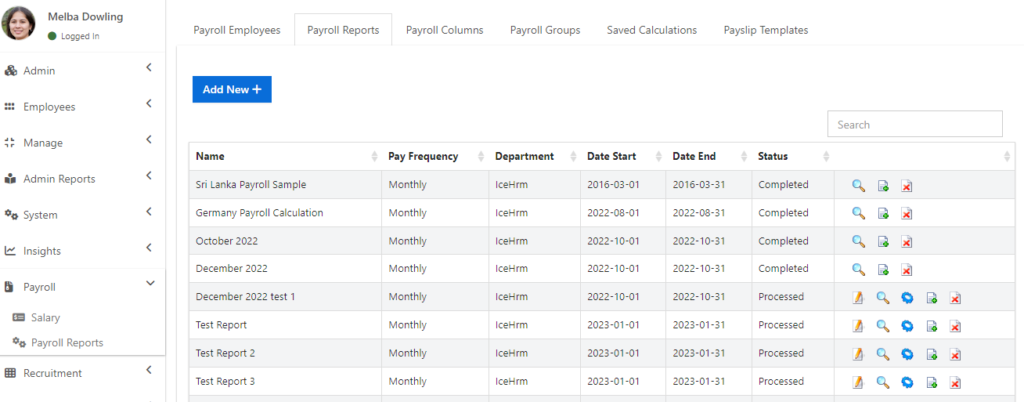
Go to the Payroll module and click on the Payroll Reports session
Now you will be able to find the Payroll reports tab
Click on Add New to create a new Payroll report
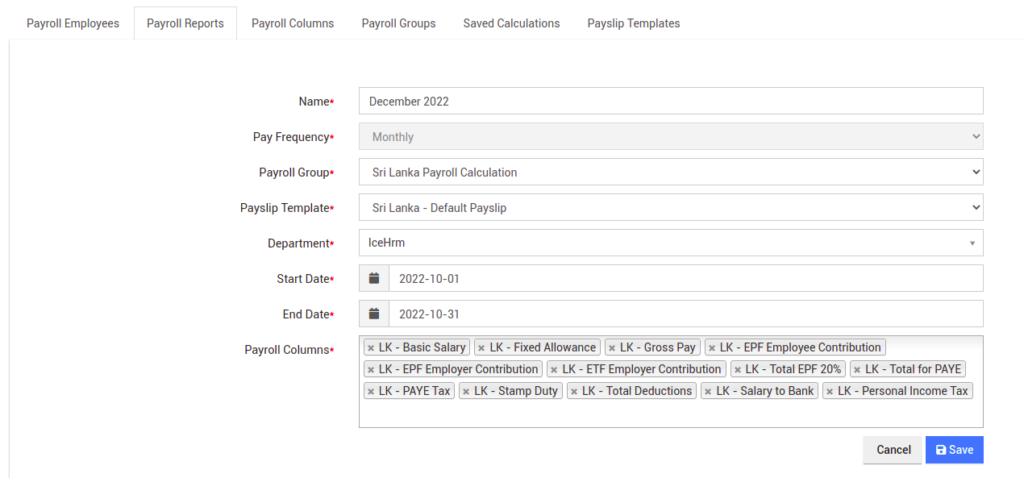
5. Enter a name for the payroll report (for an example; if it is for the monthly report enter the name as of June month payroll)
6. Select the pay frequency and rest of the fields according to your HR requirements
7. For the payroll column field, select all the payroll columns which need to be there under the payroll report. Check the below as an example.
8. Then click on Save to finish
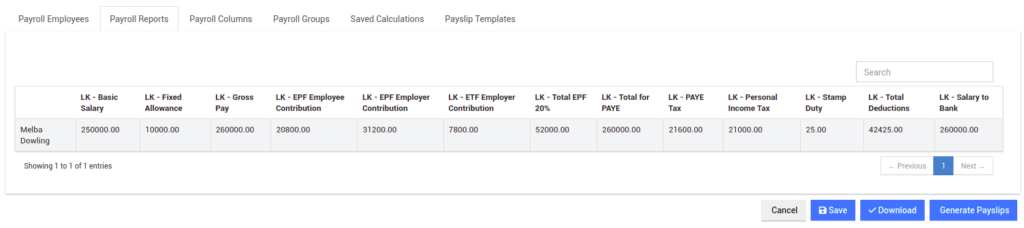
9. Click on the Process button to process the payroll report
10. If everything is according to the correct order you can Save it and click on Generate Payslips.