
The short answer: Homebase is the better fit if your main job is scheduling hourly staff across a few shops, cafes or sites: it's priced per location, so a big team in one place stays cheap. IceHrm is the better fit if you need a full HR system (leave policies, performance reviews, recruitment, training, expenses and payroll) for salaried or mixed teams, at $2 per employee a month on IceHrm Cloud. Many businesses that outgrow Homebase do so because they need the HR side, not more scheduling.
Homebase prices below are from Homebase's pricing page, checked in November 2026.
Two different pricing models
Homebase charges per location. The plans are:
| Homebase plan | Listed price (Nov 2026) | Main features |
|---|---|---|
| Basic | $0 per location a month | 1 location, up to 10 employees; basic scheduling and time tracking, POS integration |
| Essentials | $30 per location a month | Unlimited employees; advanced scheduling and time tracking, team communication |
| Plus | $70 per location a month | Adds an AI scheduling assistant, PTO and time-off controls, departments and permissions, hiring and retention tools |
| All-in-One | $120 per location a month | Adds employee onboarding, HR and compliance |
The page has an annual/monthly toggle and a "save 20%" badge, but it doesn't say which billing period the card prices show, so check your quote. At the time of writing, Homebase also ran a limited-time offer of six free months of Plus and payroll.
Add-ons: payroll is $49 a month plus $6 per paid employee ($29 a month for teams of up to 5), the Hiring Assistant starts at $99 a month, job post boosts start at $50 a post, and background checks are $30 each. There's a 14-day free trial of All-in-One with no card.
IceHrm charges per employee. IceHrm Cloud is $12 a month for up to 6 employees, then $2 for each employee above 6, with every module included and a 14-day free trial. IceHrmPro, the self-hosted edition, is a licence from $99 a month, or $999 a year, for up to 50 employees.
What each one is built for
Homebase is built around the shift:
- drag-and-drop schedules, shift trading and team messaging;
- a time clock that feeds timesheets and payroll;
- POS integrations, which matter in restaurants and retail;
- tip management and task lists as add-ons.
IceHrm is built around the employee record and the HR processes around it:
- employee records, documents and document signing;
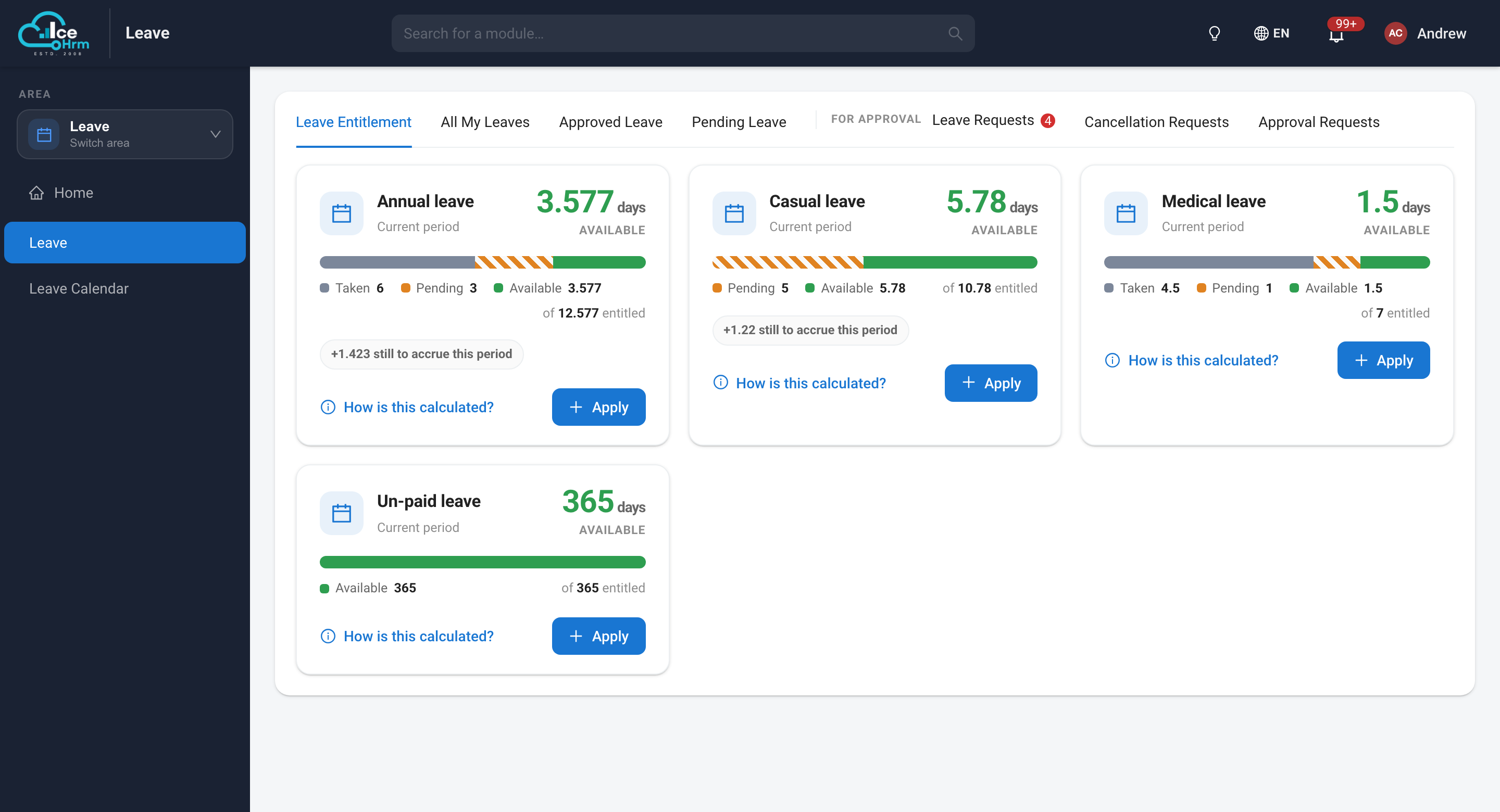
- leave management with leave types, groups, accrual and carry-forward;
- attendance with web and mobile clock-in, timesheets, projects and overtime;
- 360-degree performance reviews, goals and feedback requests;
- recruitment with job pages and a hiring board;
- training, expenses, payroll runs with payslips, and onboarding task lists.
Feature comparison
| Area | Homebase | IceHrm Cloud / IceHrmPro |
|---|---|---|
| Shift scheduling | Yes, the core of the product | Not available |
| Time clock | Yes | Yes (web and mobile, with location) |
| Timesheets | Yes | Yes, with projects and clients |
| Paid time off | PTO controls from Plus | Leave types, policies, accrual, carry-forward, approvals |
| Performance | Performance notes and tracking tools (Plus) | 360 reviews, goals, feedback templates |
| Hiring | Hiring Assistant add-on, from $99/month | Included: job pages, hiring board, interviews |
| Onboarding | All-in-One, or with payroll | Task lists for onboarding and offboarding |
| Payroll | Add-on: $49 + $6 per paid employee | Included: payroll runs and payslips (no tax filing) |
| Training, expenses | Not listed | Included |
| Self-hosting | No | IceHrmPro and the free Community Edition |
What it costs in practice
| Scenario (monthly, Nov 2026) | Homebase | IceHrm Cloud |
|---|---|---|
| 1 location, 25 staff, scheduling only (Essentials) | $30 | $50 (no scheduling) |
| 1 location, 25 staff, All-in-One + payroll | $120 + $49 + $150 = $319 | $50 |
| 2 locations, 50 staff, All-in-One + payroll | $240 + $49 + $300 = $589 | $100 |
| 4 locations, 100 staff, Plus, no payroll | $280 | $200 |
IceHrm Cloud's numbers are $12 + $2 × (employees − 6). Homebase's payroll row assumes every employee is paid through it.
The table shows the honest picture: for scheduling alone, Homebase is cheaper, especially with many employees per location. Once you add HR, onboarding and payroll, IceHrm costs less, and the gap grows with each location.
Choose Homebase if
- you run shifts every week and need a schedule builder, shift swaps and team chat;
- you want payroll and the time clock in one tool, in a country Homebase payroll supports;
- you have many hourly employees in one or two locations;
- POS integration matters for labour cost tracking.
Choose IceHrm if
- most of your team is salaried or works fixed hours, and you need HR processes rather than rotas;
- you need structured leave policies, with accrual and approvals (leave guide);
- you run performance reviews, hire regularly, or track training and expenses;
- you want to host the system yourself (IceHrmPro or the IceHrm Free Community Edition).
Some businesses use both: Homebase for front-line schedules and IceHrm for records, leave, reviews and recruitment. IceHrm has a REST API for moving data between systems, but there's no ready-made Homebase integration.
FAQ
How much does Homebase cost? As of November 2026, Homebase lists Basic at $0 (one location, up to 10 employees), Essentials at $30, Plus at $70 and All-in-One at $120 per location a month. Payroll is extra: $49 a month plus $6 per paid employee.
Is Homebase an HR system? Partly. Its All-in-One plan adds onboarding and HR and compliance tools, but the product is centred on scheduling and time tracking. It doesn't list performance review cycles, training or expense claims.
Does IceHrm do shift scheduling? No. IceHrm covers attendance, timesheets and overtime, but not rota planning.
Which is cheaper for 50 employees? For scheduling only in one location, Homebase Essentials ($30). For full HR with payroll, IceHrm Cloud ($100 a month) costs less than Homebase All-in-One with payroll in two locations ($589).
Next step
If HR processes are your bottleneck, start a 14-day IceHrm Cloud trial and set up your leave policy and a review cycle, or compare the IceHrm editions.