Employee History (Audit Trail)
People > Employee History keeps a record of every change made to employee data — what changed, from what value to what value, who changed it, and when.
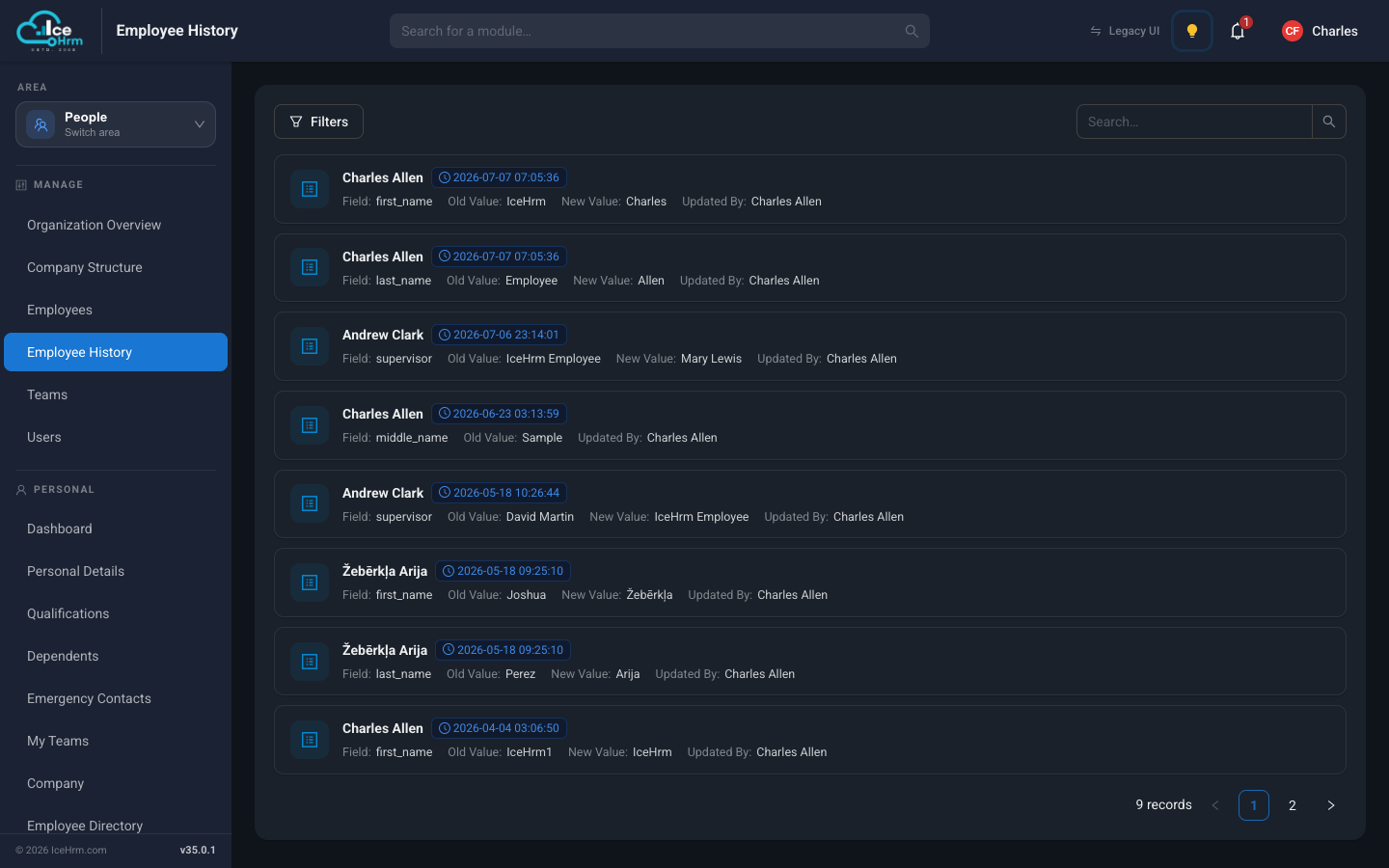
Each entry shows:
- The employee whose record changed
- Field — which piece of information changed (for example
first_nameorsupervisor) - Old Value and New Value
- Updated By — who made the change
- The date and time of the change
Why it matters
- Accountability — you can always answer "who changed this salary/manager/name, and when?"
- Troubleshooting — if something looks wrong on a profile, the history shows when it changed and what it was before.
- Compliance — many audits require a change trail for personnel data.
Finding a specific change
- Use the search box to look for an employee or a value.
- Click Filters to narrow the list down.
- Use the pagination at the bottom to browse older changes.