Home
Home is the first page everyone sees after signing in to IceHrm. It brings together the things you need most often: a friendly greeting with one-click quick actions, your Pending tasks from every module, the company feed, kudos, and a column of widgets for your team, upcoming time off, announcements and celebrations.
Every user sees the same familiar layout, but the content is personal. Administrators and managers see the approvals waiting on them, and company-wide figures such as Organization at a glance. Employees see their own reminders, leave and team.
Getting to Home
Home is always the first item in the left-hand menu, pinned directly under the area selector, so it's there whichever area you're working in. Click it from anywhere to return to where your day begins. Signing in also lands you on Home, unless your administrator has set a different start page for you.
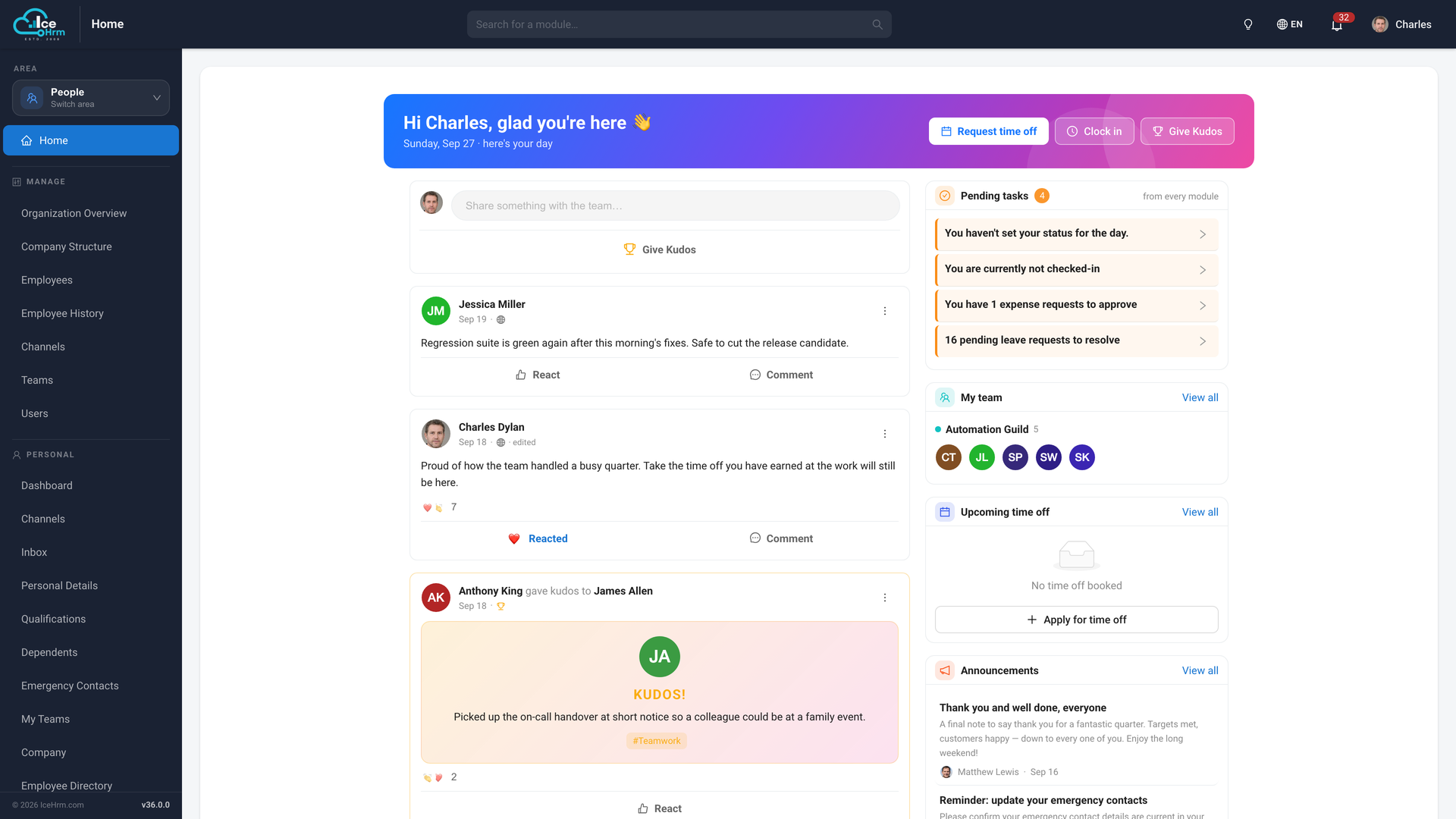
What's on Home
- Greeting and quick actions: request time off, clock in, or give kudos in one click.
- Pending tasks: your to-do list, gathered from every module.
- Company feed: posts, updates and kudos from across the company, with reactions and comments.
- My team, Upcoming time off, Announcements, Birthdays & anniversaries: the right-hand column.
- Organization at a glance: headcount, departments, new hires and active projects (administrators only).
📄️ Greeting and Quick Actions
The banner at the top of Home greets you by name with today's date. Next to it
📄️ Pending Tasks
Pending tasks is your personal to-do list on Home. It gathers items that are
📄️ Company Feed and Kudos
The centre of Home is the company feed, where announcements, updates and
📄️ Team, Time Off and Announcements
The right-hand column of Home keeps you up to date with the people around you