Audit Log
The Audit Log tracks all user actions and system changes in IceHrm, providing a complete history of activities for security and compliance purposes.
Overview
The Audit Log records every action performed in the system, including:
- User logins and authentication events
- Data additions, edits, and deletions
- User actions like approving or rejecting requests
- System configuration changes
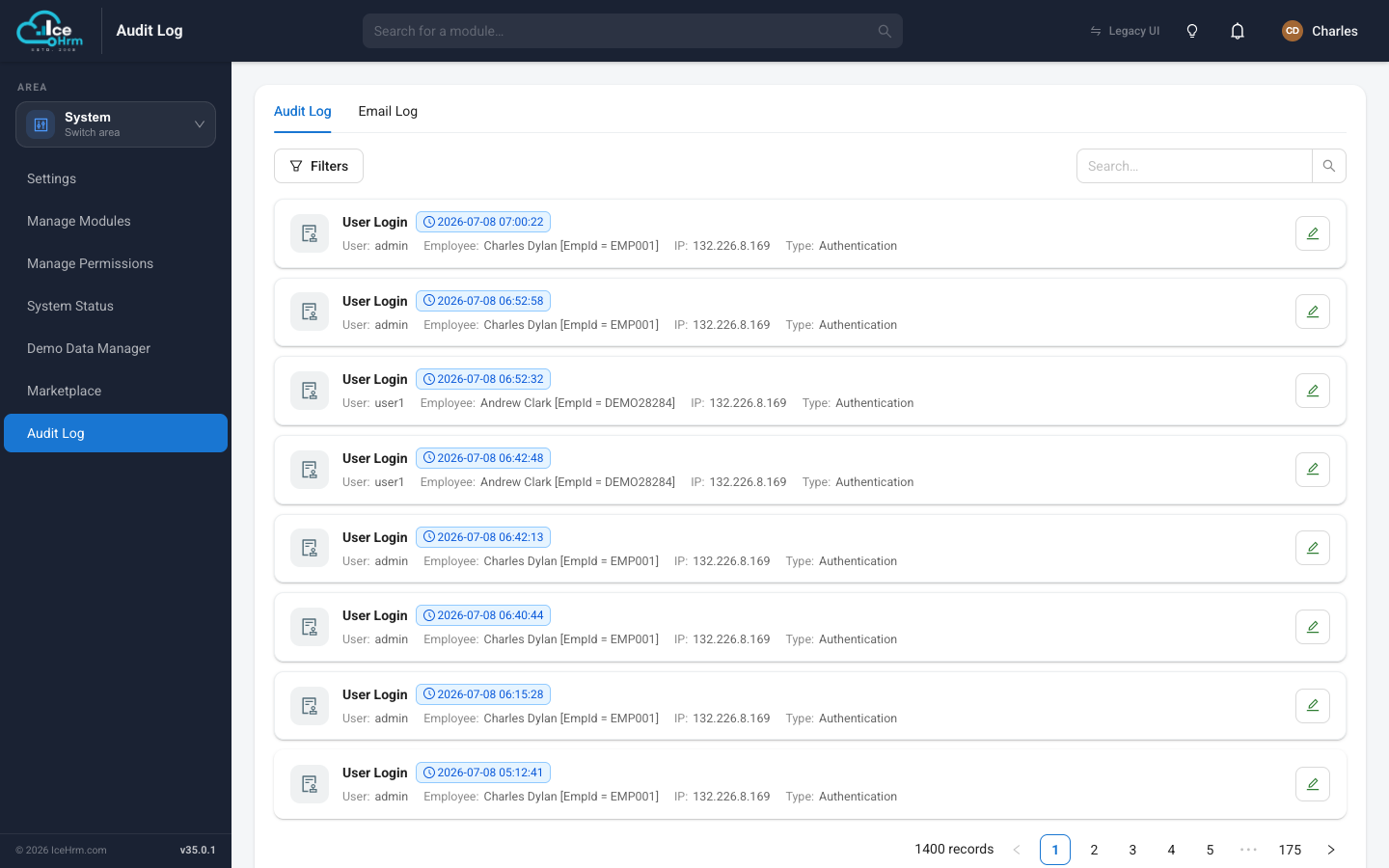
Accessing the Audit Log
- Open the System area and click Audit Log.
- Make sure you're on the Audit Log tab (it's the default).
- Browse the list of recorded activities.
Understanding the Audit Log
Each log entry contains the following information:
- Time (GMT): The date and time when the action occurred (in GMT timezone)
- User: The username of the person who performed the action
- Employee: The employee associated with the user account
- IP: The IP address from which the action was performed
- Type: The category of action (see Action Types below)
- Details: Specific information about what was changed or accessed
- Actions: View or edit the log entry
Action Types
The Audit Log categorizes actions into different types:
- Authentication: Login and logout events (e.g., "User Login")
- Add: New records created (e.g., "Added an object to LeaveStartingBalance")
- Edit: Existing records modified (e.g., "Edited an object in EmployeeSalary")
- Delete: Records removed from the system
- User Action: Employee or manager actions (e.g., "Leave status changed from Pending to Approved")
Searching and Filtering
Search
Use the search box in the top right corner to search for specific entries. You can search by:
- Username
- Employee name
- Action details
- IP address
Click Search to apply your search criteria.
Filters
Click the Filters button to access advanced filtering options:
- Filter by date range
- Filter by action type
- Filter by user
- Filter by IP address
Viewing Log Details
- Find the log entry you want to examine
- Click View in the Actions column
- Review the complete details of the action
Common Use Cases
Security Auditing
- Monitor login attempts and identify suspicious activity
- Track which users are accessing sensitive data
- Identify unauthorized changes to system settings
Compliance
- Maintain records of all data modifications
- Track approval workflows for leave, expenses, etc.
- Document who made changes and when
Troubleshooting
- Identify when and how data was changed
- Track the sequence of actions leading to an issue
- Verify that automated processes are working correctly