Requesting Peer Feedback
A well-rounded review includes input from the people who work with the employee, not just their manager. You request that input as a feedback request, which asks a specific person to answer a feedback template about the employee.
Requesting from inside a review
The easiest way is from the review itself:
- Open Performance → Performance → Performance Reviews.
- Click View on the employee's review and open the Peer Feedback tab.
- Click Request Feedback and choose who to ask.
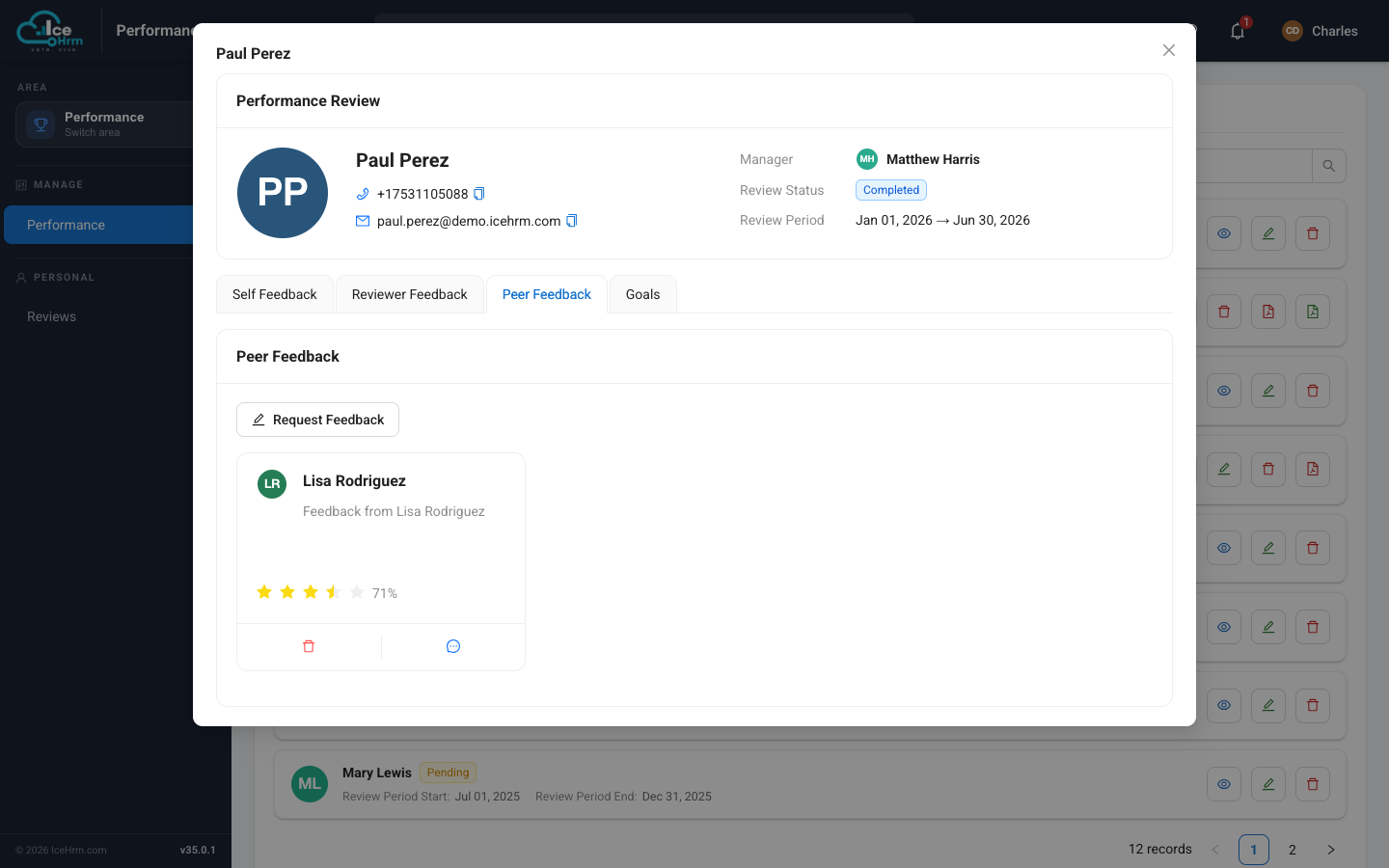
Each piece of feedback you receive appears as a card here, showing the reviewer, their comments, and their rating (the stars and percentage).
The Peer Feedback tab is visible only to the employee's manager, the review coordinator, and admins — the employee being reviewed never sees it. See Who can see what.
Managing all requests
You can also see and create requests from the Feedback Requests tab of the Performance module.
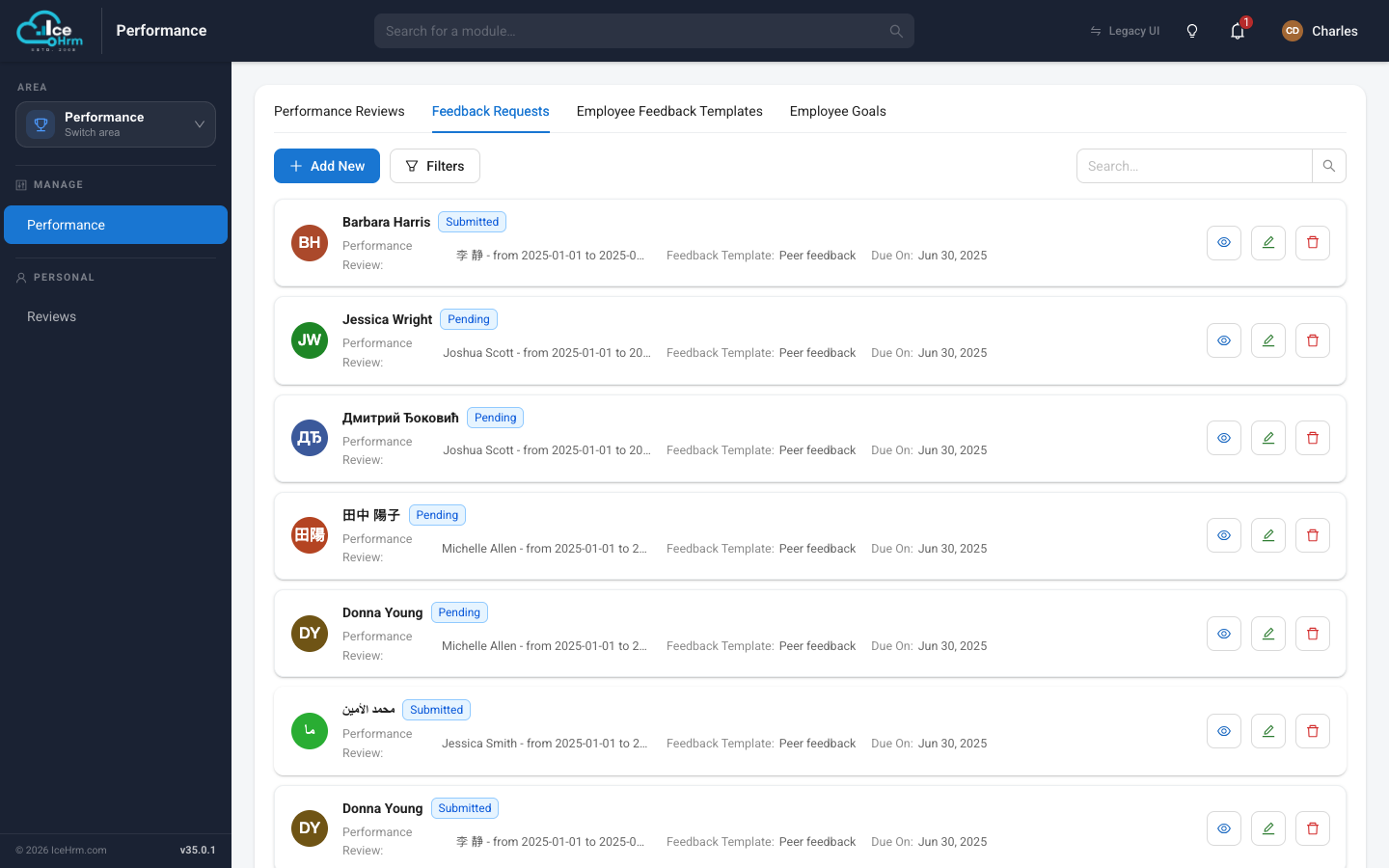
Click + Add New to create a request: pick the employee being reviewed, the reviewer, the feedback template to use, and a due date, then save. The reviewer is notified and can complete it from their own Reviews → Feedback Requests view.
Request status
| Status | Meaning |
|---|---|
| Pending | Sent, awaiting a response |
| Submitted / Completed | The reviewer has given their feedback |
| Overdue | Past the due date, not yet done |
| Cancelled | Withdrawn |
Related topics
- Giving feedback you've been asked for
- Who can see what — the review visibility rules