Recording Review Notes
Beyond the questionnaire answers, a review is also a place to record the manager's own observations — what came up in the review meeting, agreed action items, and follow-ups.
The manager's written feedback
The main place to record notes is the Reviewer Feedback tab of a review. Open the review (Performance → Performance → Performance Reviews → View) and go to Reviewer Feedback.
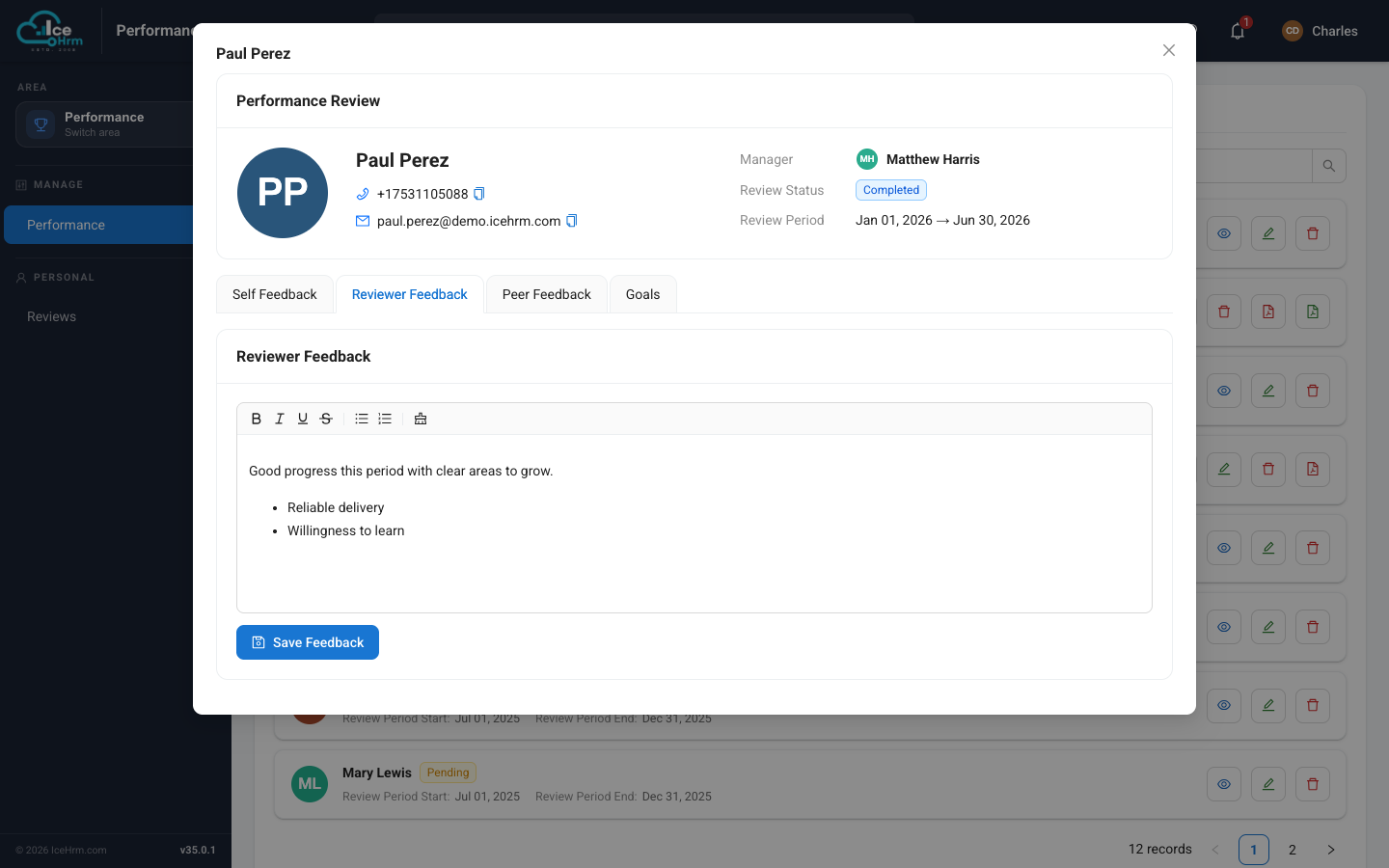
This is a rich text editor, so you can structure your notes with headings and bullet points — for example a short summary, a list of strengths, and agreed next steps. Click Save Feedback to store them on the review.
Notes on individual peer feedback
Each peer feedback card (on the Peer Feedback tab) also has its own comment button, so you can annotate a specific piece of feedback if you need to add context to it.
What to capture
- Key points discussed in the review meeting
- Action items and who owns them
- Development plans and follow-up dates
- Anything not covered by the formal questions
Tips
- Be factual and specific — include dates and concrete examples.
- Write notes promptly after the meeting while it's fresh.
- Keep the language professional; these notes are part of the record.