Defining Work Week and Holidays

Properly configuring your work week and holidays ensures accurate leave calculations. The system uses these settings to determine which days count toward leave balances.


Work Week

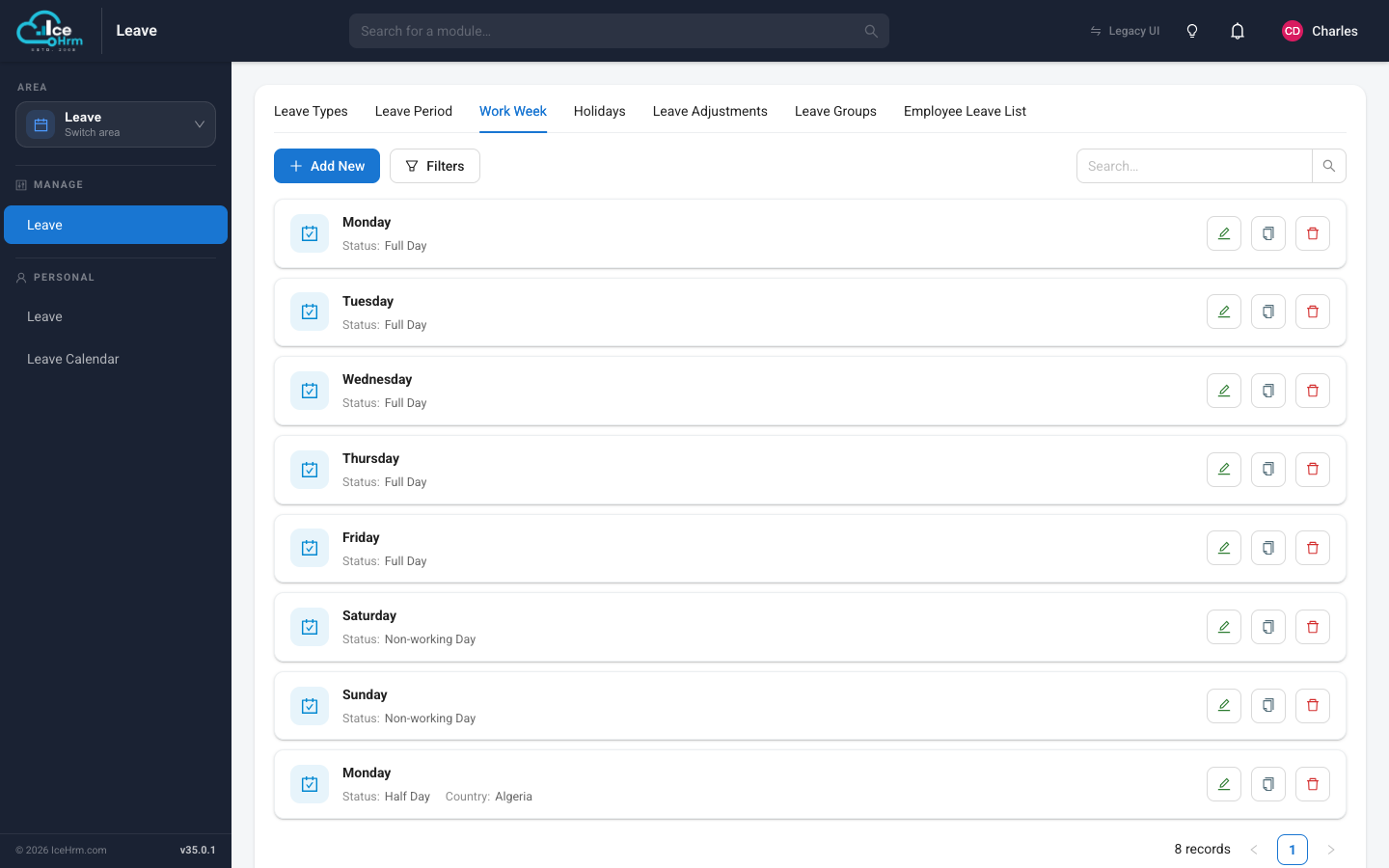
The work week defines the days that your employees are working.

Work Week Settings

How It Affects Leave Calculations

When calculating leave, the system only counts working days. For example, if your company operates Monday to Friday and an employee requests two consecutive weeks off, Saturday and Sunday will not be counted toward their leave balance.

How to Configure

  1. Go to Admin > Leave Settings > Work Week

  2. Set each day's status:

StatusDescription
Working DayFull working day, counts toward leave
Non-Working DayNot a working day, does not count toward leave
Half DayCounts as 0.5 days toward leave
  1. Click Save

Country-Specific Work Weeks

Organizations with employees in multiple countries can establish different work weeks per country. Leave calculations automatically adjust based on the employee's country assignment.

Example: A UK branch may configure Saturday as a half-day, while the main office operates Monday to Friday only.

CountryWork Week
DefaultMonday - Friday
UKMonday - Friday + Saturday (Half Day)
UAESunday - Thursday

Holidays

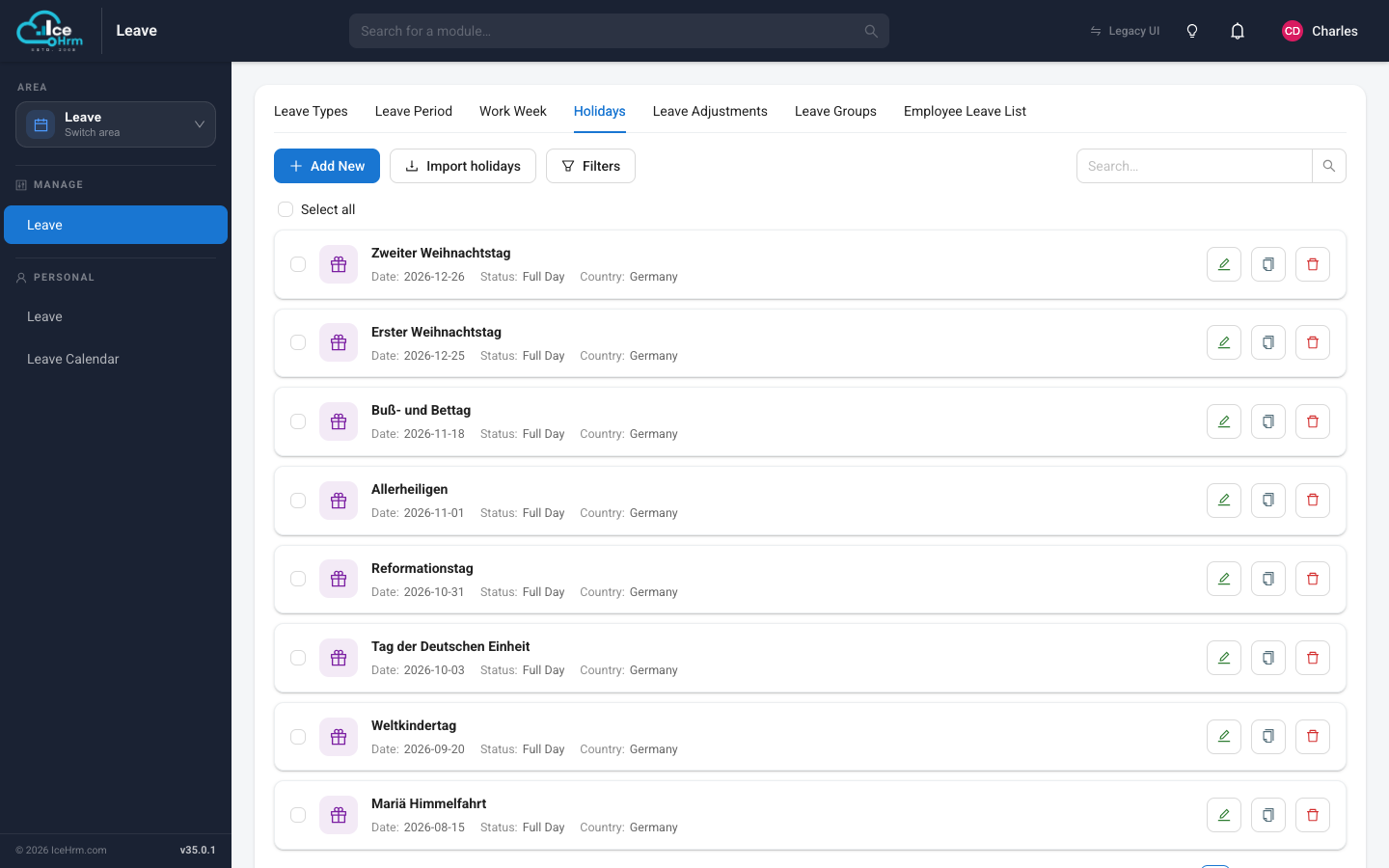
Holidays specify the designated non-working days across your leave periods.

Holiday Settings

How Holidays Affect Leave

If an employee requests leave that includes a holiday, that holiday date will not consume their leave balance.

Best Practice

Define holidays for all active leave periods to ensure accurate leave calculations.

How to Add Holidays

  1. Go to Admin > Leave Settings > Holidays

  2. Click Add New

  3. Fill in the holiday details:

FieldDescription
NameHoliday name (e.g., "Christmas Day")
DateThe date of the holiday
CountryCountry this holiday applies to (or "All" for company-wide)
StatusActive or Inactive
  1. Click Save

Country-Specific Holidays

Similar to work weeks, holidays can be configured per country. Only employees assigned to that country will have the holiday applied to their leave calculations.

Example: Setting December 18, 2024 as a UK-only holiday means only employees in the UK will have that day excluded from their leave balance calculations.


Leave Calculation Example

Employee Country: UK
Work Week: Monday - Friday (Saturday half-day)
Leave Request: December 23-27, 2024 (Monday to Friday)
Holidays: December 25 (Christmas - UK)

Calculation:
- Monday, Dec 23: Working Day (counts as 1)
- Tuesday, Dec 24: Working Day (counts as 1)
- Wednesday, Dec 25: Holiday (does not count)
- Thursday, Dec 26: Working Day (counts as 1)
- Friday, Dec 27: Working Day (counts as 1)

Total Leave Days Deducted: 4

Quick Reference

TaskLocation
Configure work weekAdmin > Leave Settings > Work Week
Add holidaysAdmin > Leave Settings > Holidays
Set country-specific work weekSelect country when editing work week
Set country-specific holidaySelect country when adding holiday

Setup Checklist

  • Configure default work week for your organization
  • Set up country-specific work weeks (if applicable)
  • Add all holidays for the current leave period
  • Add country-specific holidays (if applicable)
  • Communicate holiday schedule to employees