How Leave Is Calculated
IceHrm works out each employee's balance automatically, but it's helpful to understand what goes into the number — especially when someone asks "why do I only have this many days?"
The building blocks
An employee's available balance for a leave type comes from:
- Allocated for the period — the days the leave type grants (see Creating leave types).
- Accrual — if the leave type accrues gradually, only the portion earned so far is available now; the rest shows as still to accrue this period.
- Pro-rating — a new joiner who starts mid-period receives a share based on the time left in the period.
- Adjustments — any manual leave adjustments (plus or minus).
- Used and pending — approved leave is subtracted; pending requests are set aside until they're decided.
Seeing the full working
Employees don't have to take our word for it. On the Leave Entitlement tab, every card has a How is this calculated? link. It opens a clear breakdown — the allocation, the accrual, a step-by-step chart, and a full calculation log.
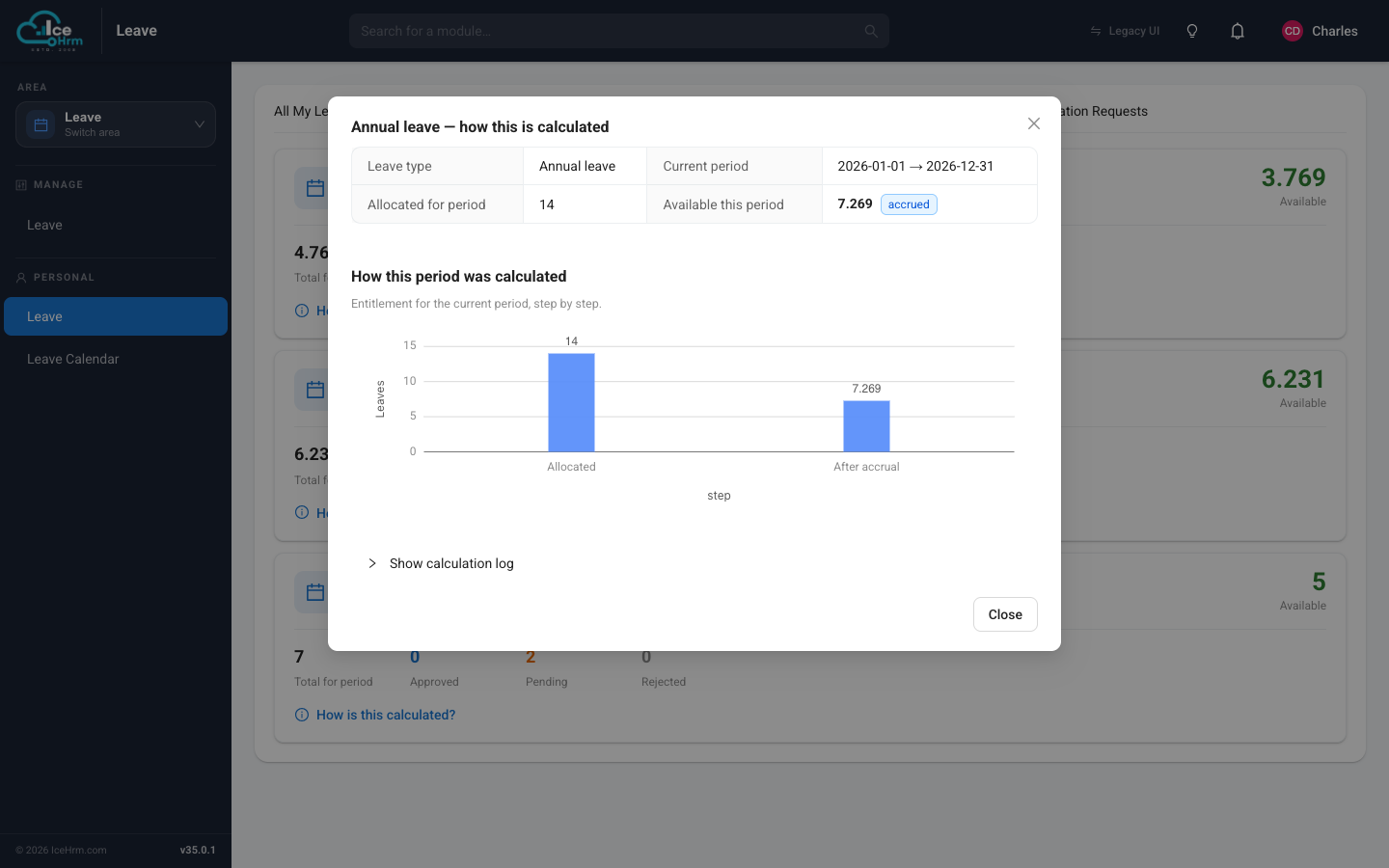
This is the fastest way to answer a balance question: open the card, click the link, and read the steps.
Common reasons a balance looks low
- The leave type accrues gradually — days build up over the period rather than being granted all at once.
- The employee joined mid-period — pro-rating gives them a partial allowance.
- A negative adjustment was applied — check the Adjustments figure on the card.
- Pending requests — days awaiting approval are held aside and not shown as available.