Requesting and Approving Leave
This page covers the everyday flow: an employee requests leave, and a manager or admin approves it.
How an employee requests leave
Employees open the Leave area and choose Leave in the Personal section. The Leave Entitlement tab opens first, followed by All My Leaves, Approved Leave, and Pending Leave. If the employee also approves other people's leave, a separate For Approval group appears to the right — see Multi-level approval below.
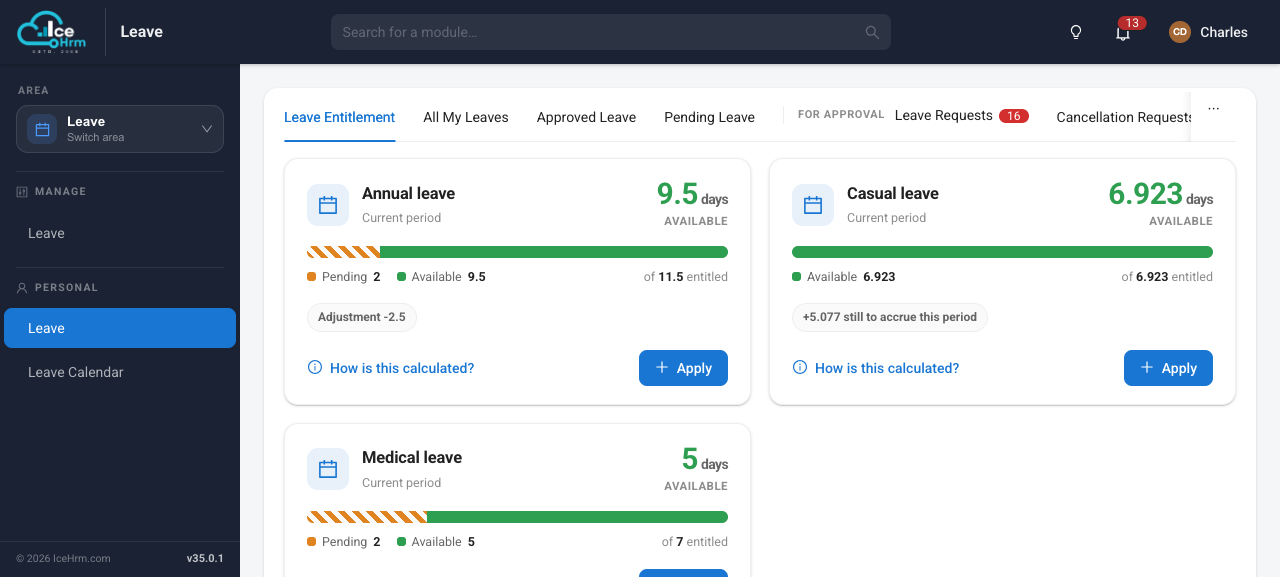
To request time off, either:
- Click Apply on a leave type's card in Leave Entitlement (the type is filled in for you), or
- open All My Leaves and click Apply Leave.
Then:
- Pick the leave type (if it isn't already set), the start and end dates, and add a reason. Attach a document if the leave type asks for one.
- Click Next, review, and submit.
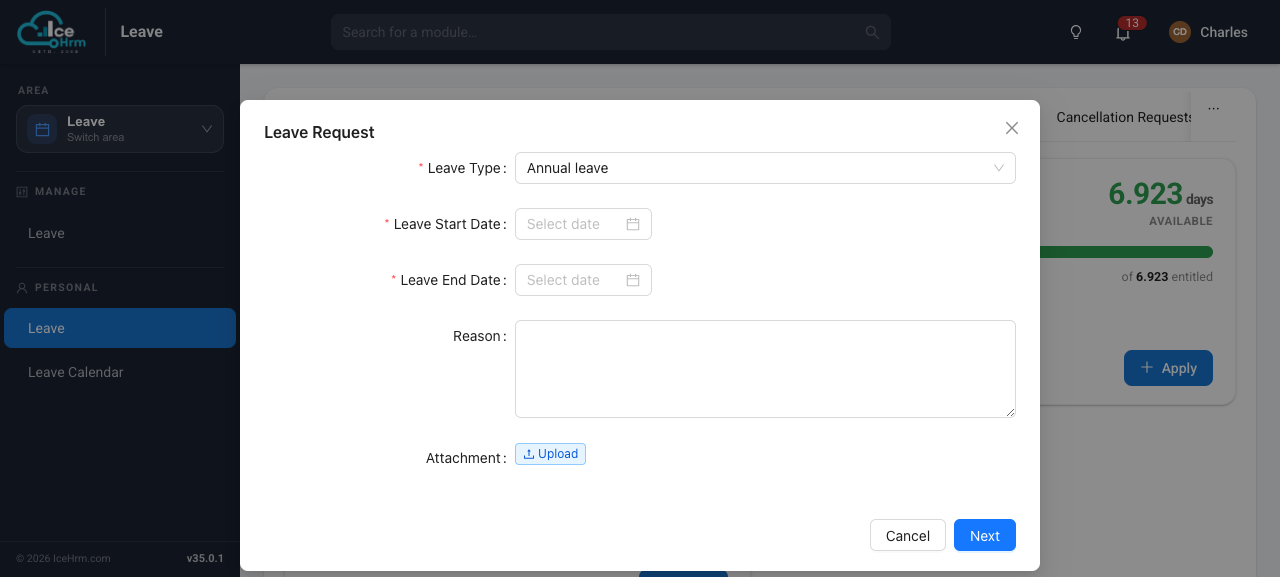
The request appears under Pending Leave — which also shows requests that are partway through approval — until it's fully decided, and the next approver is notified.
How managers and admins approve leave
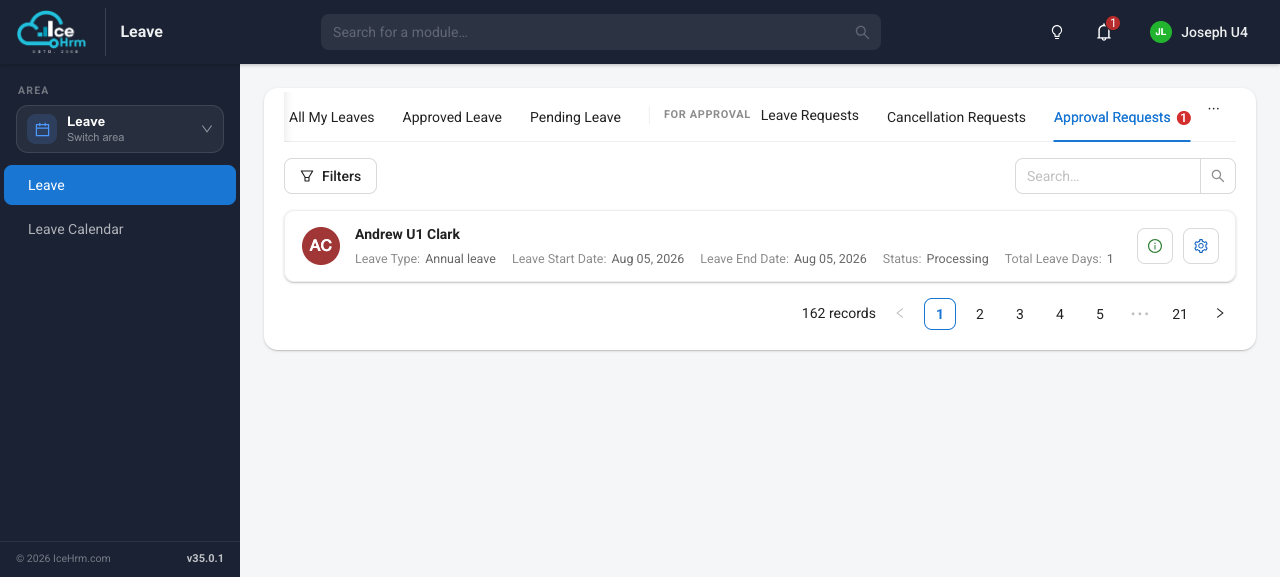
The tabs that concern other people's leave are grouped together under a For Approval heading, set off from an employee's own leave tabs. Each carries a count so it's easy to see what needs attention:
- Leave Requests — leave from the people who report to you, waiting for your approval.
- Cancellation Requests — approved leave your reports have asked to cancel.
- Approval Requests — requests where you're a named approver in a multi-level chain (see below).
Admins can also see every request in one place under Leave > Leave (the Manage section) on the Employee Leave List tab.
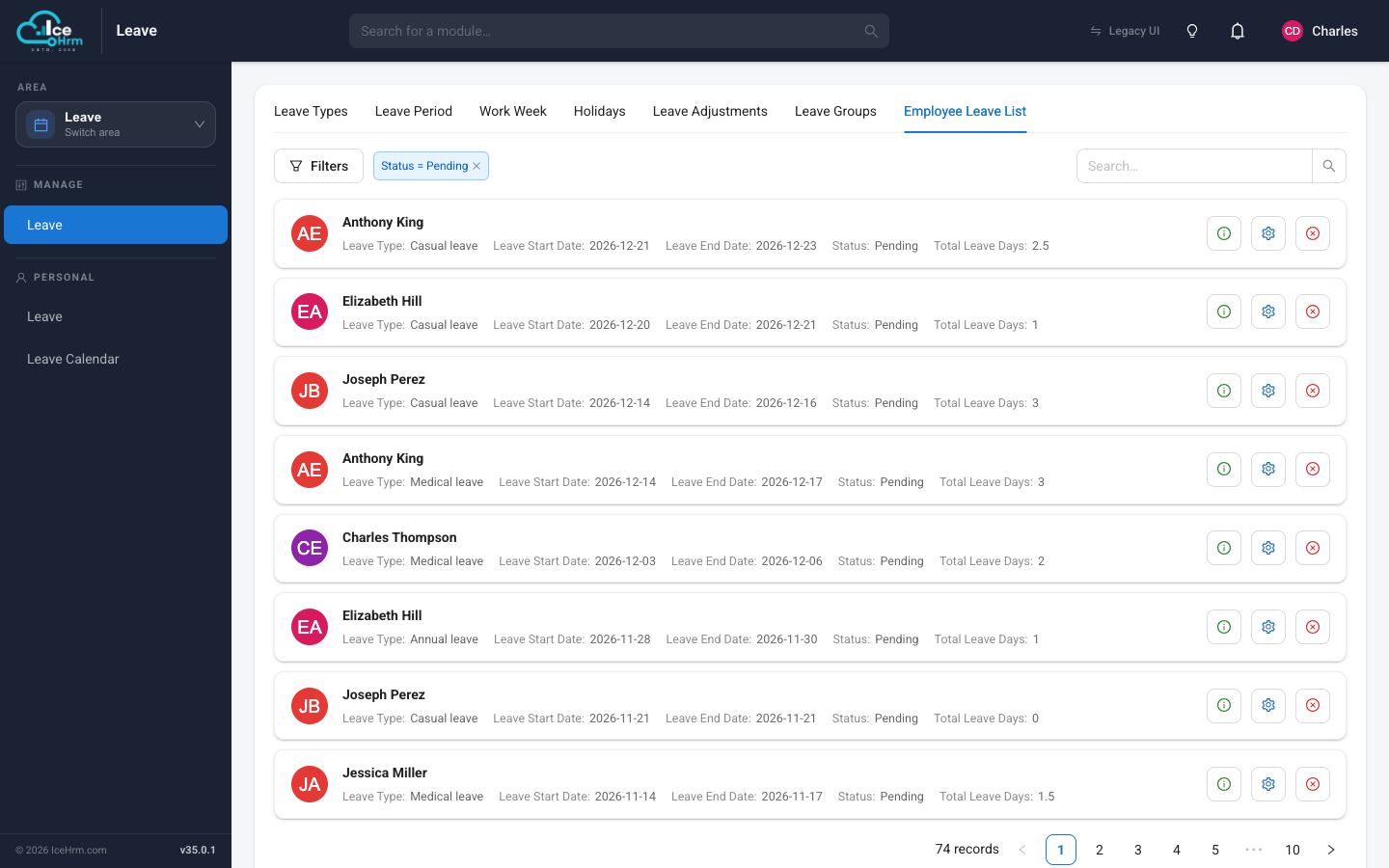
Use the Filters to narrow the list (for example, to pending requests only), then use the buttons on each row to view the details, approve, or reject. The employee is notified of the decision automatically.
Multi-level approval
When multi-level approvals are turned on, a leave request is signed off by a chain of people rather than a single manager. The employee's Manager approves first (the request stays Pending); it then moves to each additional approver in turn, staying in progress until the last one signs off. An administrator sets the chain of approvers for each employee.
Anyone in the chain can open a request to see exactly where it stands — who has already approved, who it's waiting on now, and who's next — each shown with their name and photo:
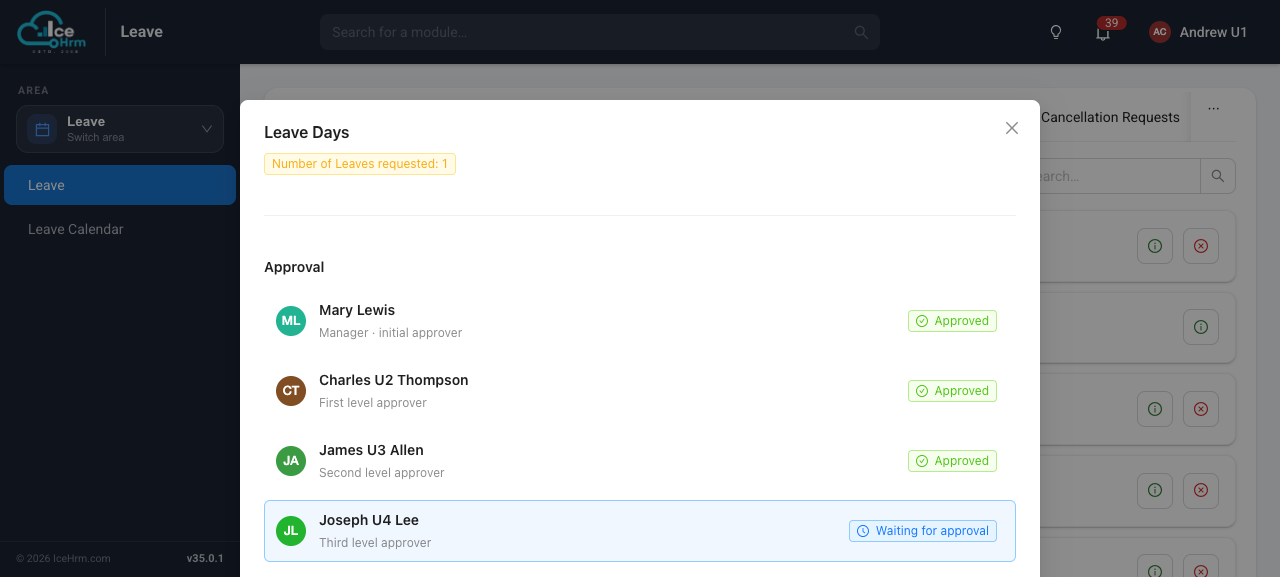
When it's your turn to act, the request appears on your Approval Requests tab in the For Approval group, with a count of how many are waiting. Open one to review the details, then approve or reject.
Cancelling leave
- Before it's approved, the employee can cancel a request themselves from Pending Leave.
- After it's approved, cancelling goes through a short approval of its own — the request moves to Cancellation Requests for a manager to confirm.