Expiry Notifications
Many employee documents expire — passports, visas, certifications. IceHrm can email reminders before they do, so renewals don't get missed.
Turning reminders on for a document type
Reminders are configured per document type (see Employee documents). Open Documents → Documents → Document Types and add or edit a type.
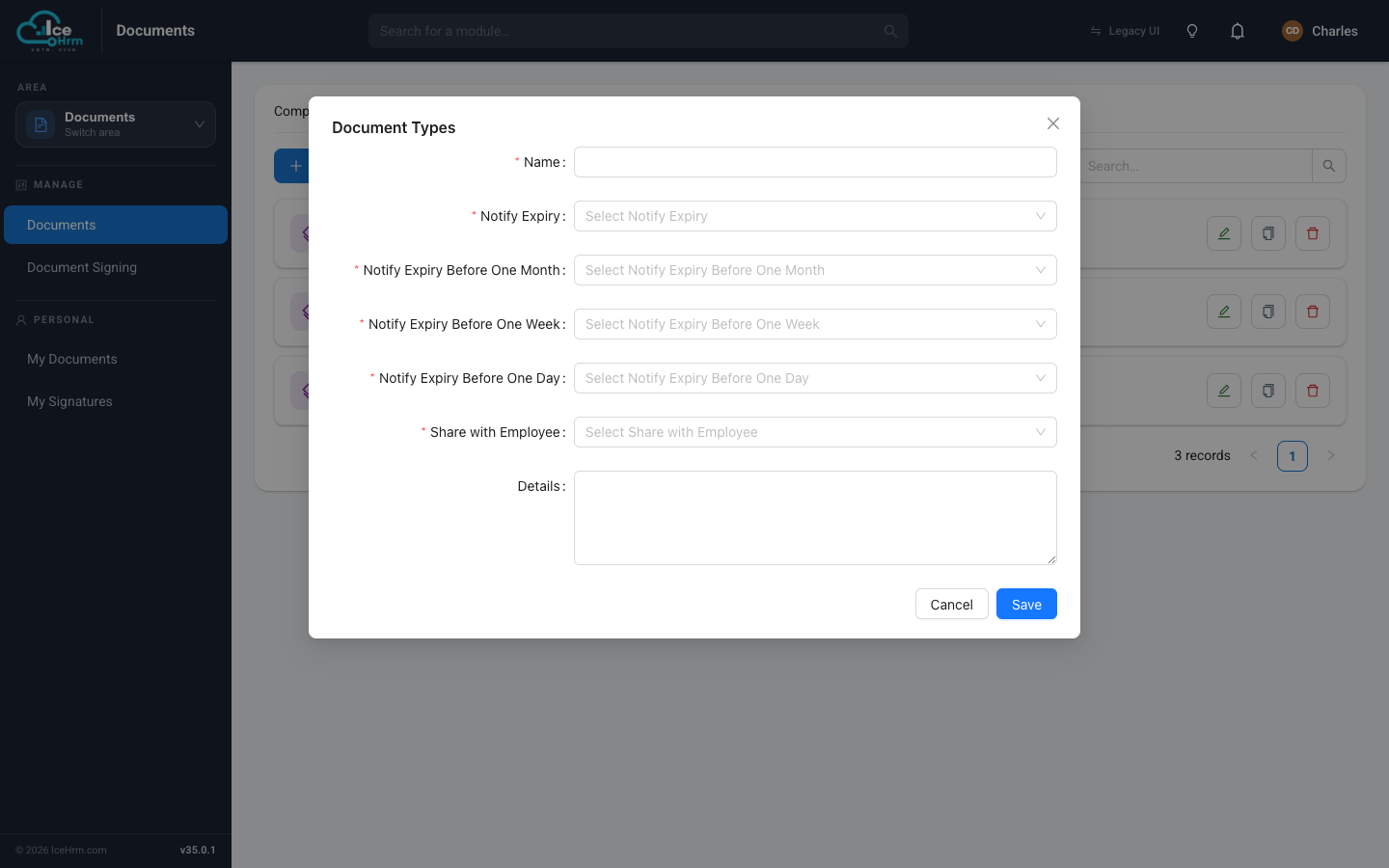
The relevant fields are:
| Field | What it controls |
|---|---|
| Notify Expiry | Turn expiry reminders on or off for this type. |
| Notify Expiry Before One Month | Send a reminder one month before the expiry date. |
| Notify Expiry Before One Week | Send a reminder one week before. |
| Notify Expiry Before One Day | Send a reminder the day before. |
You can enable any combination — for example a nudge a month out and another the week before. Reminders use each document's Valid Until date, so make sure that's filled in when the document is added.
System-wide notification settings
Two settings under Company Setup → Settings control expiry emails across the whole system:
| Setting | Effect |
|---|---|
| Send Document Expiry Emails | Master on/off switch for expiry emails. |
| Copy Document Expiry Emails to Manager | Also send the reminder to the employee's manager. |
The reminder job must be running
Expiry emails are sent by IceHrm's background (cron) job. If that job isn't running, no reminders go out — even with everything configured above. See the post-installation setup for how to schedule it.
Tips
- Give enough lead time — a month's warning gives people time to act.
- Copy managers in so renewals have a second set of eyes.
- Test it with a document whose Valid Until date is near, to confirm emails arrive.