Booking an Interview
When a candidate is ready to be interviewed, you can schedule it directly from their profile. IceHrm keeps a record of every interview against the candidate and notifies the interviewers.
Step 1 — Open the candidate's profile
- Open the Recruitment area and click Candidates.
- Find the candidate — use the board, the All Candidates list, or the search box.
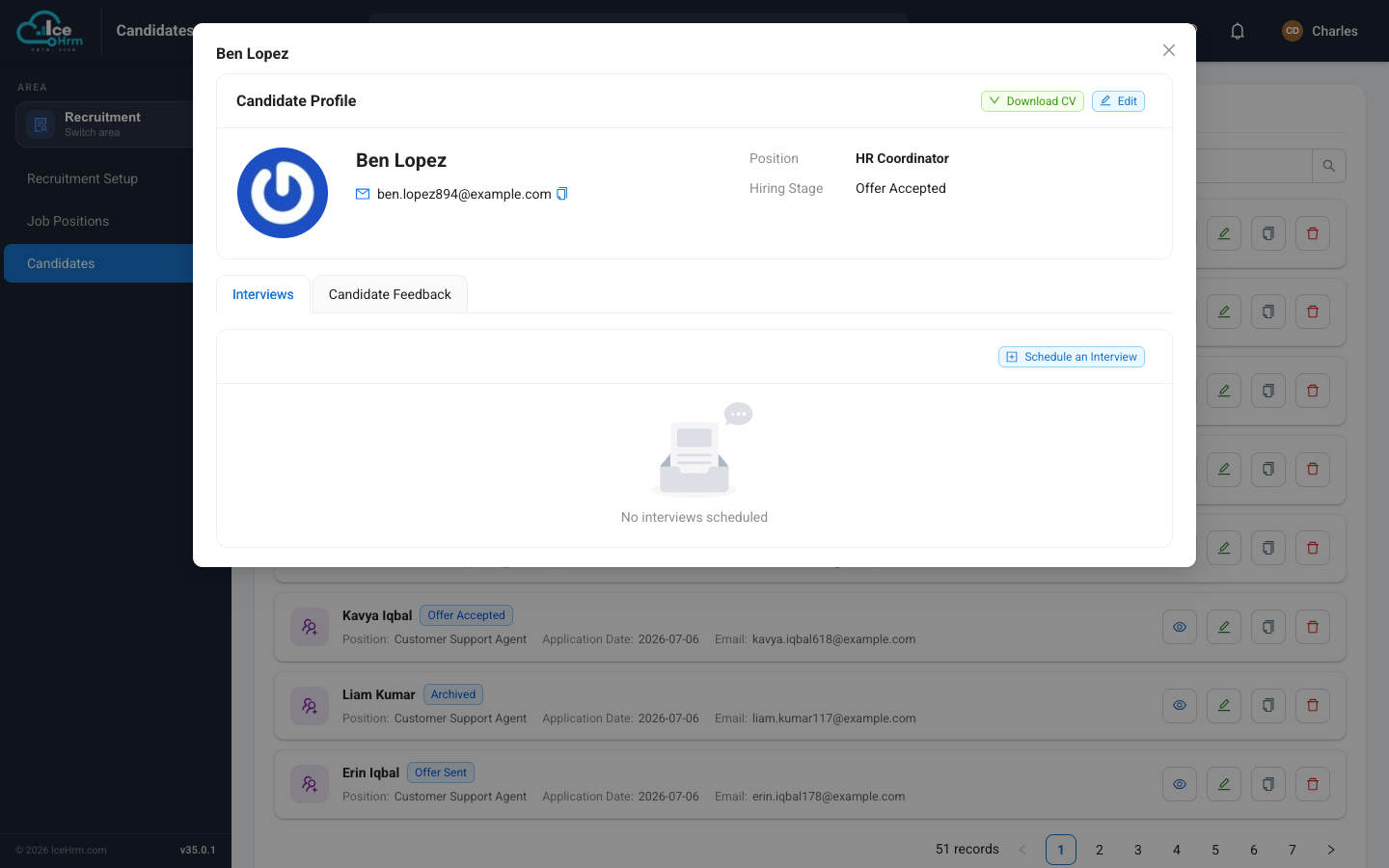
- Click the View (eye) button to open their profile.
Step 2 — Schedule the interview
On the Interviews tab of the profile, click Schedule an Interview. A form opens.
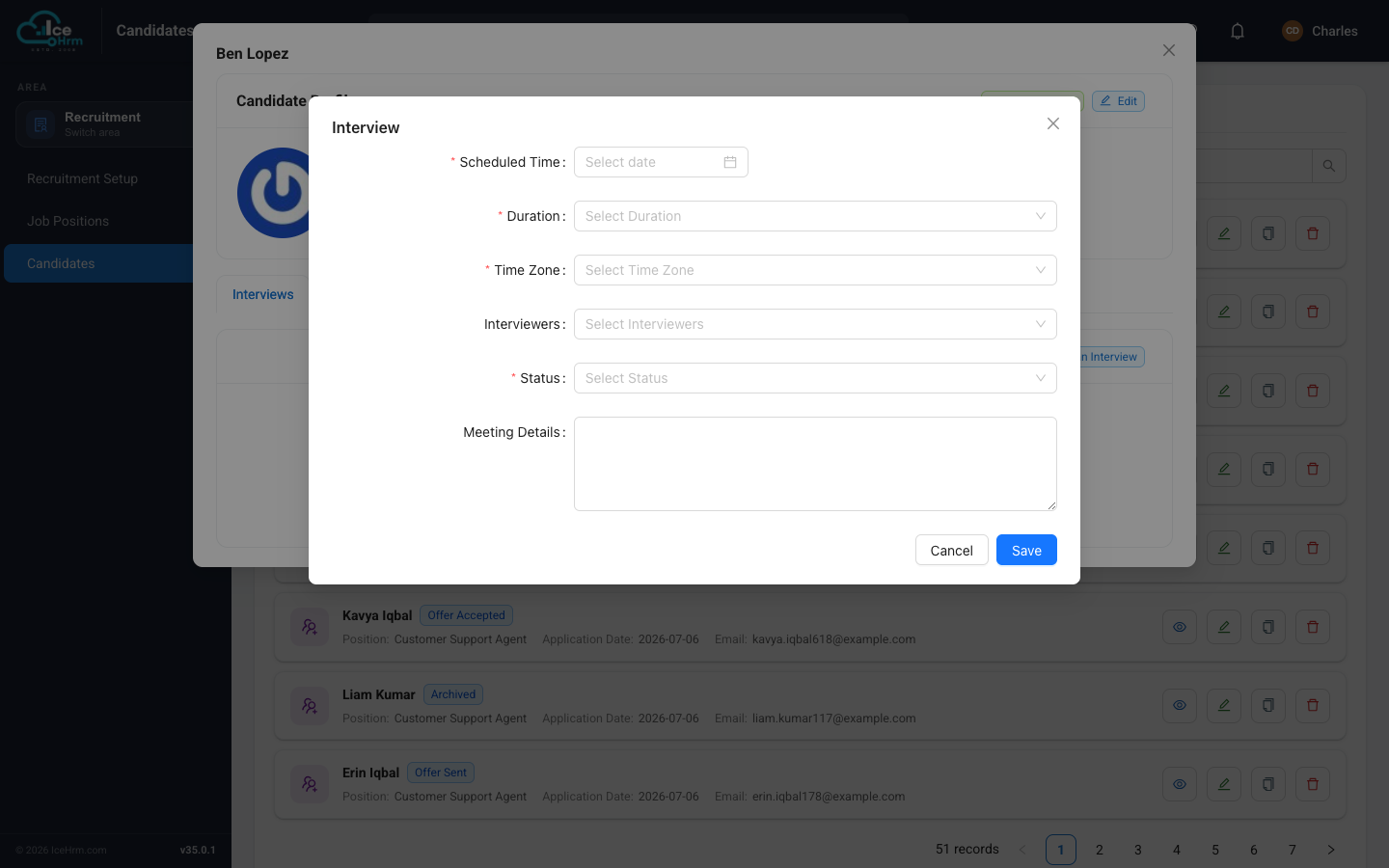
Fill in the details:
| Field | What to enter |
|---|---|
| Scheduled Time | The date and time the interview will take place. |
| Duration | How long you expect it to run. |
| Time Zone | The time zone for the scheduled time — important if interviewers are in different regions. |
| Interviewers | The employees who will conduct the interview. You can pick more than one. |
| Status | The interview's state, e.g. scheduled or completed. |
| Meeting Details | The location, a video-call link, or any instructions for the candidate and interviewers. |
Click Save. The interview now appears on the candidate's Interviews tab, and you can add more (for example a first and second round) the same way.
After the interview
- Come back to the candidate's profile and use the Candidate Feedback tab to record how it went.
- When you're ready, move the candidate to the next stage on the hiring board — for example from Interview to Offer.
Tips
- Add a joining link in Meeting Details for remote interviews so everyone has it in one place.
- Set the time zone carefully when the candidate or interviewers are in another region, to avoid mix-ups.
- Schedule soon after short-listing so good candidates don't lose interest.