Detailed Timesheets
IceHrm offers an alternative timesheet entry method that captures additional task details, including exact start and end times.
How to Enable
-
Go to System > Settings > System
-
Find System: Time-sheet Entry Start and End Time Required
-
Set it to Yes
-
Save settings
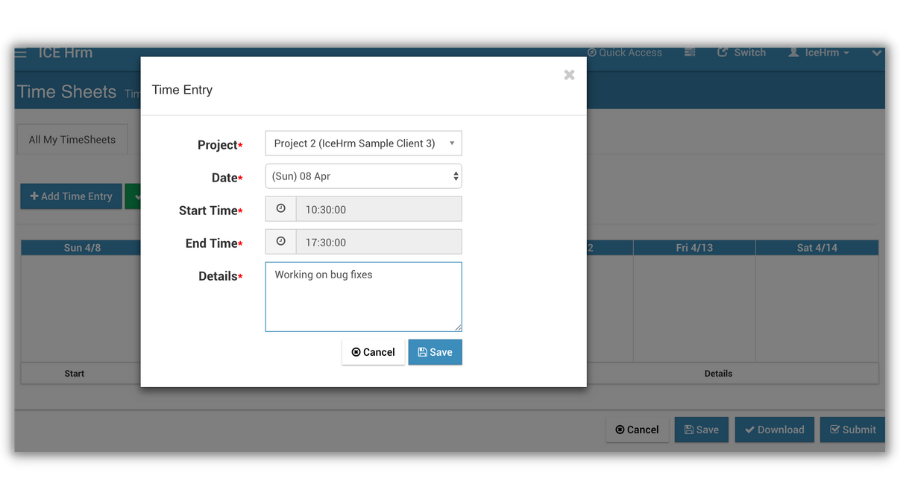
What Changes
Once enabled, the timesheet interface changes to allow employees to record more detailed information:
- Specific tasks being performed
- Precise start times
- Precise end times
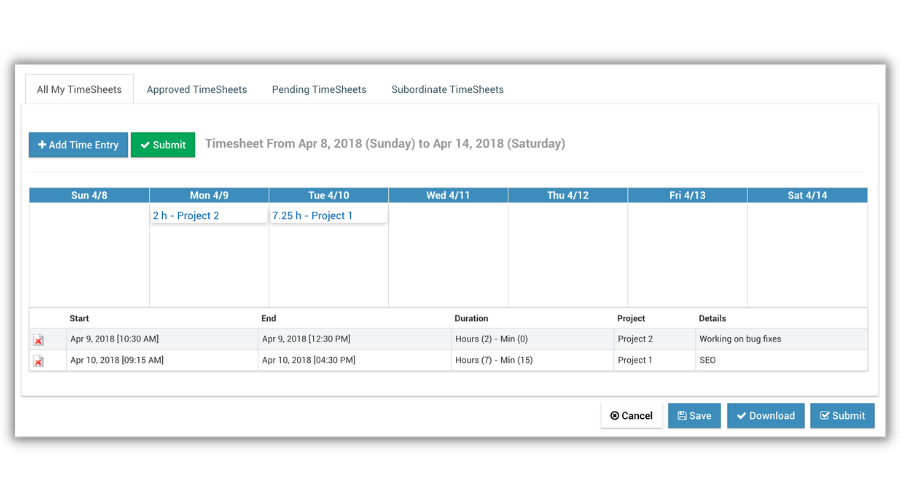
Comparison
| Standard Timesheets | Detailed Timesheets |
|---|---|
| Enter total hours only | Enter start and end times |
| Simple time logging | Granular time tracking |
| Faster to complete | More detailed records |
When to Use Detailed Timesheets
This approach is best for organizations that require:
- Precise billing — Exact hours for client invoicing
- Audit trails — Detailed work records
- Task-level tracking — Know what was worked on and when
- Compliance — Meet strict time tracking requirements
Example Entry
| Field | Value |
|---|---|
| Date | 2024-01-15 |
| Project | Website Development |
| Task | Homepage redesign |
| Start Time | 09:00 |
| End Time | 12:30 |
| Calculated Hours | 3.5 |