Timesheets
The IceHrm mobile app lets employees log time entries against projects and submit timesheets for approval.
Viewing Timesheets
- Open the IceHrm mobile app and tap Timesheets from the dashboard or bottom navigation
- The timesheets screen lists all your timesheets by week with their status
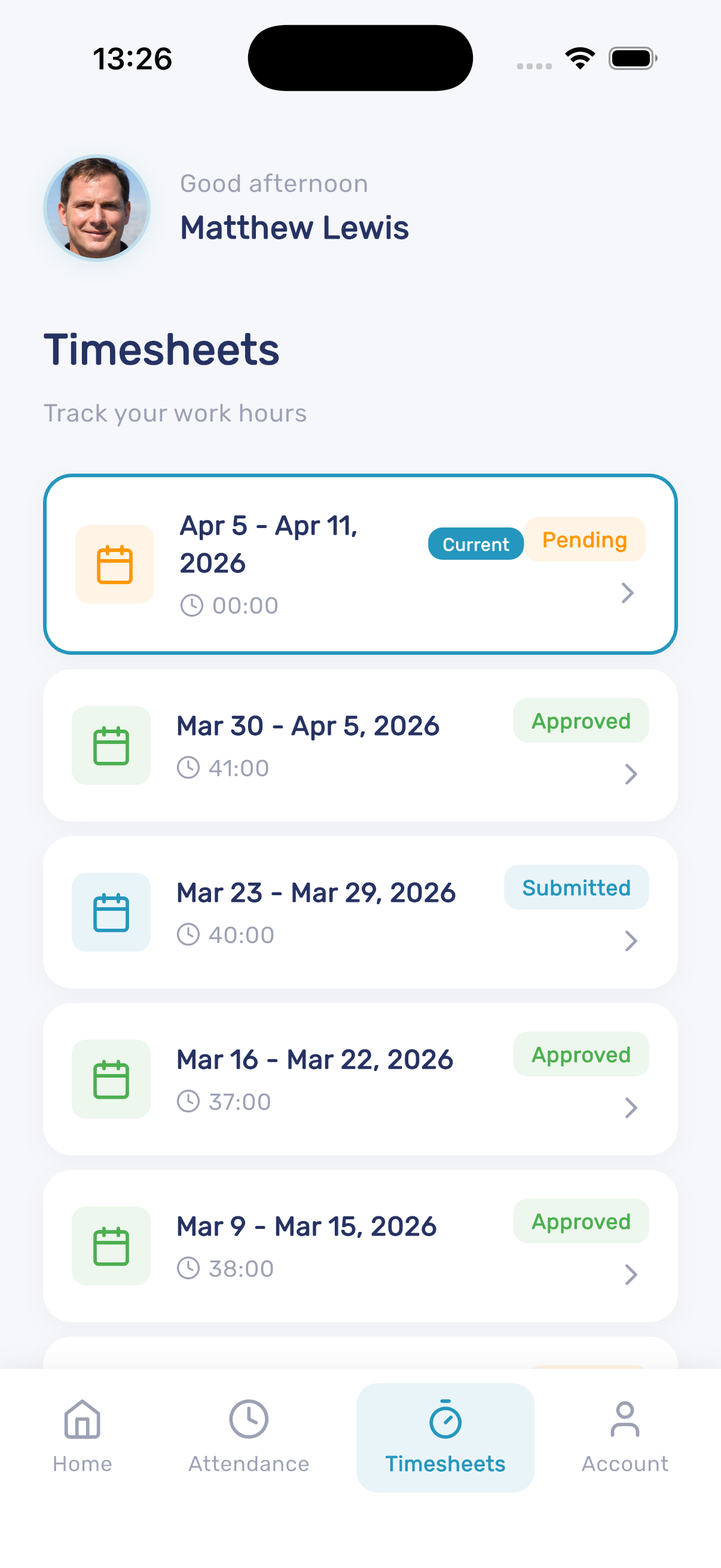
Each timesheet shows:
- Date range for the week
- Total hours logged
- Current status (Current, Pending, Submitted, Approved)
Adding a Time Entry
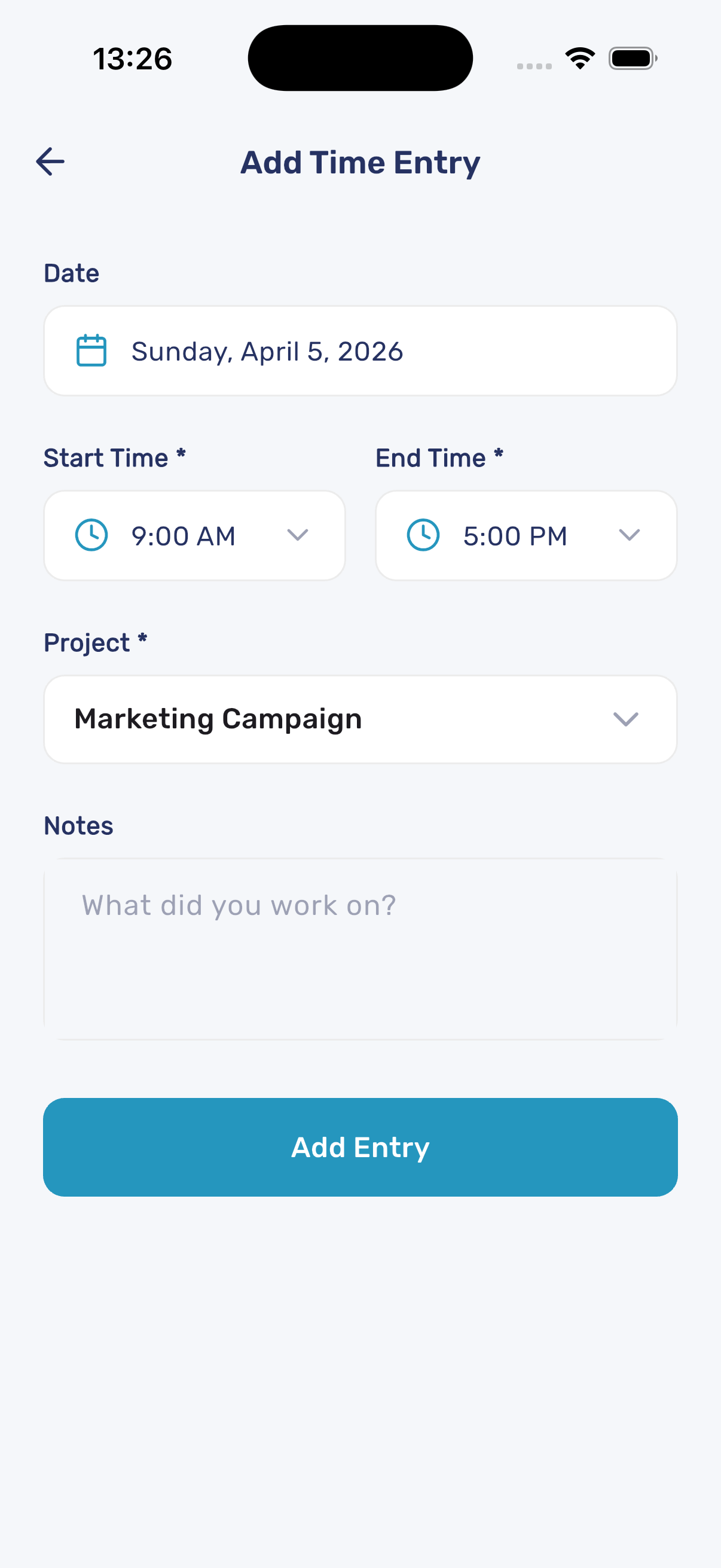
- Open a timesheet and tap the option to add a time entry
- Fill in the details:
- Date - Select the date for the entry
- Start Time and End Time - Set the working hours
- Project - Select the project you worked on
- Notes - Describe what you worked on
- Tap Add Entry to save the time entry
Submitting Timesheets
Once all time entries are added for the week:
- Review the total hours on the timesheet
- Submit the timesheet for manager approval
- The status changes to Submitted and then to Approved once reviewed