Leave Management
The IceHrm mobile app provides full leave management capabilities, allowing employees to apply for leave, check balances, and managers to approve leave requests.
Viewing Leave Requests
- Open the IceHrm mobile app and tap Leave from the dashboard
- The Leaves tab shows all your leave requests with their current status
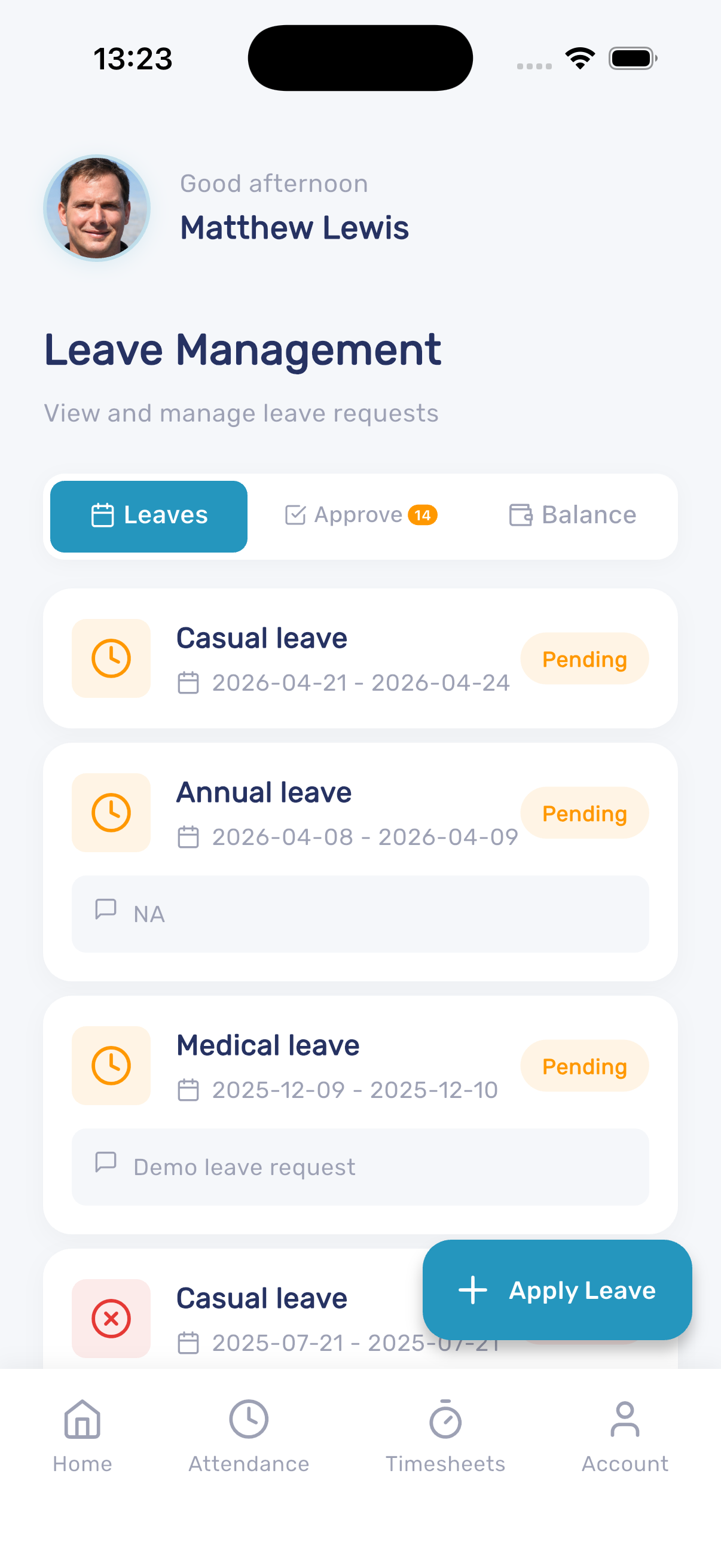
Each leave request displays:
- Leave type (Casual, Annual, Medical, etc.)
- Date range
- Current status (Pending, Approved, Cancelled, Rejected)
- Notes or reason
Approving Leave Requests (Managers)
Managers can approve or reject leave requests directly from the mobile app:
- Tap the Approve tab on the Leave Management screen
- The badge shows the number of pending requests
- Review each request and approve or reject it
Checking Leave Balances
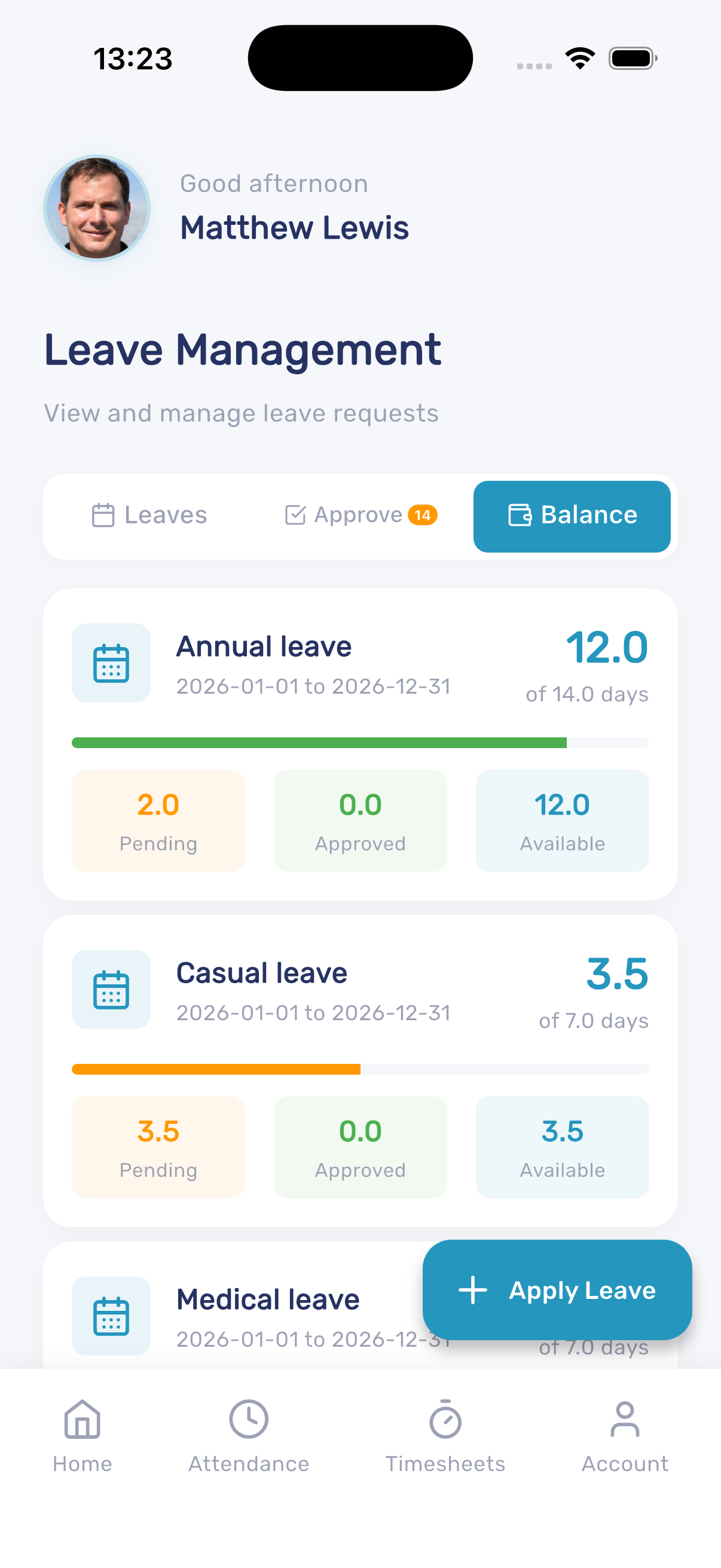
- Tap the Balance tab to view your leave entitlements
- Each leave type shows the total allocation, pending days, approved days, and available balance
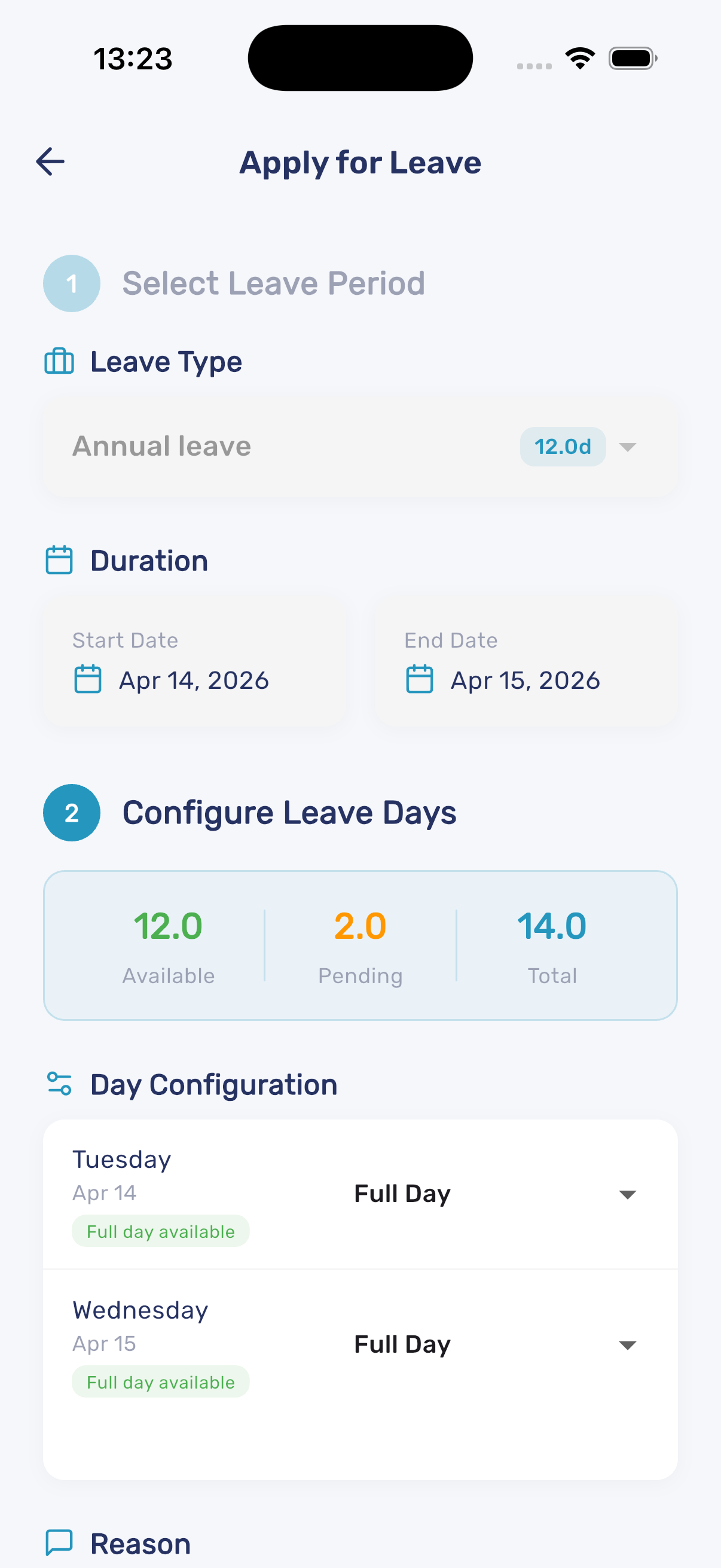
Applying for Leave
- Tap the + Apply Leave button
- Select the leave period and leave type
- Choose the start and end dates
- Review the available balance, pending days, and total allocation
- Configure each day as full day or half day
- Enter a reason for your leave request
- Submit the request