Greeting and Quick Actions
The banner at the top of Home greets you by name with today's date. Next to it are three quick actions for things people do every day. Each one takes you straight to the right place, so there's no hunting through menus.

A quick action only appears if you have access to the module it opens.
Request time off
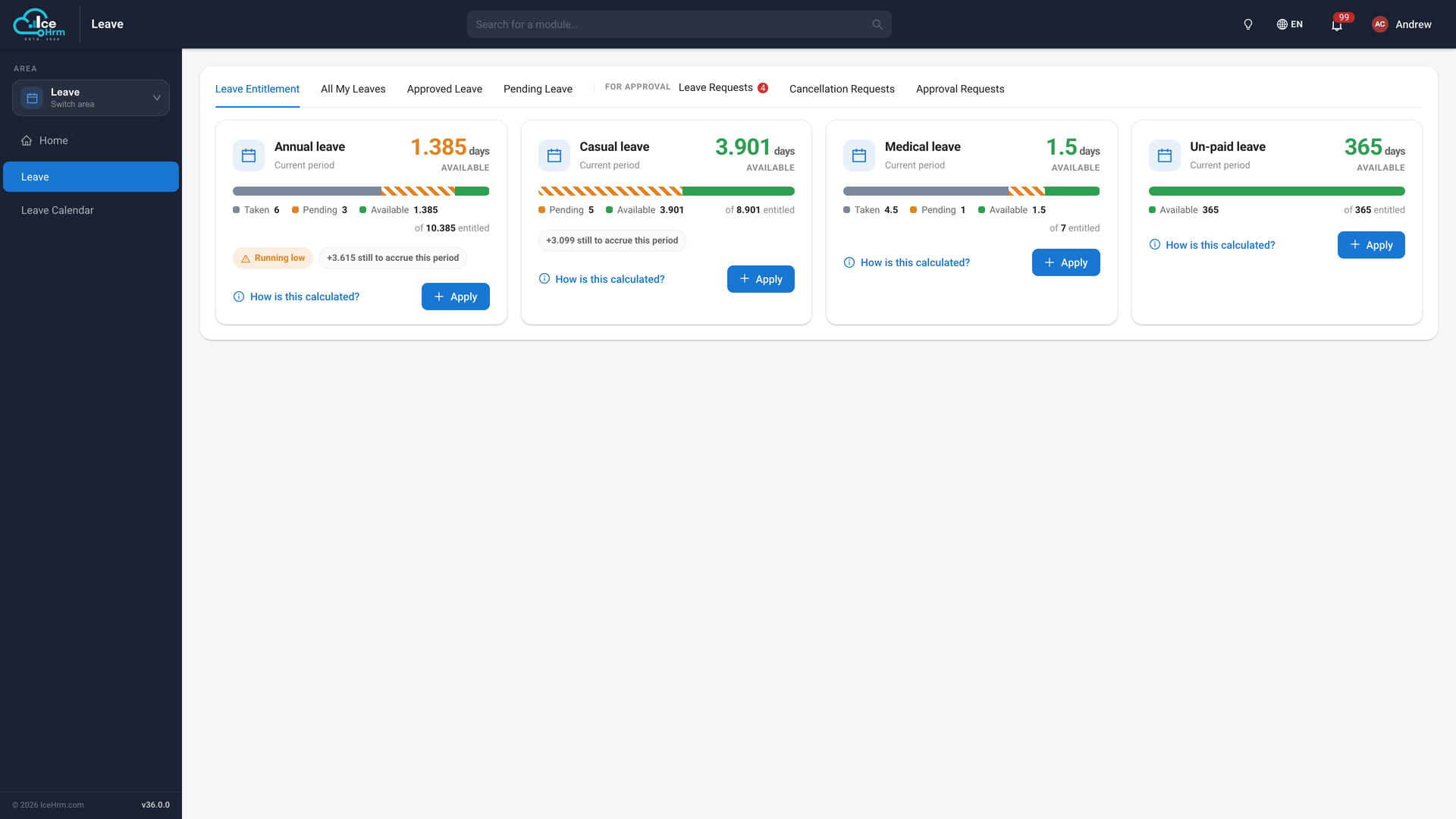
Click Request time off to open your Leave page on the Leave Entitlement tab. You see how much of each leave type you have available, taken and pending, and can click Apply on any leave type to send a request.
Clock in
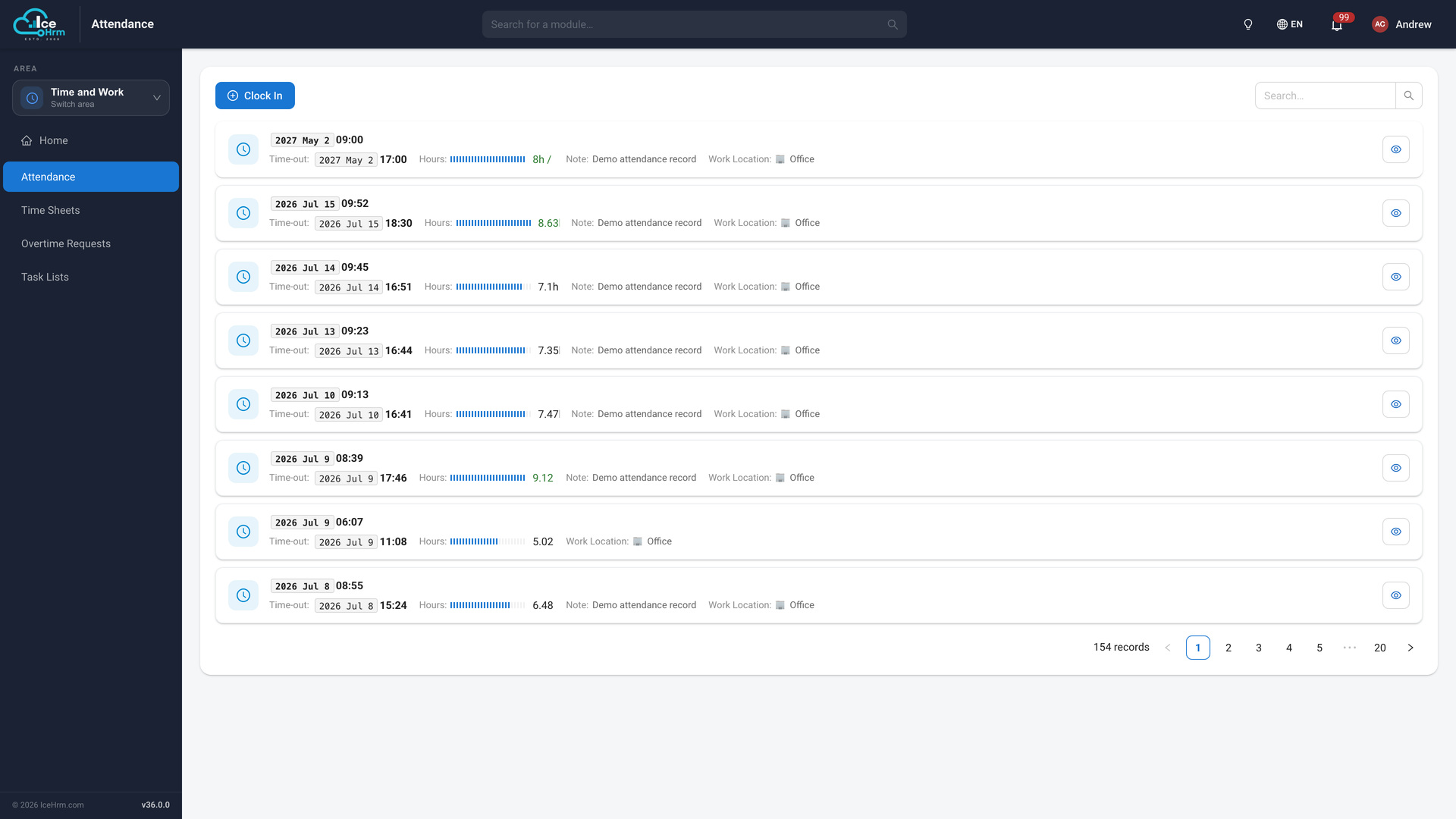
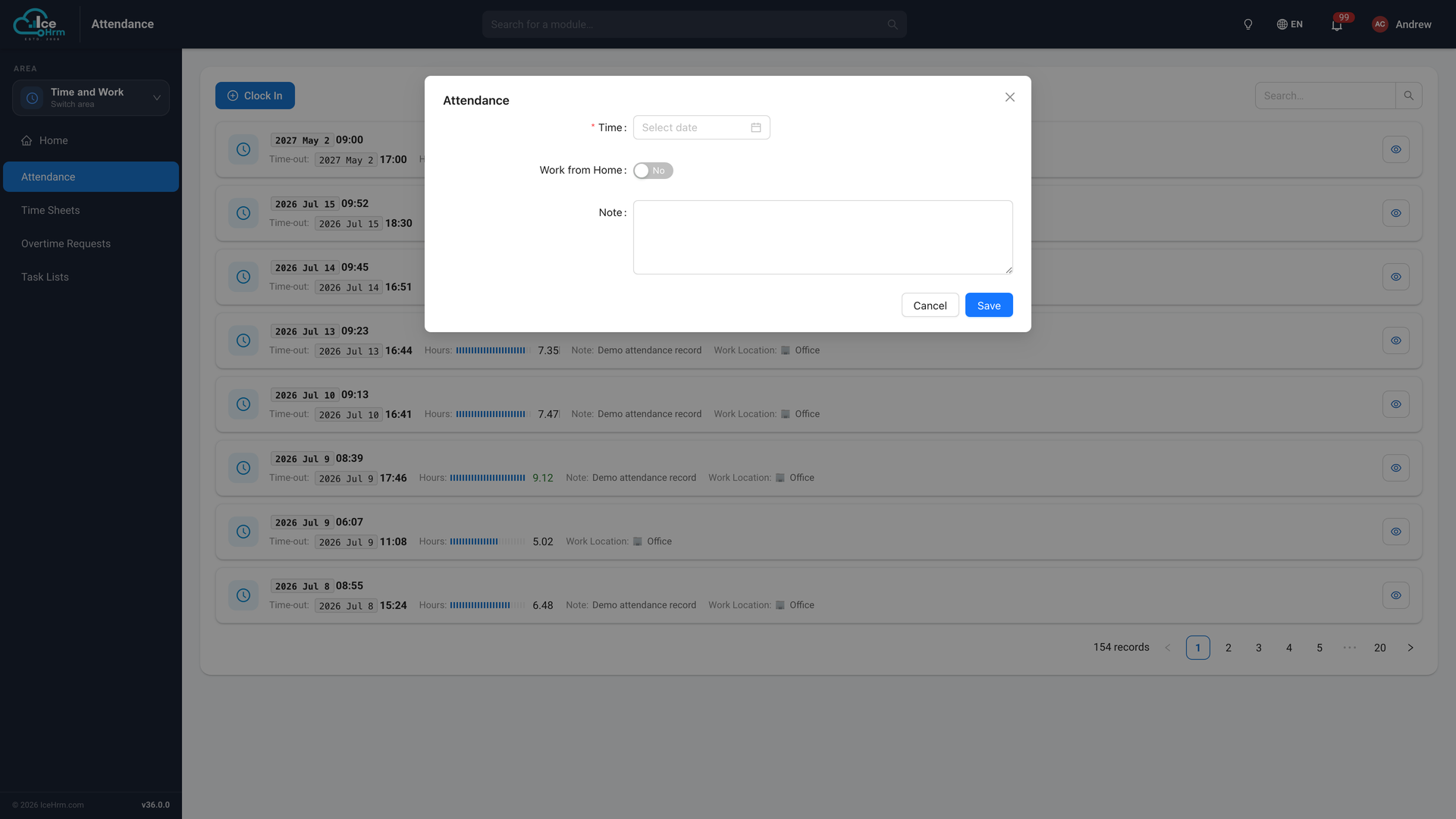
Click Clock in to open your own Attendance page. This always takes you to your personal attendance, even if you're an administrator. From there:
- Click Clock In.
- Set the time, choose whether you're working from home, and add a note if you like.
- Click Save.
At the end of the day, the same button reads Clock Out. Use it the same way to record when you finished.
Your administrator can limit when employees may clock in and out (Settings → Attendance → Limit Clock-in/out Times). If you try outside the allowed window, IceHrm tells you the times that are allowed.
Give Kudos
Click Give Kudos to thank a colleague publicly. See Company feed and kudos for the full walkthrough.