Personal Details
Personal Details is your own profile — the same information HR sees, presented for you to review and (where allowed) update yourself.
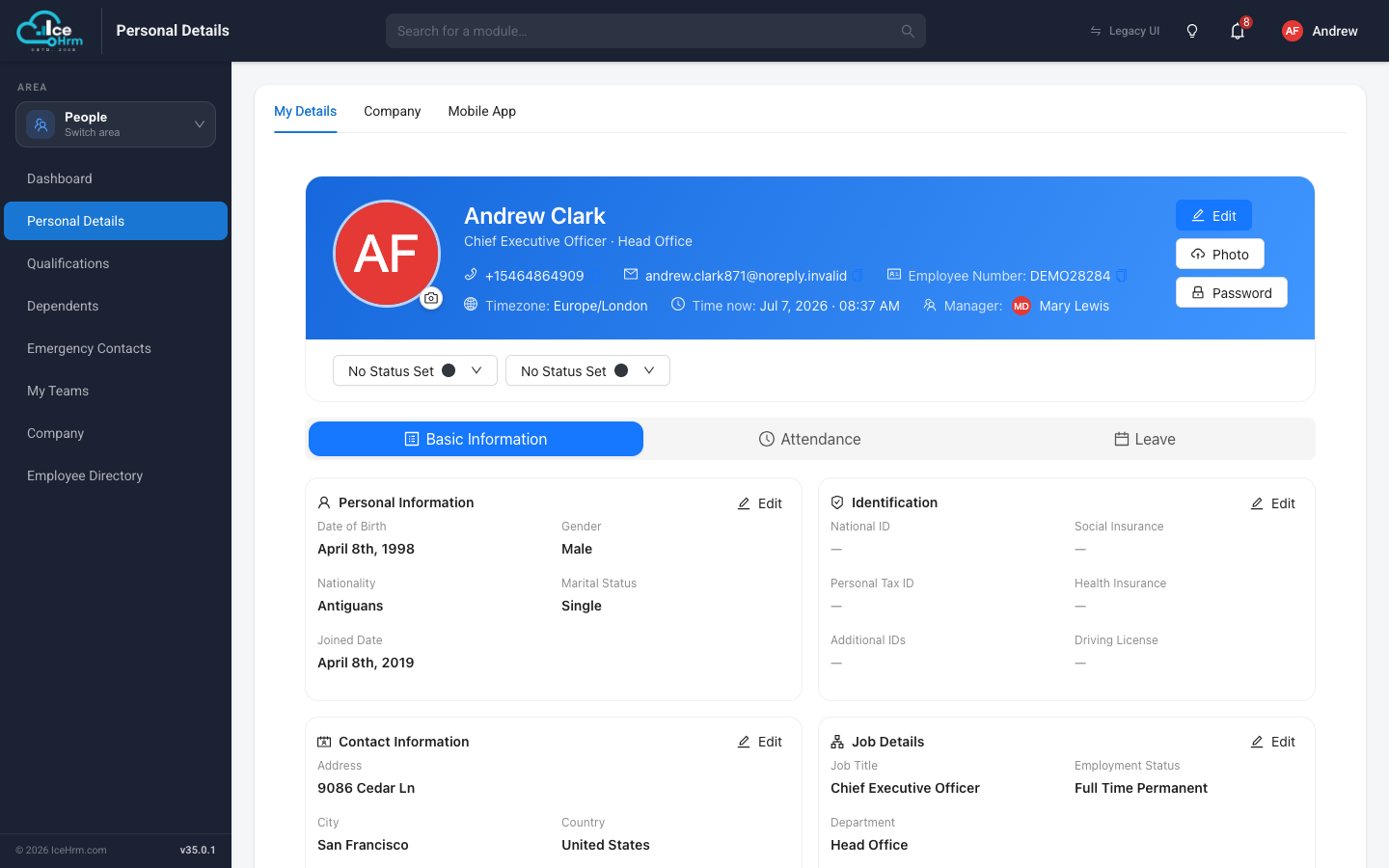
The profile card
The card at the top shows your name, job title, contact details, employee number, time zone, and manager. A few buttons let you:
- Edit — update your details.
- Photo — upload or change your profile picture.
- Remove Photo — clear your profile picture and go back to the initials avatar. This button only appears once you have uploaded a real photo.
- Password — change your login password.
Just below the card you can set your status for the day — useful for letting colleagues know if you are in the office, remote, or focused.
Information sections
The Basic Information tab groups your details into cards, each with its own Edit button:
- Personal Information — date of birth, gender, nationality, marital status, joined date.
- Identification — national ID, tax ID, insurance numbers, driving license.
- Contact Information — address, city, country, phone numbers.
- Job Details — job title, employment status, department (these are usually maintained by HR).
The Attendance and Leave tabs show your own attendance records and leave balances without leaving the page.
The other tabs at the top
- Company — a quick view of company-wide information (see Company and directory).
- Mobile App — links to download the IceHrm mobile app and a button to request a one-time login code for signing in on your phone.
- API Access — everything you need to call the IceHrm REST API as yourself.
API Access
The API Access tab is for connecting your own scripts or integrations to IceHrm. It shows:
- API Base URL — the address all REST API requests go to. Copy it with the button next to it.
- API Access Token — your personal token. Send it as a Bearer token in the
Authorizationheader of your requests. Copy it the same way.
To roll your token — for example if it may have leaked — click Reset Token and confirm. A fresh token is issued immediately.
Anyone with your API token can act as you. Never share it or commit it to source control. Resetting the token immediately stops the old one from working, so update any integration that used it.
The token and base URL only appear if your administrator has turned on the REST API for your account (System > Settings > API). If the tab shows that access isn't enabled, ask your HR or IT team.
Depending on your company's settings, some fields (like job title or department) can only be changed by HR. If an Edit button is missing or a change is rejected, contact your HR team.