Admin Reports
Admin reports give you organisation-wide data — who's active, attendance and overtime, leave, expenses, and company assets. They're all filterable and can be downloaded as a spreadsheet.
Running a report
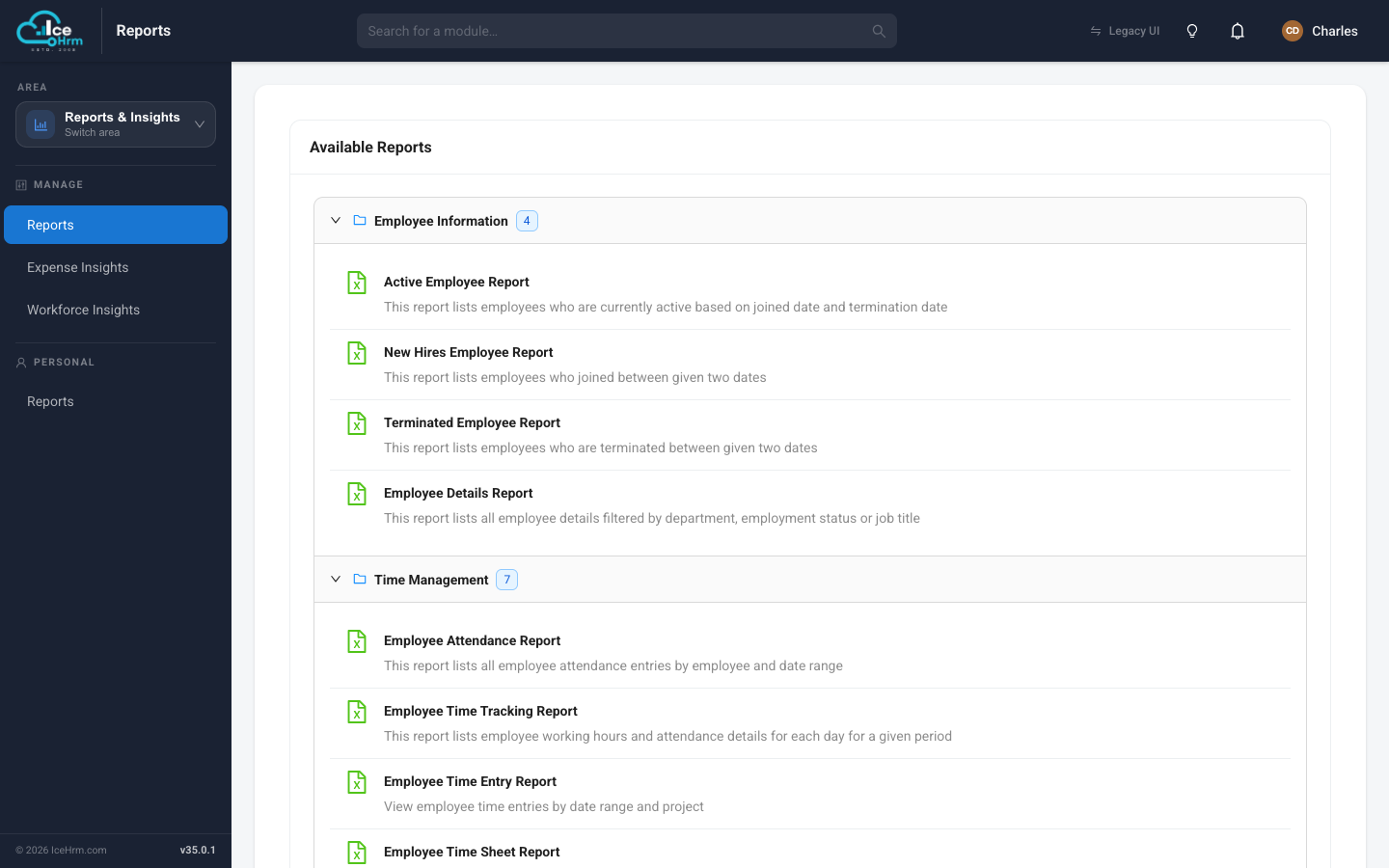
Open the Reports & Insights area and click Reports under Manage. You'll see the Available Reports catalogue, grouped into collapsible categories. The number beside each category tells you how many reports it holds.
-
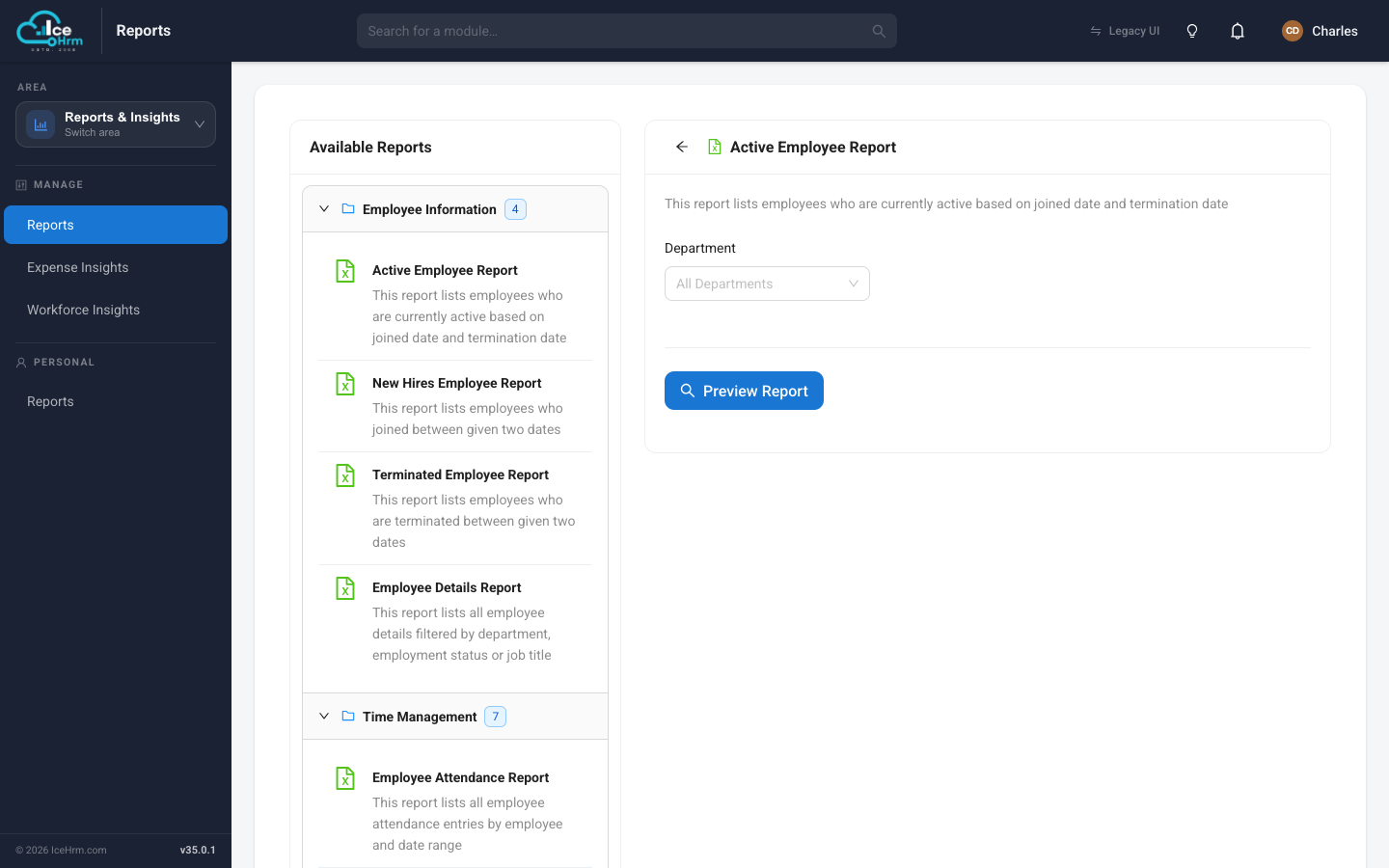
Click a report — for example Active Employee Report. Its filters open on the right.
-
Set any filters (a department, a date range, and so on).
-
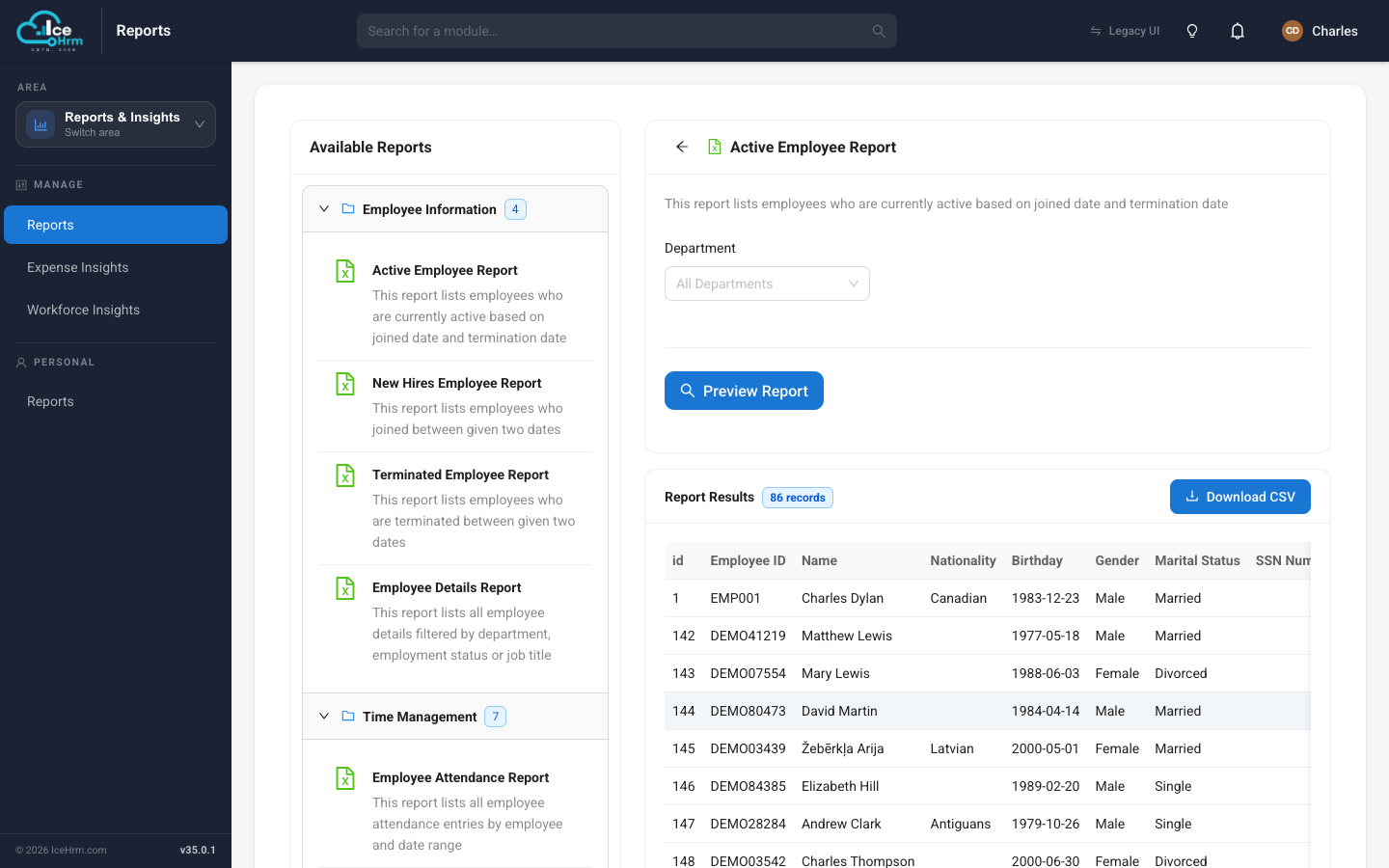
Click Preview Report. The results appear as a table.
-
Click Download CSV to save the data as a spreadsheet.
Reports by category
Employee Information
| Report | What it lists | Filters |
|---|---|---|
| Active Employee Report | Currently active employees | Department |
| New Hires Employee Report | Employees who joined between two dates | Start/End date |
| Terminated Employee Report | Employees terminated between two dates | Start/End date |
| Employee Details Report | Full employee details | Department, Employment status, Job title |
Time Management
| Report | What it lists | Filters |
|---|---|---|
| Employee Attendance Report | Attendance entries | Employee, Date range |
| Employee Time Tracking Report | Working hours per day | Employee, Date range |
| Employee Time Entry Report | Time entries against projects | Date range, Project |
| Employee Time Sheet Report | Submitted timesheets | Employee, Date range |
| Overtime Report | Attendance with overtime calculated | Employee, Date range |
| Overtime Summary Report | Overtime totals per employee | Employee, Date range |
| Overtime Request Report | Overtime requests | Employee, Date range, Category, Project |
Leave Management
| Report | What it lists | Filters |
|---|---|---|
| Employee Leaves Report | Leave requests | Employee, Date range, Leave status |
| Employee Leave Entitlement | Entitlement for the current period | Department, Employee |
Travel & Expense
| Report | What it lists | Filters |
|---|---|---|
| Travel Request Report | Travel requests for a period | Date range |
| Expense Report | Expenses for a period | Date range |
Resources
| Report | What it lists | Filters |
|---|---|---|
| Company Asset Report | Assets assigned to people and departments | Employee, Department |
Related topics
- User reports — the employee's own version
- Insights dashboards — the visual view of the same data