

This tutorial will guide you through the steps to assign training to employees using IceHrm.
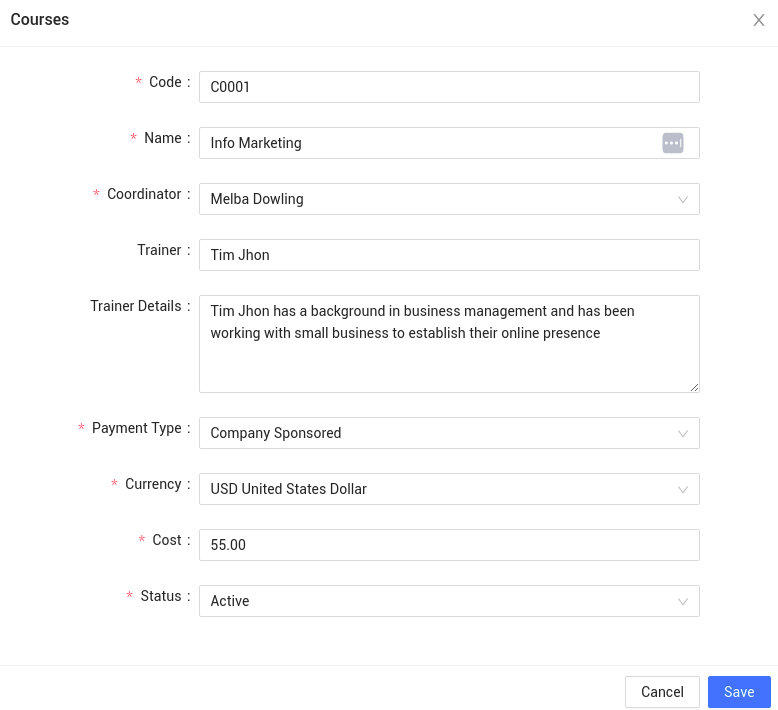
First login to your IceHrm account and go to Manage -> Courses and add a course as shown below:
Once you have added the course, create a training session by going to the training sessions tab as shown below:
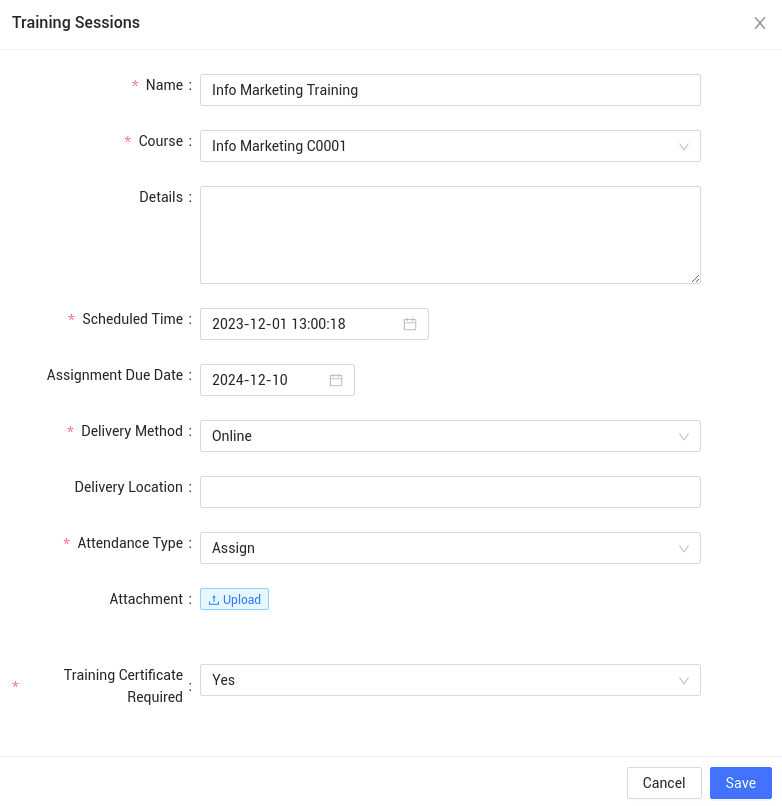
Make sure you select Assign as the attendance type since you will be assigning the training sessions to your employees.
Now go to the Employee Training Sessions tab to assign sessions to your employees.
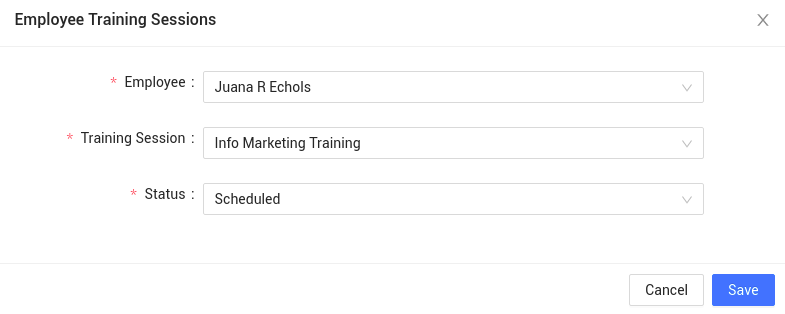
You've now successfully assigned a training session to an employee using IceHrm.
The employee will be able to see their training sessions under Training -> My Training Sessions.
Click here to learn more about the IceHrm training module.